
 View on Asset Store (opens in new tab)
Package details
- Latest version
- 2.0.0
- Last updated
- First released
- Unity version
- 6000.0.44 or later
- Package size
- 1.0 MB
- Files
- 20
- Favorites
- 25
- Views in the past week
- 12
Price tracking
- Last checked
- Tracked since
- Lowest recorded
- Free on
Keywords
2D Ghost Trail Spawner (Free)
Make Your Dashes & Effects Look Awesome In Just 1 Line!
Affiliate link · Purchases support this site
Price history
Last 6 months
USDAsset preview
1 / 7
2D Ghost Trail Spawner (Free) screenshot 1

About this asset
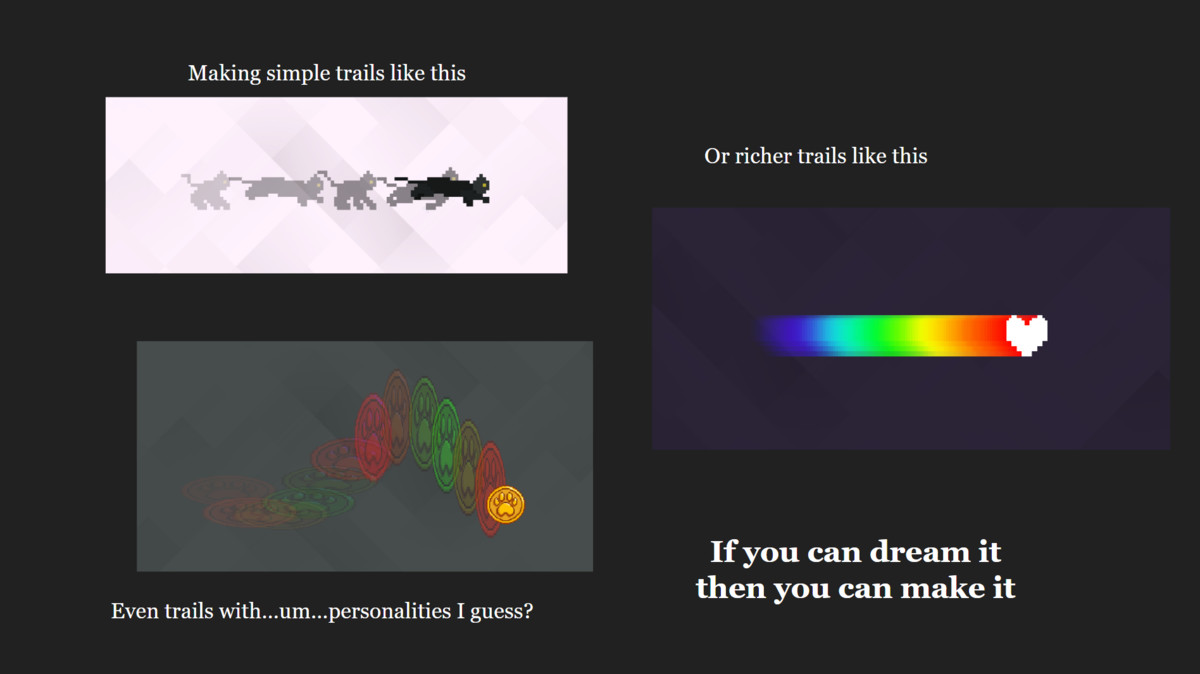
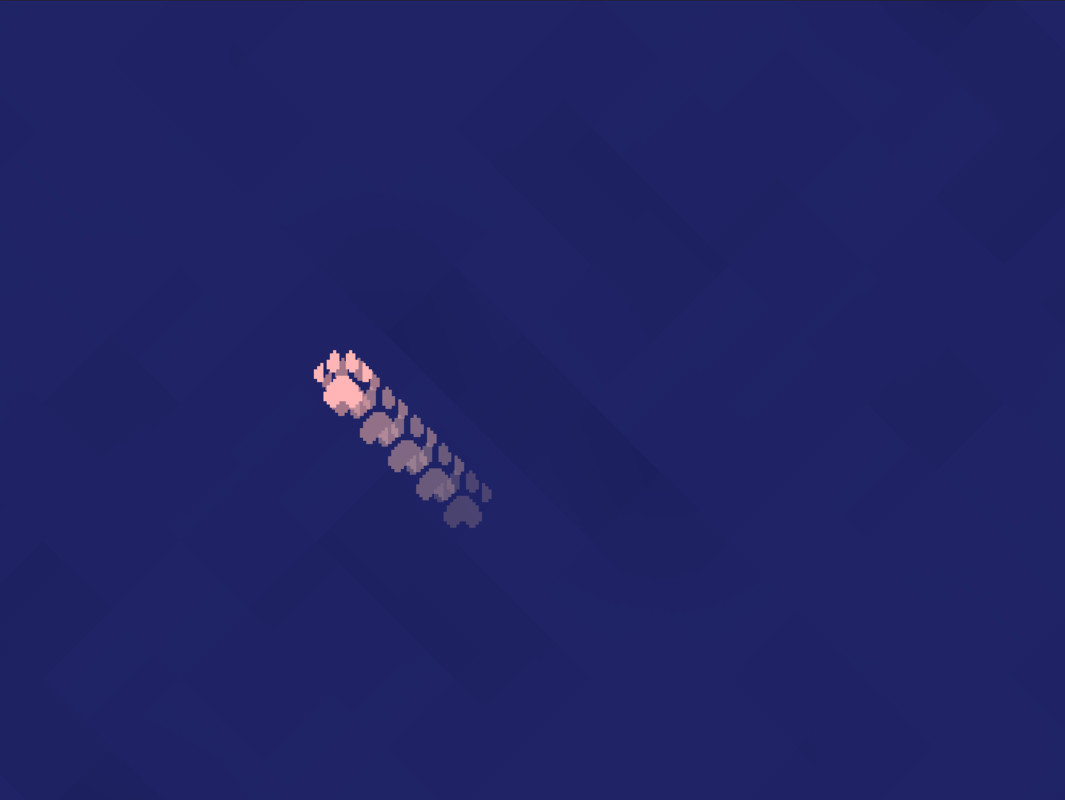
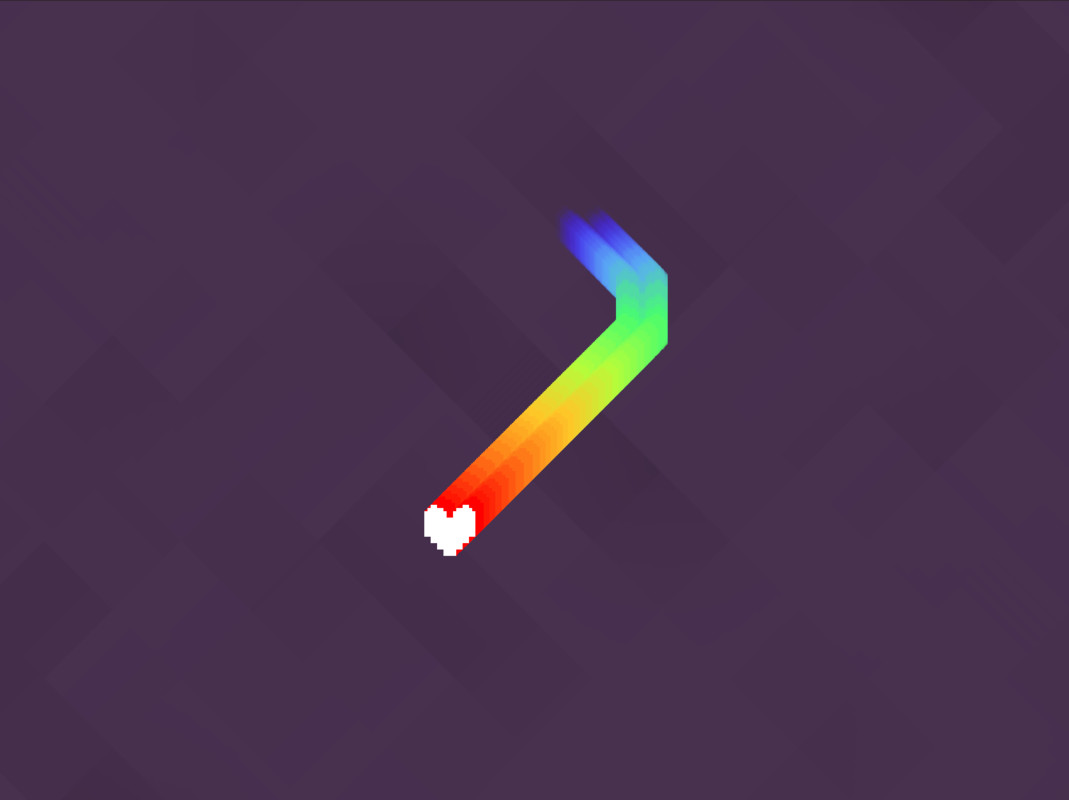
Want to make your dashes look cooler, attacks fancier, or projectiles more dynamic? This tool makes it easy and super customisable!
🚀 Why Use This Tool?
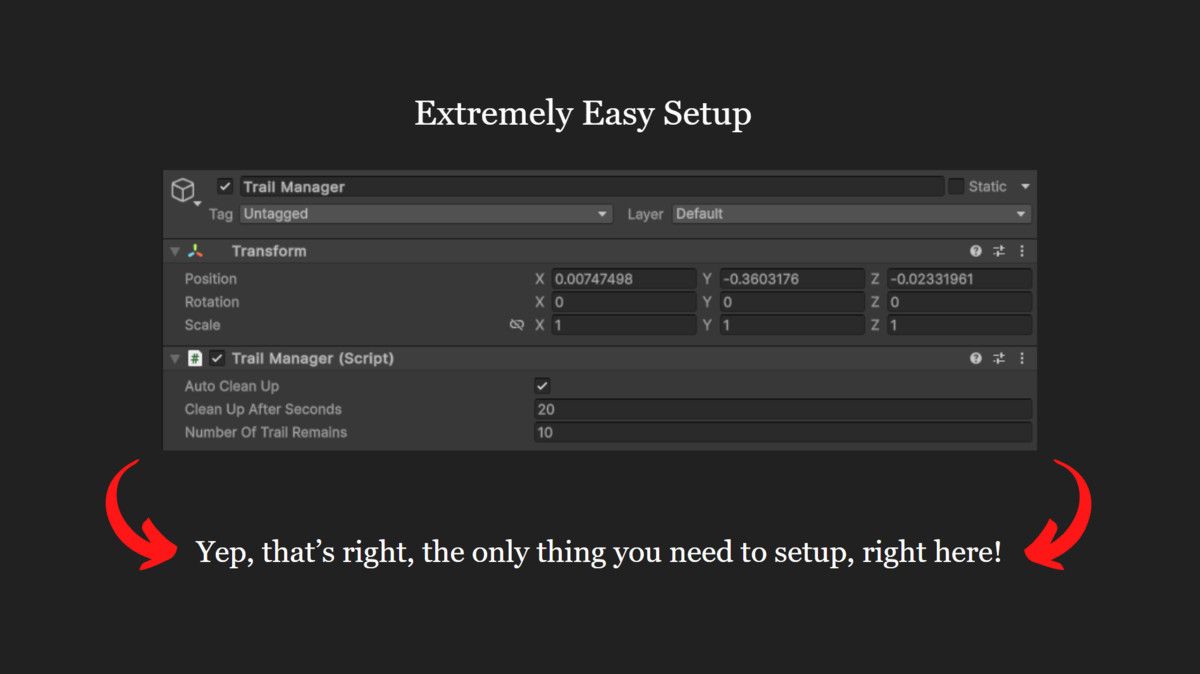
✅ Quick Setup: Just 2 simple steps (technically 1), and you're ready to start spawning different types of trails.
✅ Accurate Gaps: Trail positions are precisely calculated to stay consistent even at inconsistent frame rates.
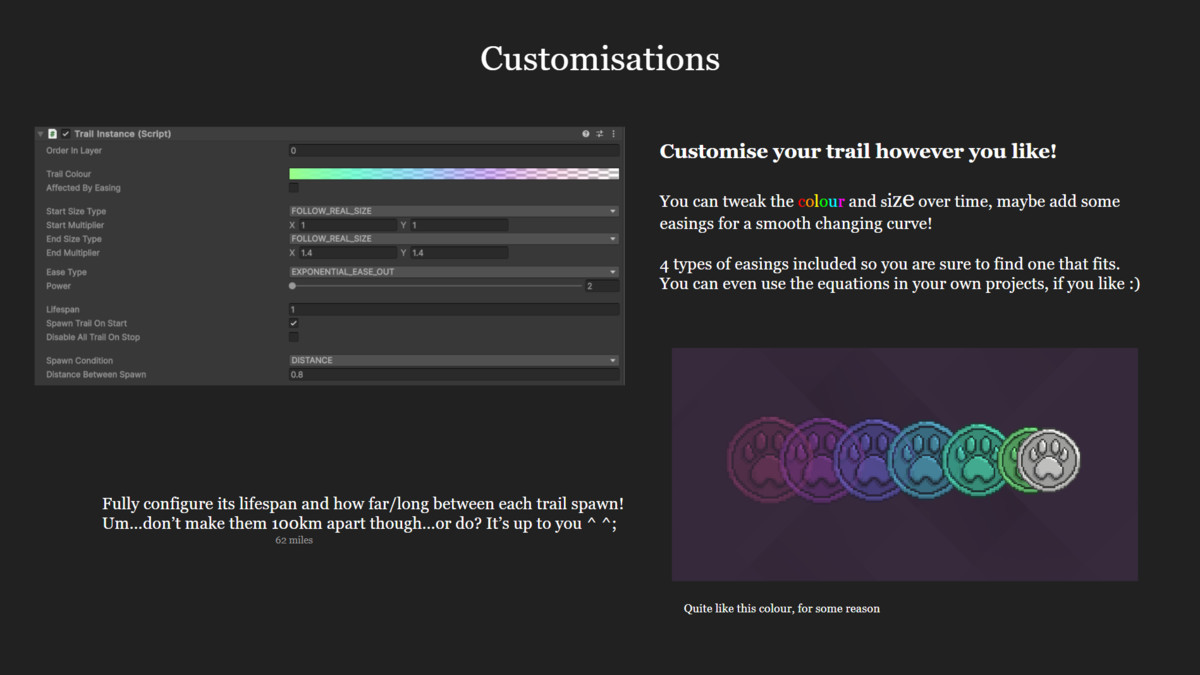
✅ Fully Customisable: Control colours, sizes, lifespans, sprites, spawn intervals, easing, and more.
Check out the example scene and documentation (available in English & Traditional Chinese) to get started.
‼️ If you are updating to version 2.0.0, since I changed some locations of some files and changed the namespace, please remove the existing asset before importing the new version.
‼️ If you are using Visual Studio, in order to change the namespace across all files, press Ctrl+Shift+F to open Find and Replace window, go to Replace in Files, and replace "BlackCatTrail" with "TheBlackCat.TrailEffect2D". Apologies for the inconvenience.
==============================================
🆓 What You Get in both the free and Pro version:
- 🎯 Easy trail spawning with 1 line of code
- ⚙️ Customise order in layer, gradient colours, size settings, lifespan, gap interval condition
- 🌀 4 built-in easing equations (Sine, Exponential, Circle, Elastic) that you can also use in your own project
- 🧠 Accurate trail spacing even with inconsistent frame rate
- 🔍 Debugging tools that display trail info in the inspector and the hierarchy
🔒 What You Unlock in the Pro version:
- 🔁 Profiles: Create profiles and reuse trail settings, saving your time copying and pasting. Switch profiles at runtime, allowing a game object to easily spawn different types of trails.
- 🎨 Override Sprite Colour: Choose to fully override or just tint the sprite.
- 🖼️ Custom Sprites: Use specific trail sprites, cycle or randomise them, not just limited to the sprite of the game object.
- 📈 Animation Curve: Full control over scale changes beyond easing presets.
- 🤖 Auto Start/Stop: Trails can automatically start and stop based on speed, time, or distance, no code is needed. Of course, your can your own auto-start and stop logic in case the built in ones don't fit.
- 💥 Physics Trails: Enable collisions for interactive trail effects, they are not just visual effects anymore!
- 📣 Events: Subscribe to profile change, trail start or stop, object init or destroy events, and more.
- 🔧 Extension Methods: Cleaner and shorter code for spawning and managing trails.
🔬 Experimental features in the Pro version:
- 💨 Trail Movement: The trail can move to a specific direction or a random direction within a range.
==============================================
This is the Free version which gives you the core features with basic customisations, whereas the Pro version unlocks the full toolkit.
‼️ I am an impulsive person and will often release new versions (bug fixes, new features, small updates, etc.), please always check the latest version ‼️
* Designed for 2D projects only
* Only compatible with URP (Universal Render Pipeline)
📬 Support
Contact me through these 2 ways.
📧 Email: [email protected]
🐙 GitHub: Submit an issue or pull a request
From the publisher's Asset Store listing.
Technical details
- Allow users to generate a trail on a game object. The user can start and stop the trail in scripts.
- Allow users to customise the appearance of the trails: order in layer, colour, scale size, lifespan, spawning condition, ease type.
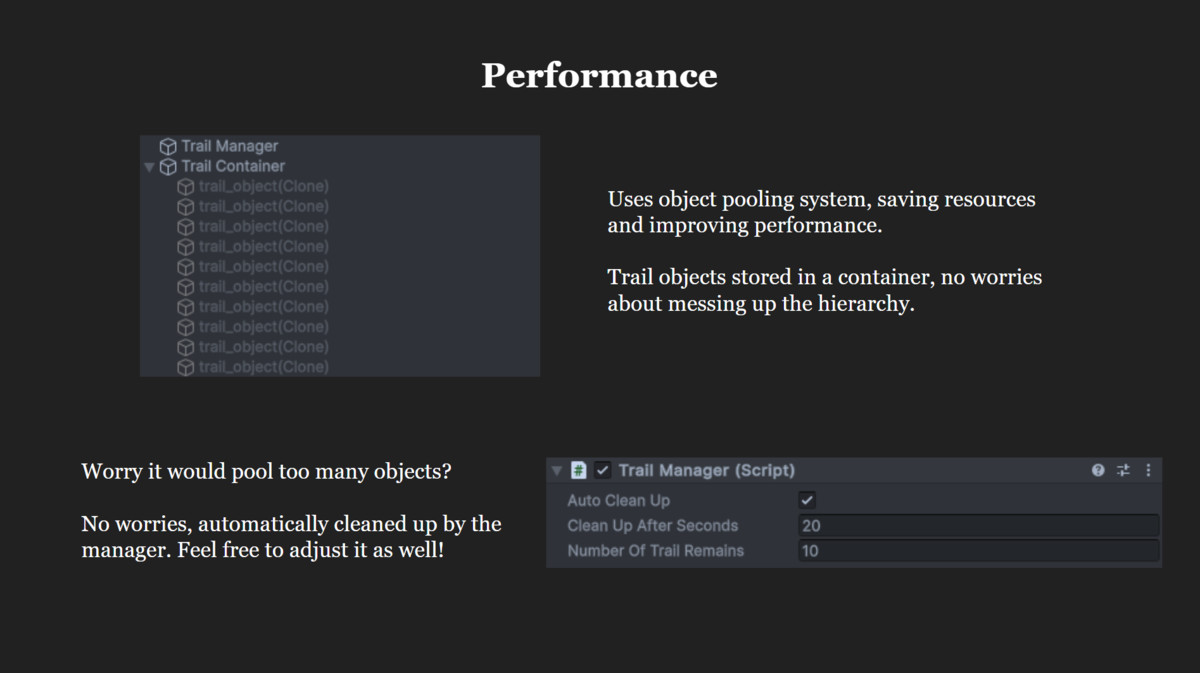
- Uses object pooling to improve performance and save resources.
- Automatically destroying pooled trail objects when needed. User can also manually do this in scripts.
- Calculate the correct position for each trail object before spawning them, making sure the delta time imprecision will not cause any inconsistent gaps in the trail.
Compatibility
| Unity version | Built-in | URP | HDRP |
|---|---|---|---|
| 6000.0.44f1 | Not listed | Compatible | Not listed |
As listed on the Asset Store.