
 View on Asset Store (opens in new tab)
Package details
- Latest version
- 1.0.2
- Last updated
- First released
- Unity version
- 6000.0.44 or later
- Package size
- 67.5 MB
- Files
- 53
- Views in the past week
- 9
Price tracking
- Last checked
- Tracked since
- Lowest recorded
- $9.99 on
Keywords
- Search for image capture
- Search for 3D model image export
- Search for photo booth
- Search for in-game camera
- Search for Developer Tools
- Search for custom save path
- Search for photo capture
- Search for camera setup
- Search for runtime screenshot
- Search for unity photography
- Search for capture tool
- Search for game view export
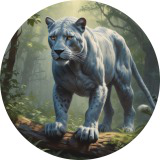
Silver Panther Photo Booth
Upgrade your workflow to easily and quickly capture HD images in the Unity Editor and HD screenshots during gameplay.
Affiliate link · Purchases support this site
Price history
Last 6 months
USDAsset preview
1 / 14

Silver Panther Photo Booth screenshot 1


About this asset
Upgrade your Unity workflow with a powerful photo booth tool designed to capture high-resolution images effortlessly — both in the editor and at runtime.
This tool enables developers to quickly capture crisp, high-quality images within the Unity Editor, ideal for generating in-game icons, UI elements, buttons, thumbnails, and background art. Whether you're working on stylized UIs or polished interfaces, you'll be able to extract clean visuals straight from your scene — no external software required.
During gameplay, the tool also allows you to capture HD screenshots with minimal setup. Use it to build a custom screenshot feature for your players, letting them share gameplay moments, create photo modes, or simply save their favorite in-game experiences.
Whether you're an indie developer polishing your UI, or building a player-facing screenshot system, this tool helps streamline image capture and gives your project a professional edge.
Check out the key features for more information.
This asset will work with any render pipeline. Inside the materials folder you will find two Unity packages. One package is for the HDRP materials and the other is for the URP materials. These materials are only needed for the tutorial scene.
From the publisher's Asset Store listing.
Technical details
🔧 Key Features:
- 📸 Editor Capture Mode – Grab HD images directly from the editor scene or Game view
- 🧱 Use for Icons/UI – Perfect for generating crisp assets for buttons, backgrounds, and menus
- 🎮 Runtime Screenshot Capture – Easily integrate a screenshot function into your game
- ⚙️ Flexible & Lightweight – Minimal overhead, easy to integrate into any project
- 💾 Custom Save Paths – Organize captured images exactly where you want them
Compatibility
| Unity version | Built-in | URP | HDRP |
|---|---|---|---|
| 6000.0.44f1 | Compatible | Compatible | Compatible |
As listed on the Asset Store.