
 View on Asset Store (opens in new tab)
Package details
- Latest version
- 1.0.0
- Last updated
- First released
- Unity version
- 2022.3.27 or later
- Package size
- 1.2 MB
- Files
- 32
- Favorites
- 92
- Views in the past week
- 54
Price tracking
- Last checked
- Tracked since
- Lowest recorded
- Free on
Keywords
Ripple Shader Pack – Real-Time Water Ripples
Water ripple system for Unity featuring 4 ripple types: object-triggered, mouse-triggered, raindrop ripples, and continuous ripples – all customisable
Affiliate link · Purchases support this site
Price history
Last 6 months
USDAsset preview
1 / 7

Ripple Shader Pack – Real-Time Water Ripples screenshot 1



About this asset
🌊 Unity Water Ripple System
A dynamic ripple effect system for Unity that visualises water surface interaction through both **object collisions** and **mouse input**. This system is ideal for simulations, stylised water surfaces, or interactive environments.
💧 Ripple Types
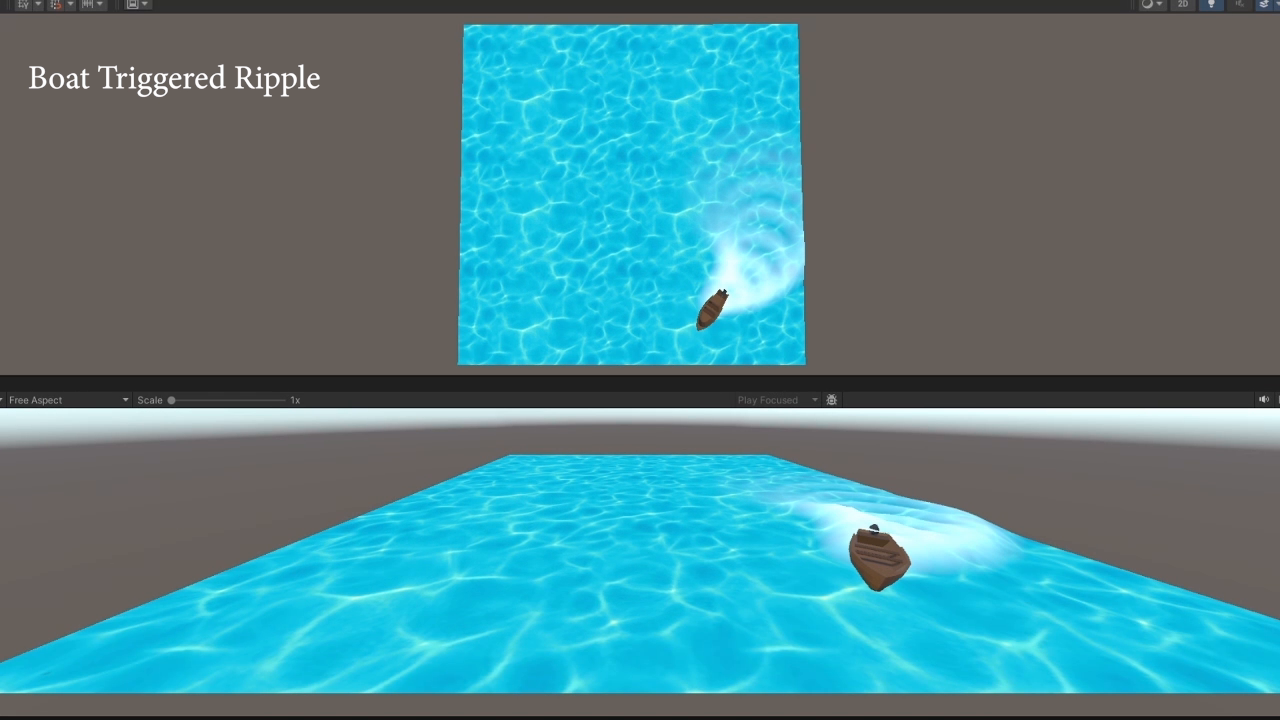
1. **Object-Triggered Ripple**
- Dynamic ripple trails following moving objects, such as boats trials.
2. **Mouse Input Ripple**
- Ring ripples triggered by mouse clicks, ideal for user mouse interaction.
3. **Raindrop Ripple**
- Simulates environmental raindrops using randomised UV inputs.
4.**Continuous Ripple**
- Used for static floating objects like boats that floating up and down.
From the publisher's Asset Store listing.
Technical details
📌 Features
1. Two Interaction Types:
- Object Collision Ripples
- Mouse Input Ripples
2. Addition Control:
- Boat Movement control
- Boat Floating Control
🎮 Interaction Types
1. Object Collision Ripples
Drag and drop ObjectTriggeredRippleWaterPlane prefab.
- Ripples are triggered when the object enters the defined `waterTrigger`. The ripple’s centre is derived from a downward raycast that collects `textureCoord` from the collision with the water plane.
- Optional buoyancy behaviour moves the object up with ripple peaks.
2. Mouse Input Ripples
- Drag and drop RaindropSurface prefab.
- Left click on mouse, a ray is cast from the screen. If it hits the water surface (layer `"Water"`), it triggers ripples.
Compatibility
| Unity version | Built-in | URP | HDRP |
|---|---|---|---|
| 2022.3.27f1 | Compatible | Compatible | Not listed |
As listed on the Asset Store.