
 View on Asset Store (opens in new tab)
Package details
- Latest version
- 2.1
- Last updated
- First released
- Unity version
- 6000.5.7 or later
- Package size
- 98.4 MB
- Files
- 259
- Favorites
- 47
- Views in the past week
- 21
Price tracking
- Last checked
- Tracked since
- Lowest recorded
- $12.50 on
Keywords
Time Paradox Engine: Time Manipulation System
Time Engine Manipulator
Affiliate link · Purchases support this site
Price history
Last 6 months
USDAsset preview
1 / 7
Time Paradox Engine: Time Manipulation System screenshot 1


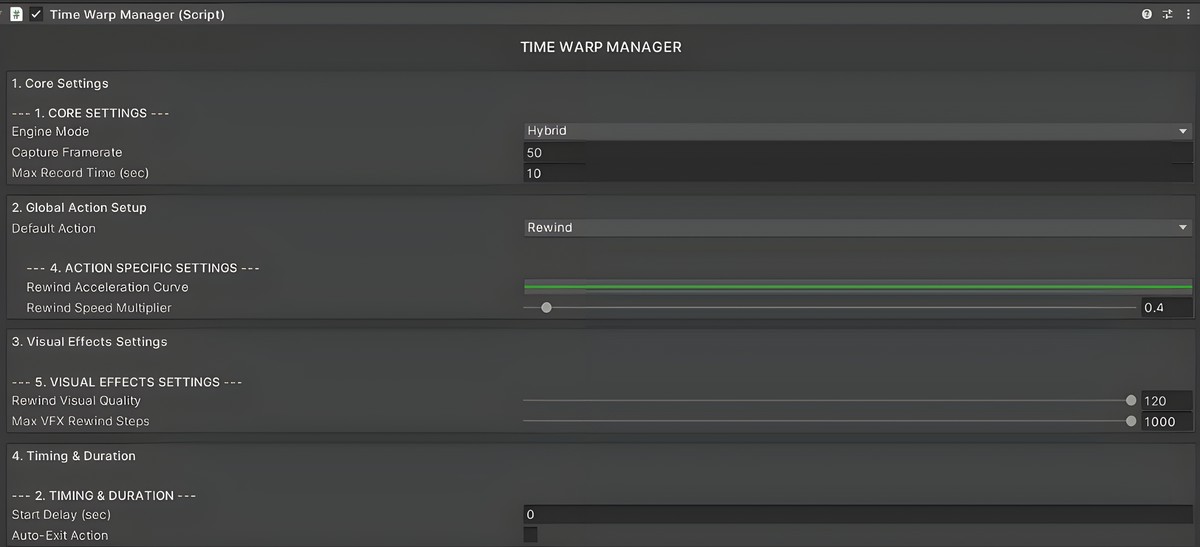
About this asset
Play DEMO there is much more to see
AI ASSISTENT AND DOCUMENTATION
(From version 1.2 to 2.11, we added a bunch of new features, improved performance even more, and cleaned up a lot of things under the hood.
Since the addon has grown quite a bit and now has a lot of systems in it, we also reworked the interface to make it much easier to use.
We added a new Hub as well, which handles a big part of the setup for you, helps configure the main systems, and generally saves you from digging through a ton of components and settings manually.)
What is Time Paradox Engine:
It is a large, fully optimized system for time manipulation, with a built-in manager, based on volumes, zones, rules, and permission zones.
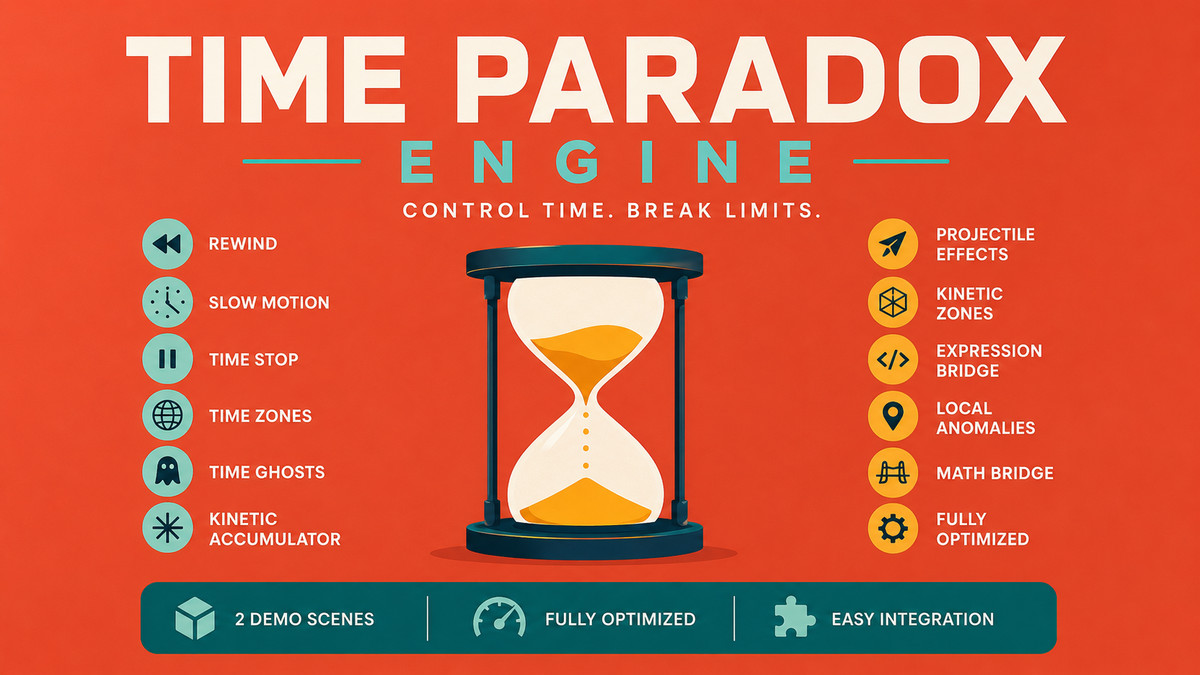
Basically everything related to time manipulation:
- Rewind / Slow Motion / Time Stop
- Projectiles that rewind time, slow down, or stop
- Time manipulation zones
- Kinetic zones (time flow depends on player movement)
- Kinetic accumulator (you stop or slow time for an object or enemy, hit it from multiple directions, and when time returns to normal, the accumulated force is applied based on the delays you set from each direction)
- Time Ghosts (your interactive time clones)
- 2 Demo Scenes
🌪️ WHAT CAN TIME PARADOX ENGINE SLOW DOWN AND REWIND?
Physics & Movement
- Player & Enemy Rigidbodies (3D & 2D): Full velocity and angular momentum tracking.
- NavMeshAgent AI: Perfect slow-motion pathfinding with anti-slip momentum braking.
- Custom Projectiles: Arrows, bullets, and rockets (Kinematic or Physics-based).
- Kinetic Accumulators: Absorb hits during a Time Stop and release the kinetic energy all at once.
- Hinge Joints: Automatically suspended during rewinds to prevent physics glitches.
- Slowing/Rewinding Zones and projecitles
Visuals, VFX & Audio
6. Shuriken Particle Systems: RAM Cache, Procedural Resimulation, or Reverse Playback modes.
7. VFX Graph: Native scrubbing backward with Time Slicing & Distance Culling.
8. Shader Properties: Slow down scrolling textures, water ripples, or glowing emissions via MaterialPropertyBlocks.
9. Cinemachine Cameras: Anti-damping teleportation ensures your camera doesn't drift through walls during a rewind.
10. Audio Sources: Dynamic pitch scaling and automatic Low-Pass Filters during anomalies.
11. URP/HDRP Volumes: Smooth post-processing transitions for Time Stop and Slow-Motion.
Logic, UI & Custom Code (Via The Math Bridge)
12. Ammo & Heat levels
14. Cooldown timers and Quest clocks:
15. Environmental Puzzles: Un-press pressure plates, un-open heavy doors, and reverse moving platforms.
16 Animator State Machines: Seamlessly scrub walk/attack animations backward, including bone-perfect historical snapshots.
🔥 NEW IN THIS VERSION:
- Time Echoes (Paradoxes): Rewind time and spawn a physical "Ghost" clone that replays your recorded history
- Kinetic Accumulator (Stasis Impact): Hit a frozen object multiple times to build up potential energy, set the delay between,
- Expression Tree Math Bridge: Bind your custom variables (HP, Stamina, Light Intensity) via the Inspector,
- Decoupled Animation Framerat
🛑 ADVANCED LOCAL ANOMALIES (ZONES)
- Local Rewinds: Objects inside a zone are forced to walk backward in time, while the rest of the world plays normally forward.
- Kinetic Zones: Time only moves when the player moves.
- Non-Alloc Object Pooling: Zones handle hundreds of overlapping projectiles without frame drops using pooled targets and Unity's non-alloc physics APIs.
⚠️ WHAT DOES IT TAKE TO REWIND A CUSTOM CONTROLLER? (HONESTY FIRST)
No asset can magically rewind an unoptimized, hardcoded spaghetti script. However, Time Paradox Engine is designed to seamlessly integrate with 99% of custom controllers if you follow our simple interfaces:
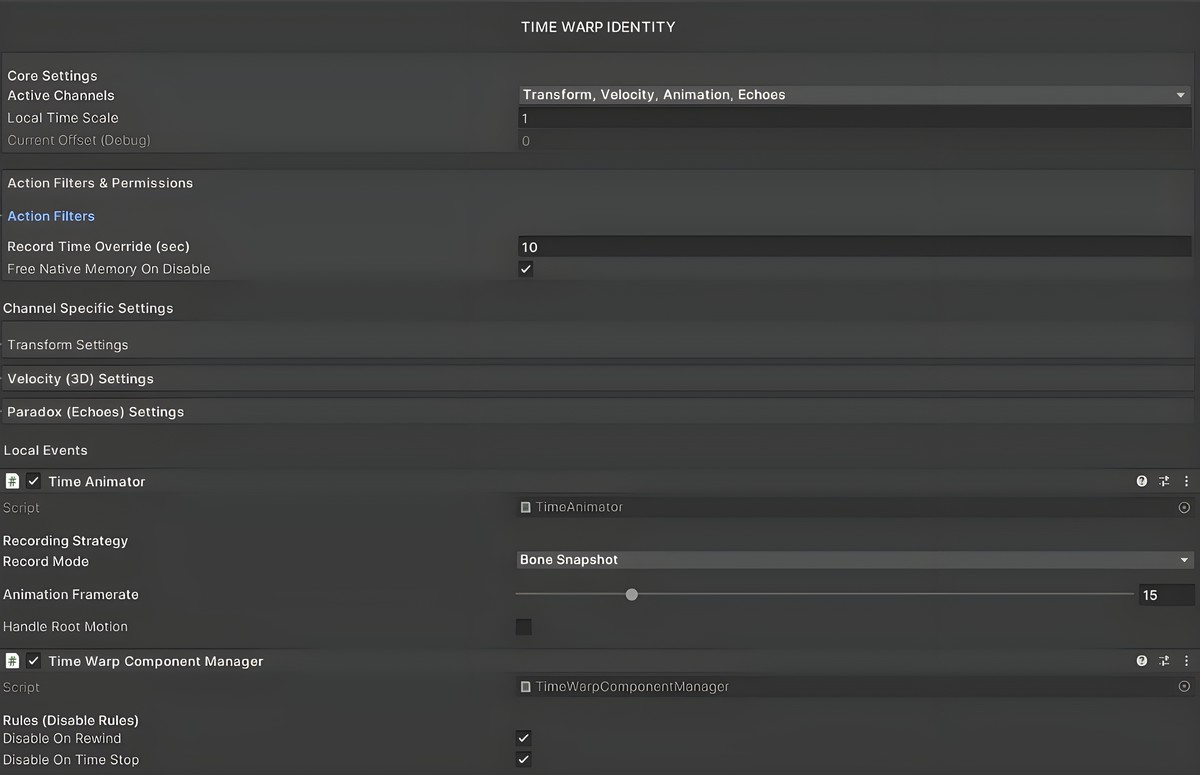
- The Kill-Switch: Your script must survive being temporarily disabled during a rewind. Component Manager handles this automatically.
- The Adapter Interface: Implement the tiny ITimeWarpCharacterAdapter interface to replace Time.deltaTime with scaled local time, ensuring perfect slow-motion.
- The State Listener: Implement ITimeWarpStateListener to get notified the exact frame a rewind ends, allowing your AI to acquire new targets.
💬 24/7 DEDICATED AI ASSISTANT.
Chat with the Time Paradox Support AI Here: it was trained to help you set up everything in editor
❓ FAQ
Does it work with my custom Player Controller?
Yes, swap your Time.deltaTime for GetLocalDeltaTime(), and your controller instantly becomes "Time-Aware" for slow-motion. or use custom channel and Bridge to get the values from the script working with Time Paradox.
Can I rewind the whole scene?
You can, but we give you the tools to do it smartly. By using Auto-Setup Layer Rules, you ensure the engine only records objects that actually matter, preventing massive RAM bloat compared to brute-force global rewinds.
Does it handle death and destroyed objects?
Yes. The lifecycle module safely hides "dead" objects instead of destroying them, allowing them to perfectly resurrect if time is rewound before their death frame.
Kyle Robot Character not included
Version on Unity 6
From the publisher's Asset Store listing.
Technical details
What it can do:
Basically everything related to time manipulation:
- Rewind / Slow Motion / Time Stop
- Projectiles that rewind time, slow down, or stop
- Time manipulation zones
- Kinetic zones (time flow depends on player movement)
- Kinetic accumulator (you stop or slow time for an object or enemy, hit it from multiple directions, and when time returns to normal, the accumulated force is applied based on the delays you set from each direction)
- Time Ghosts (your interactive time clones)
- Works with navmesh, animations, AI, particles, physics, sound, shaders, controllers, script values, and much more
2 Demo Scenes Included
Compatibility
| Unity version | Built-in | URP | HDRP |
|---|---|---|---|
| 6000.5.7f1 | Not listed | Compatible | Not listed |
As listed on the Asset Store.