
 View on Asset Store (opens in new tab)
Package details
- Latest version
- 1.2
- Last updated
- First released
- Unity version
- 2021.3.5 or later
- Package size
- 98.1 MB
- Files
- 440
- Favorites
- 46
- Views in the past week
- 12
Price tracking
- Last checked
- Tracked since
- Lowest recorded
- $29.99 on
Keywords
UI Path FX
UI Path FX — Spline-Based Animated UI Lines
Affiliate link · Purchases support this site
Price history
Last 6 months
USDAsset preview
1 / 21

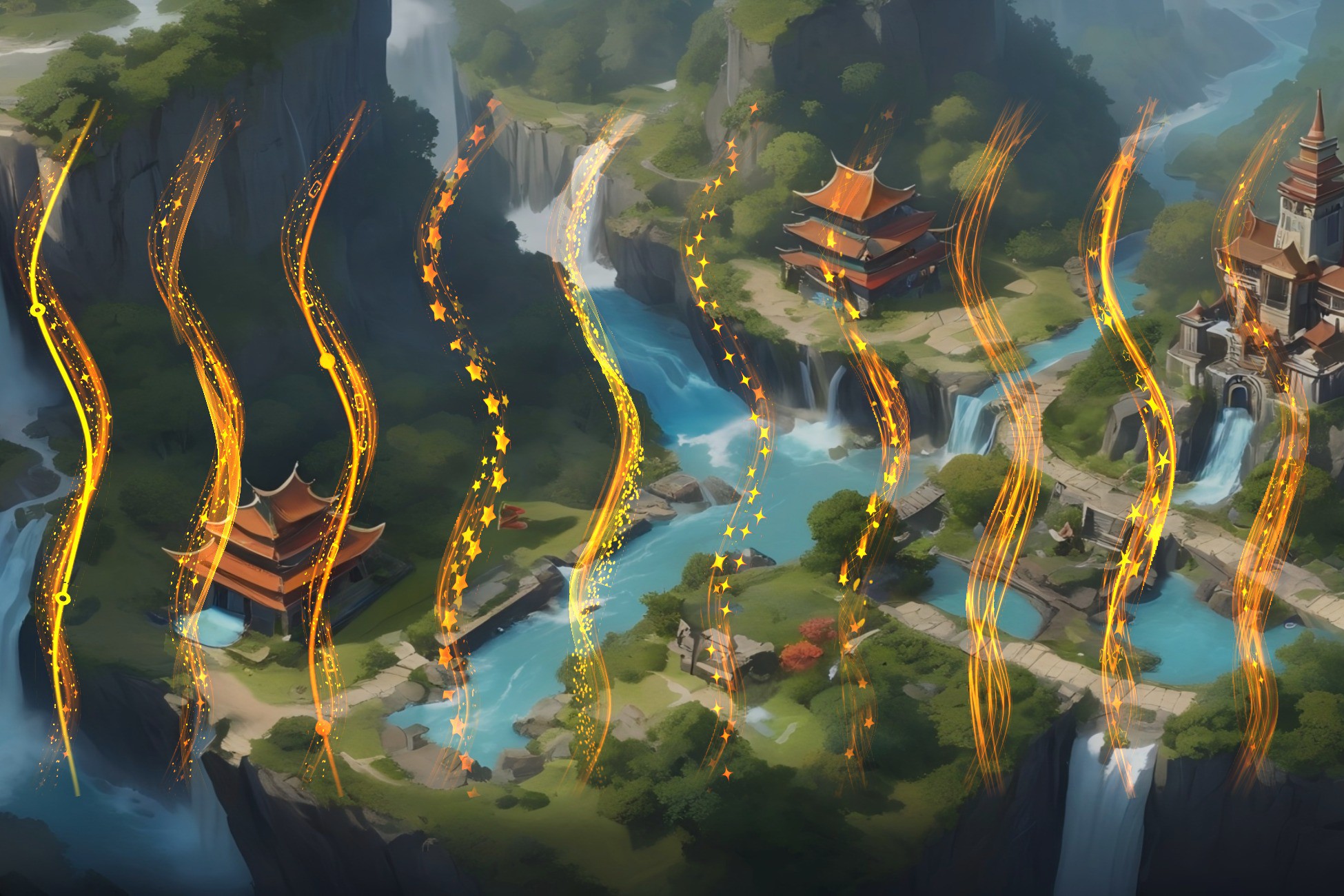
UI Path FX screenshot 1


About this asset
Bring your UI to life with beautiful animated line effects — no coding required!
UI Path FX combines Unity’s official Spline system with a custom multi-layer shader framework to create dynamic, flexible line-based UI animations that work directly with the Image component.
🌀 Spline-Driven UI Animation
Use Unity’s built-in spline editing tools to design paths visually. Just place a Spline in your scene, assign an FX material to a Spline Image, and you're done — no render textures, no custom scripts.
🎨 Multi-Layered Effects with UV Animation
Each layer has independent control over scroll speed, direction, and blend mode. Perfect for simulating energy pulses, flowing auras, trails, and sci-fi circuits.
🌈 Smart Edge Fading
Global edge fading ensures visual consistency even with irregular or transparent textures — boosting compatibility without sacrificing style.
🧩 Custom ‘Spline Image’ Component
A drop-in replacement for Unity’s standard Image component — fully compatible and extended to support spline path rendering, per-layer control, and live updates in the Editor.
🚀 Quick Start in 10 Minutes
Includes a guided demo scene and streamlined shader logic — learn once, use everywhere. Edit effects with intuitive sliders, no shader knowledge needed.
📦 What’s Inside
- ✅ 186 drag-and-drop FX examples
- ✅ 270+ curated texture assets with HDR overlay support
- ✅ Full spline editing workflow — no code
- ✅ Consistent shader parameter structure
- ✅ Built-in demo scenes and Quick Start Guide
🛠️ How to Use
Edit a Spline
- Find a GameObject with a Spline component (e.g. “SplinePath”)
- Switch to Spline Edit Mode in the Scene View
- Add, move, or delete points to define your path
Assign a Spline Image Material
- Use the custom Spline Image component
- Set the spline source and adjust visual parameters
- Open the assigned material to tweak UV layers, animation speed, blending, and opacity
- Try different shaders from ImageUVAnim/ for pulse, wave, flow, or distortion effects
Whether you’re building magical spell trails, futuristic HUD lines, or elegant menu transitions — UI Path FX gives you powerful spline-based animation tools that artists and developers can master in minutes.
💡 Create flowing UI animations with spline precision — try UI Path FX today!
From the publisher's Asset Store listing.
Technical details
Technical details
Key Features
- ✅ Spline-Based UI Line Effects – Uses Unity's official Spline system for easy path editing
- ✅ Custom Spline Image Component – Drop-in replacement for Unity UI Image with full spline support
- ✅ Multi-Layer UV Animation – Independent control for each texture layer: scroll speed, direction, blend mode, and opacity
- ✅ Smart Edge Fading System – Global fading improves texture compatibility, even with irregular alpha shapes
- ✅ 270+ Stylized Textures – Handpicked and optimized for layered blending with HDR color overlays
- ✅ 186 Ready-Made FX Presets – Drag-and-drop material setups for fast prototyping
- ✅ No Scripting Required – Just assign materials to your UI elements
- ✅ Shader Family with Unified Logic – Learn once, apply anywhere; each shader shares a consistent parameter layout
- ✅ Quick Start Demo Scene – Learn the workflow in under 10 minutes
- ✅ Full Unity UI Compatibility – Works seamlessly with Unity’s UGUI system and Image components
Render Pipeline Compatibility
- ✅ Built-in Render Pipeline: ✔ Supported
- ✅ Universal Render Pipeline (URP): ✔ Supported
- ✅High Definition Render Pipeline (HDRP): ✔ Supported
Supported Platforms
- PC, Mac, Android, iOS, WebGL, and ConsolesTextures Info :
--- Resolution Statistics ---
Low Resolution (< 1024x1024): 203
Medium Resolution (1024x1024 to 2048x2048): 76
High Resolution (> 2048x2048): 0
--- Color Depth Statistics ---
Compressed: 279
Uncompressed: 0
--- Transparency Statistics ---
With Transparency: 0
Without Transparency: 279
--- Power of Two Statistics ---
Images with Power of Two dimensions (width & height): 278
Images without Power of Two dimensions (width & height): 1
----------------------------
Compatibility
| Unity version | Built-in | URP | HDRP | Custom |
|---|---|---|---|---|
| 6000.3.2f1 | Compatible | Compatible | Compatible | Compatible |
| 6000.0.53f1 | Compatible | Compatible | Compatible | Compatible |
| 2022.3.58f1c1 | Compatible | Compatible | Compatible | Compatible |
| 2021.3.5f1c1 | Compatible | Compatible | Compatible | Compatible |
As listed on the Asset Store.