
 View on Asset Store (opens in new tab)
Package details
- Latest version
- 1.0
- Last updated
- First released
- Unity version
- 6000.0.24 or later
- Package size
- 1.1 MB
- Files
- 112
- Favorites
- 9
- Views in the past week
- 12
Price tracking
- Last checked
- Tracked since
- Lowest recorded
- $10.50 on
Keywords

2D Depth of Field
2D Depth of Field Shader
Affiliate link · Purchases support this site
Price history
Last 6 months
USDAsset preview
1 / 2

2D Depth of Field screenshot 1

About this asset
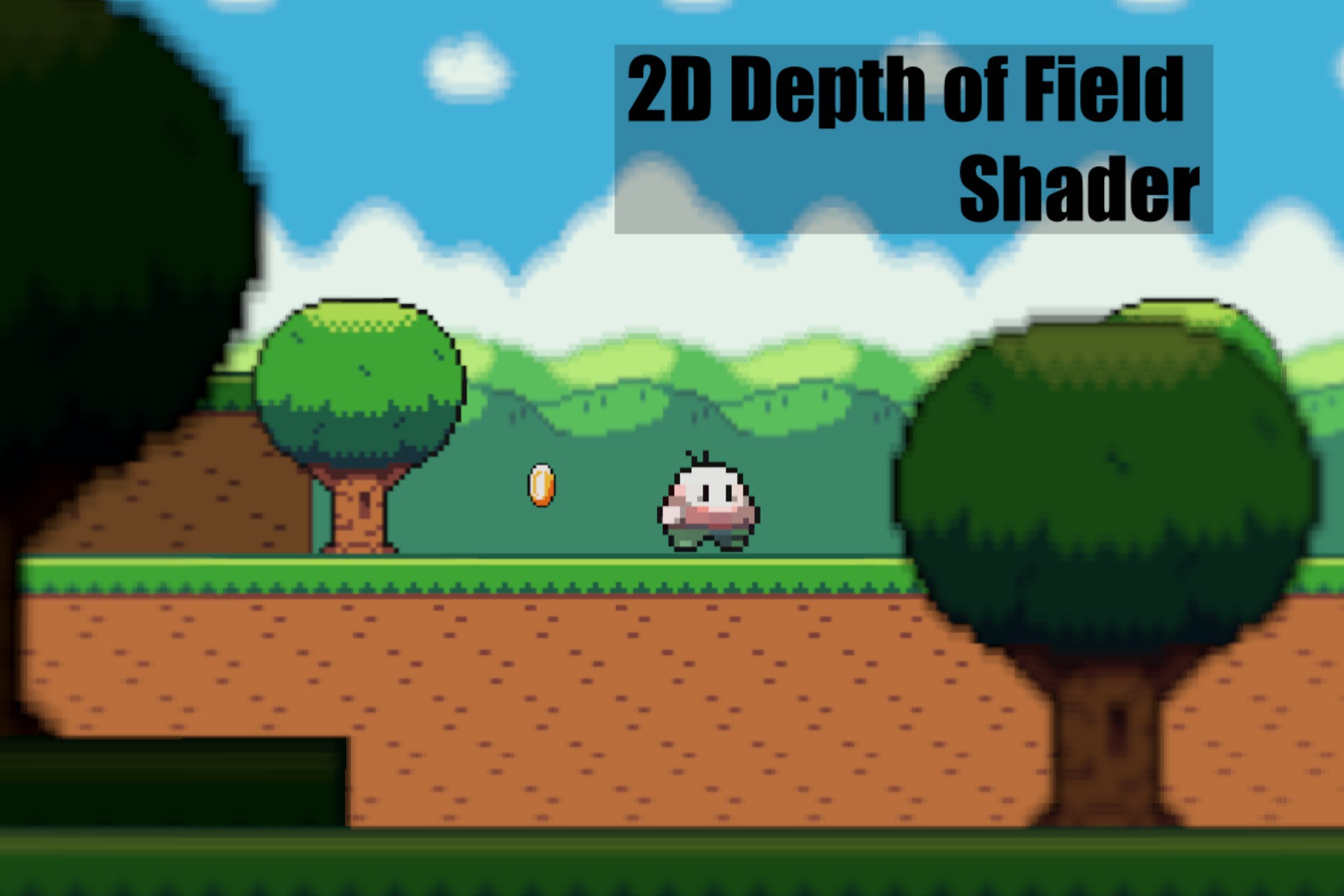
The 2D Depth of Field package simulates a 3D like depth of field in a 2D environment. It uses one shader to blur the edges of the screen like a vignette and another shader individually instanced on foreground and background sprites to increase the blur amount based on the distance of the z position from zero. The 2D Depth of Field package offers a visual effect that mimics the depth of field seen in 3D environments, but implemented within a 2D rendering pipeline. This is achieved through the strategic application of two distinct shaders.
The first shader operates by applying an adjustable radial blur towards the edges of the screen, similar to a vignette. This subtly draws the viewer's attention towards the center of the frame, contributing to the illusion of depth.
The second shader is designed to be instanced and applied individually to both foreground and background sprites within the 2D scene. This shader dynamically adjusts the amount of blur applied to each sprite based on its simulated distance from a conceptual focal plane, which is represented by a z-axis position with zero as the point of focus. Sprites positioned further away from this zero point, either in the positive or negative z-direction, receive a greater degree of blur. This varying blur intensity across different sprites is the core mechanism that creates the convincing depth of field effect. By carefully controlling the simulated z-positions of the sprites, developers can artfully guide the viewer's focus and create a heightened sense of dimensionality within their 2D projects. This technique can be particularly effective in drawing attention to key elements within the scene while subtly softening less important background or foreground details.
Included:
- 2 Shader Graphs
- 4 Sub Shaders
- 2 Blur Materials
- Sprites and Tilemaps
- 4 Scripts
- 2 to control shaders
- 1 for player movement
- 1 for a simple Parallaxing effect
Thanks For Considering!
From the publisher's Asset Store listing.
Technical details
The Scene Blur Shader is a Sprite Unlit material.
The Sprite Blur Shader is a Sprite Lit material.
Compatibility
| Unity version | Built-in | URP | HDRP |
|---|---|---|---|
| 6000.0.24f1 | Not listed | Compatible | Not listed |
As listed on the Asset Store.