
 View on Asset Store (opens in new tab)
Package details
- Latest version
- 1.0
- Last updated
- First released
- Unity version
- 6000.0.39 or later
- Package size
- 4.0 MB
- Files
- 27
- Favorites
- 5
- Views in the past week
- 5
Price tracking
- Last checked
- Tracked since
- Lowest recorded
- $7.99 on
Keywords
- Search for Interactive Lighting
- Search for Environmental Light
- Search for UI Illumination
- Search for URP Compatible
- Search for Performance optimized
- Search for 2D Backlight
- Search for Texture Sampling
- Search for Monitor Lighting
- Search for dynamic lighting
- Search for Backlight
- Search for Screen Light
- Search for 2D/3D Lighting
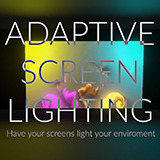
Adaptive Screen Lighting
A visual tool that allows you to have screens in your project cast real-time lighting adaptive to what is on screen
Affiliate link · Purchases support this site
Price history
Last 6 months
USDAsset preview
1 / 2

Adaptive Screen Lighting video 1 (plays on the Asset Store)

About this asset
If you have ever had a screen in your game and wanted that screen to light up your environment realistically, you've probably been pretty stumped on tools. This asset solves that problem elegantly and uses batch processing to be incredibly performant.
Features
- Transform any render texture (UI, videos, game screens) into realistic environmental lighting
- Works with both 3D and 2D URP projects
- Performance optimized with batch processing
- Customizable sampling with area averaging and position selection
- Smooth transitions and flicker reduction
- Designer-friendly editor with visual previews
Having real-time data rather than pre-baking allows you to create fully dynamic lighting. Your UI changes? The lighting changes. Your game screens react to player input? So does the environmental lighting.
From the publisher's Asset Store listing.
Technical details
System Overview
- Core Components:TextureToLightManager.cs - For standard 3D lighting
TextureToLightManager2D.cs - For URP 2D lighting
Custom editor extensions for both components
Implementation Details
Sampling System
- Point Sampling: Samples color from specific coordinates on a render texture
- Area Averaging: Circular sampling with configurable radius (1-100 pixels) for smoother lighting
- Normalized Coordinates: Uses 0-1 range for position independent of texture resolution
Performance Optimizations
- Batch Processing: Processes subsets of lights each frame to distribute workload
- Configurable Update Interval: Control how frequently lights update (default: 0.1s)
- Memory Efficiency:Reuses temporary textures and render textures
Implements texture caching system to avoid redundant sampling
Optimized Graphics.CopyTexture operations for minimal overhead
Light Transition Features
- Screening Effect: Reduces flickering by limiting the rate of brightness changeThreshold parameter (0.1-1.0): Minimum brightness difference to trigger screening
Strength parameter (0.1-1.0): Controls how aggressively changes are smoothed - Smooth Transitions: Time-based color interpolationConfigurable transition speed (1.0-10.0)
Frame-independent using Time.deltaTime
Framework Integration
- Unity Version: Compatible with Unity 2019.4+
- Render Pipeline Support:Built-in Render Pipeline (3D lights)
Universal Render Pipeline (URP 2D lights) - Lighting Component Compatibility:Standard Unity Light component
URP Light2D component
Editor Functionality
- Visual Sample Point Selection: Click on texture preview to set sample position
- Real-time Color Preview: Visualizes the sampled color
- Area Radius Visualization: Shows sampling area when using area averaging
- Mapping Management: Add/remove texture-to-light mappings through the inspector
Memory & Performance Considerations
- Memory usage scales with the total number of sample points and area sample sizes
- CPU usage depends on update interval, batch size, and number of light mappings
- Minimal GPU impact using optimized texture sampling techniques
- Performance impact is proportional to sample radius when using area averaging
Advanced Usage
- Global vs Individual Settings: Apply settings universally or per light
- Override System: Global settings can be toggled to override individual light settings
- Inspector Debug Visualizations: Preview sample points and resulting colors directly in editor
Compatibility
| Unity version | Built-in | URP | HDRP |
|---|---|---|---|
| 6000.0.39f1 | Compatible | Compatible | Compatible |
As listed on the Asset Store.