
 View on Asset Store (opens in new tab)
Package details
- Latest version
- 1.0.2
- Last updated
- First released
- Unity version
- 6000.0.23 or later
- Package size
- 51 KB
- Files
- 13
- Favorites
- 6
- Views in the past week
- 4
Price tracking
- Last checked
- Tracked since
- Lowest recorded
- $4.99 on
Keywords
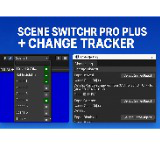
Scene Swticher Pro +
Supercharge your Unity Editor: jump between favorite or build scenes, audit every GameObject change, and maintain a clear edit history—no setup required.
Price $4.99
Buy on Asset Store (opens in new tab)
Affiliate link · Purchases support this site
Price history
Last 6 months
USDAsset preview
1 / 2

Scene Swticher Pro + screenshot 1

About this asset
Scene Switcher Pro Plus is an Editor extension that supercharges your Unity workflow by combining lightning-fast scene navigation with a robust change-logging system. Whether you’re iterating on multiple levels or auditing modifications across complex hierarchies, Scene Switcher Pro Plus puts you in control.
Key Features
- Quick Scene SwitchingToolbar dropdown for all build scenes or your entire project hierarchy
Mark favorite scenes with a single click for instant access
Toggle between favorites, build-included, or all scenes with dedicated toolbar buttons
Search and filter scene list on the fly - Change Logger & TrackerAdds a Changes button to the Editor toolbar to summon a comprehensive history window
Automatically records creation, deletion, renaming, movement, scaling, activation, and component changes
View timestamps and detailed metadata for every GameObject modification
Full scene snapshot on load or assembly reload ensures accuracy - Seamless IntegrationNo additional setup—simply import the SceneSwitcherProPlus package
Compatible with Unity 2019.4 LTS and above
Lightweight: minimal performance overhead in Edit mode
Why You Need It
- Speed Up Iteration: Jump between scenes without hunting through your Project window or Build Settings.
- Track Your Changes: Maintain an audit trail of scene edits to share with teammates or to debug complex setups.
- Keep Your Workflow Focused: Favorite your most-used scenes and toggle contexts with a single click.
What’s Included
- SceneSwitcherProPlus.cs — Editor-initialized class for toolbar-based scene selection and favorites
- ToolbarChangeLoggerButton.cs — Adds the “Changes” button to your toolbar
- SceneChangeTracker.cs — Core tracking logic for scene change events
- Sample usage scripts (optional)
Supported Platforms
- Windows, macOS, Linux Editor
Compatibility
- Unity 2019.4 LTS, 2020.x, 2021.x, 2022.x, 2023.x, and later
Installation & Usage
- Download and import the SceneSwitcherProPlus.unitypackage into your project.
- Open any scene—Scene Switcher Pro Plus automatically appears in the toolbar.
- Click the F button to filter your favorites, A to view all scenes, or type in the search box to quickly locate a scene.
- Use the Changes button (right side) to open the Change History window and review all edits.
From the publisher's Asset Store listing.
Technical details
- Editor Scripting: C# scripts using InitializeOnLoad, EditorApplication, and UIElements for toolbar integration.
- Scene Discovery: Recursively scans Assets for .unity files; filters build-enabled and favorite scenes via EditorBuildSettings and EditorPrefs.
- Change Tracking: Uses AssemblyReloadEvents, hierarchyChanged, update loops with frame-based checks to log create/destroy/rename/move/scale/component events.
- Data Storage: In-memory caching of GameObject state (positions, scales, active states, component lists); persists favorites in EditorPrefs.
- Compatibility: Unity 2019.4 LTS+; supports both .NET 4.x and Mono backends; no external dependencies.
- Performance: Lightweight in Edit mode; only small frame checks for change detection; negligible impact on play mode.
Compatibility
| Unity version | Built-in | URP | HDRP | Custom |
|---|---|---|---|---|
| 6000.0.23f1 | Compatible | Compatible | Compatible | Compatible |
As listed on the Asset Store.