
 View on Asset Store (opens in new tab)
Package details
- Latest version
- 2.0.0
- Last updated
- First released
- Unity version
- 2022.3.22 or later
- Package size
- 539 KB
- Files
- 27
- Favorites
- 1
- Views in the past week
- 7
Price tracking
- Last checked
- Tracked since
- Lowest recorded
- $12.00 on
Keywords
Smart Pooling
Key-based object pooling for Unity that replaces Instantiate with one call and learns how many objects your game needs, so heavy moments don't instantiate anything.
Affiliate link · Purchases support this site
Price history
Last 6 months
USDAsset preview
1 / 3
Smart Pooling screenshot 1
About this asset
Instantiate and Destroy in gameplay cause spikes and garbage. Smart Pooling replaces them with a pool that needs no setup in your scenes and prepares itself from how your game is actually played.
Key features
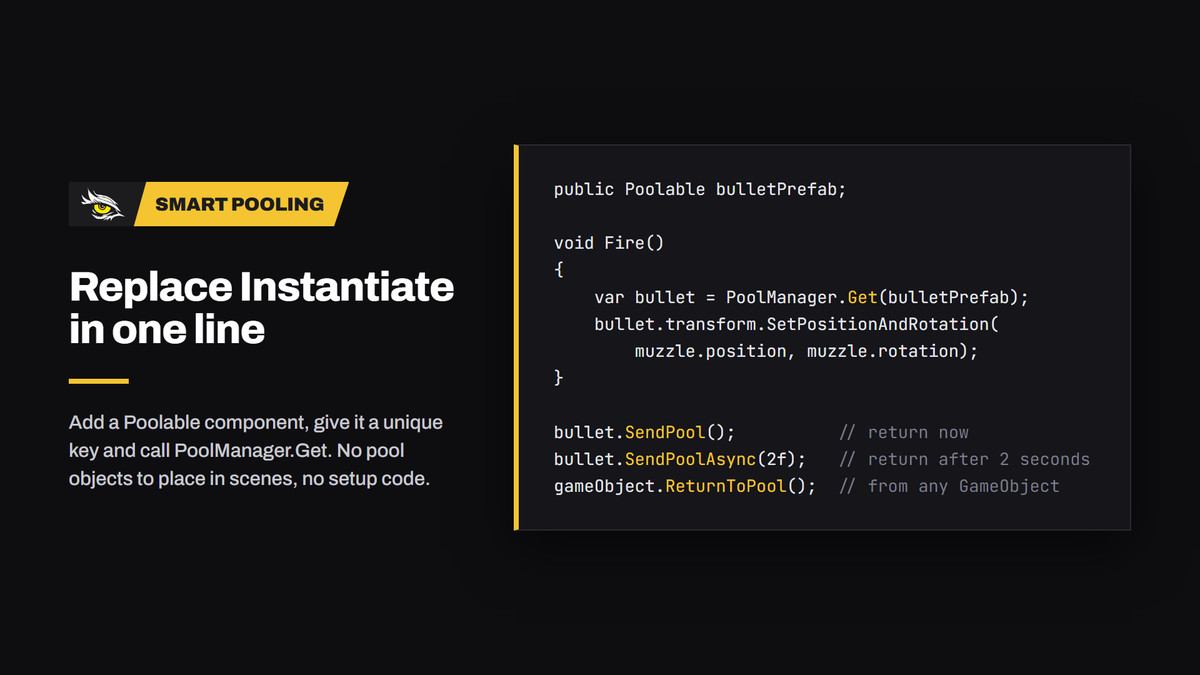
- Key-based pools: add a Poolable component to a prefab, give it a unique key and call PoolManager.Get instead of Instantiate. No pool objects to place in scenes, no setup code.
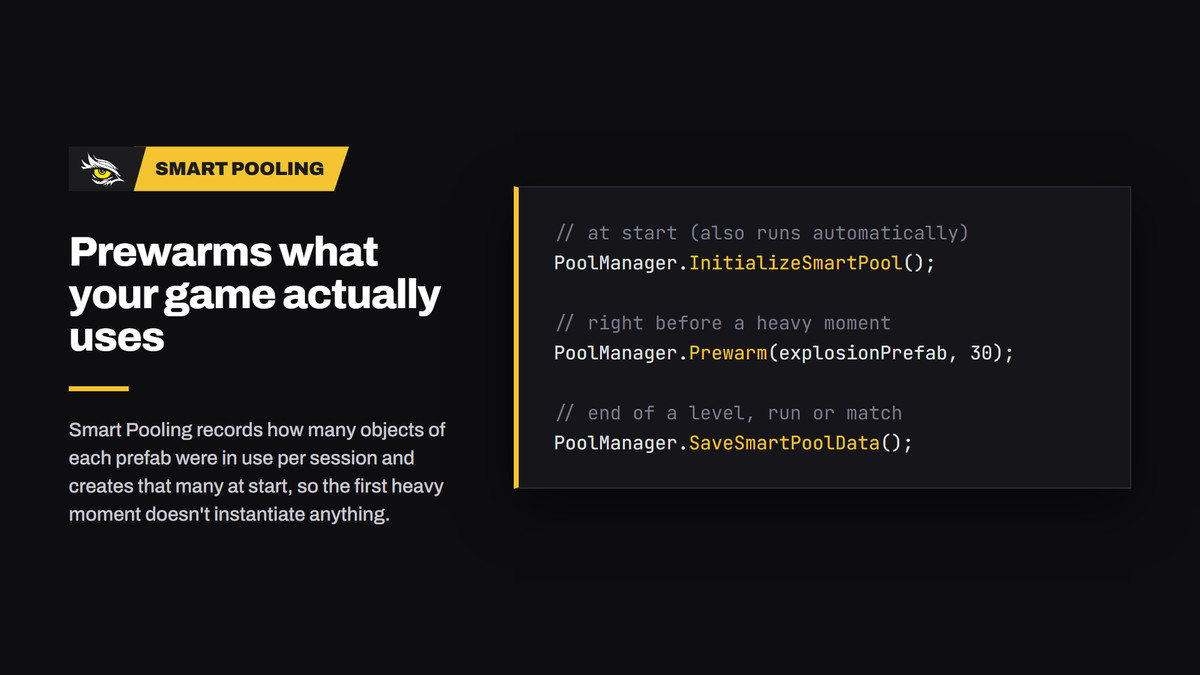
- Smart prewarming: the highest number of objects in use at the same time is recorded per session, and the average over sessions is created when the game starts, so the first heavy moment doesn't instantiate anything. Fixed initial counts and PoolManager.Prewarm are available too.
- Survives scene changes: returned objects are parked under a DontDestroyOnLoad root, and PoolManager.LoadScene returns everything first, so nothing is destroyed with the old scene. Additive scenes and persistent owners are supported.
- Safe by design: objects are reset to their prefab transform on return, stale timers can't return objects that are in use again, and PooledRef<T> tells you when an object you hold has gone back to the pool.
- Fast: Get is O(1) and allocation-free after warm-up. Components can be cached per object with Get<T>.
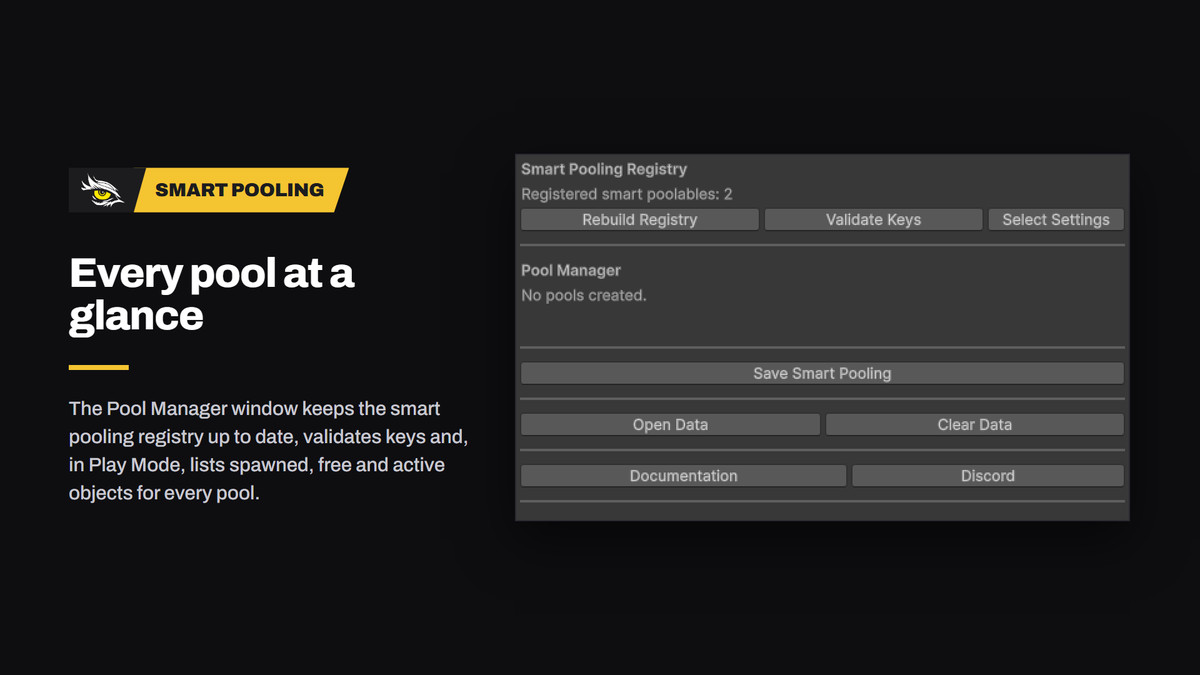
- Editor tools: the Pool Manager window keeps the smart pooling registry up to date, validates keys and, in Play Mode, lists spawned, free and active objects for every pool. Clear console messages name the cause and fix of common mistakes such as destroyed pooled objects, key collisions or missing settings.
How it works
- Add a Poolable component to a prefab and give it a unique key.
- Get an object: var bullet = PoolManager.Get(bulletPrefab);
- Return it: bullet.SendPool(), bullet.SendPoolAsync(2f) or enable Auto Destroy on the Poolable.
What's included
- Runtime and editor code with their own assembly definitions (ShawkStudios.SmartPooling, ShawkStudios.SmartPooling.Editor)
- Pool Manager window and Pool Settings asset
- Demo scene with prefabs and script
- Offline documentation (PDF)
- AI Instructions.md: a usage guide for AI coding assistants
Requirements
- Unity 6 (6000.3) or newer
- Render pipeline: any, the pooling code has no rendering code; demo materials use URP Lit and appear pink in Built-in or HDRP projects
- Dependencies: none (pure C#); works with Enter Play Mode Options (domain reload disabled)
Documentation and support
- Offline documentation (PDF) included, also opened from the Pool Manager window.
- Support: Discord (link in the Pool Manager window).
Updating from 1.0: existing prefabs, Pool Settings and smart pooling data keep working; script GUIDs, serialized field names and the save file are unchanged. Version 2.0.0 requires Unity 6.
This asset was developed with AI assistance and reviewed by Shawk Studios.
From the publisher's Asset Store listing.
Technical details
- Namespace and assembly: ShawkStudios.SmartPooling
- Menu: Tools > Shawk Studios > Object Pooling
- Events: OnSpawn and OnPooled UnityEvents on every Poolable
- Smart pooling data: Application.persistentDataPath/shawkPooling.json
- Works with domain reload disabled
Compatibility
| Unity version | Built-in | URP | HDRP | Custom |
|---|---|---|---|---|
| 6000.3.9f1 | Compatible | Compatible | Compatible | Compatible |
| 2022.3.22f1 | Compatible | Compatible | Compatible | Compatible |
The pooling code is pipeline-independent and works with Built-in, URP, HDRP and custom render pipelines. The demo materials use URP Lit and appear pink in Built-in or HDRP projects; assign your own materials there.
As listed on the Asset Store.