
 View on Asset Store (opens in new tab)
Package details
- Latest version
- 1.2
- Last updated
- First released
- Unity version
- 6000.0.28 or later
- Package size
- 1.6 MB
- Files
- 10
- Favorites
- 9
- Views in the past week
- 6
Price tracking
- Last checked
- Tracked since
- Lowest recorded
- $29.00 on
Keywords
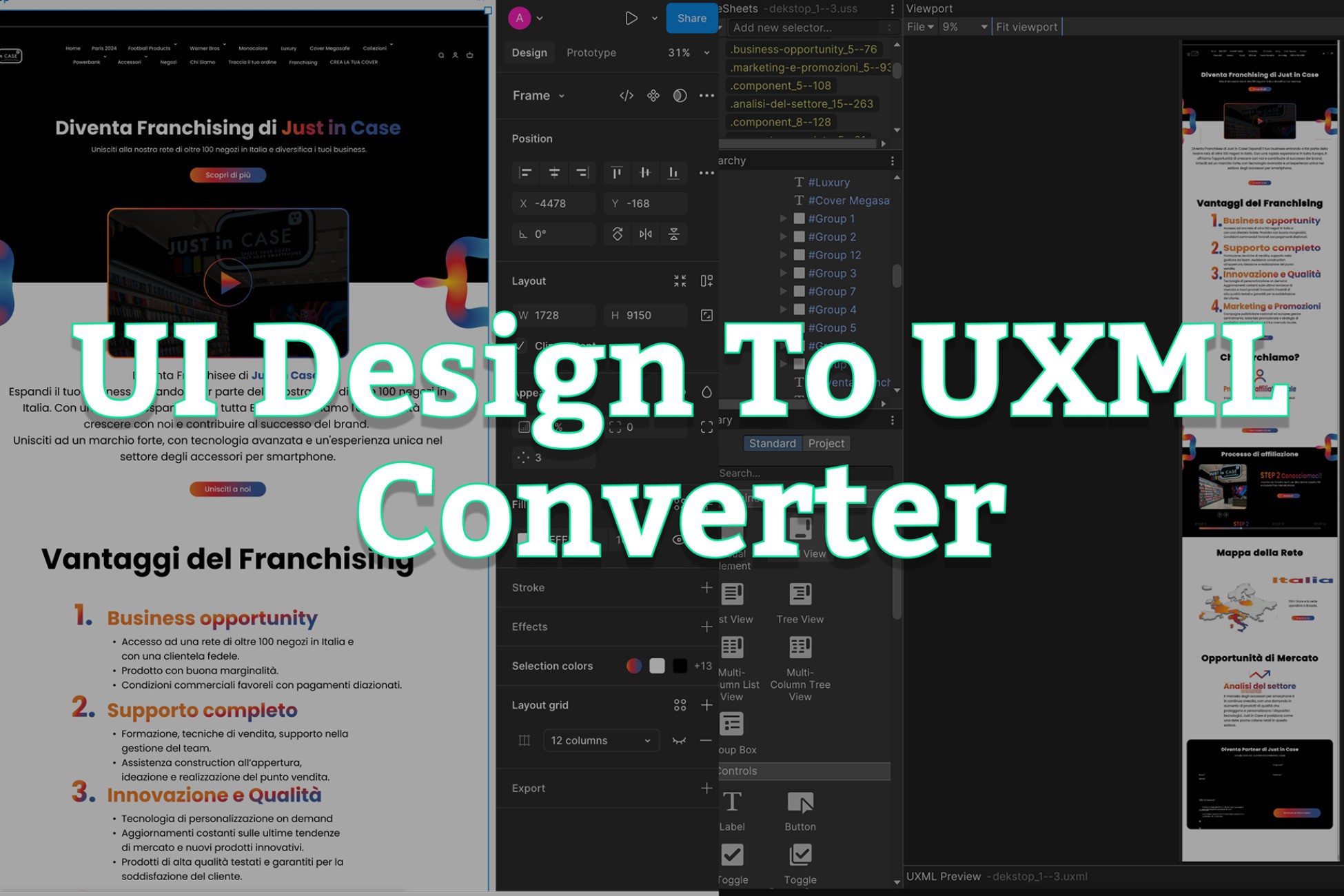
Super Responsive FigmaDesign To UXML Converter
Super Responsive Figma Design to UI Toolkit Converter – Instantly Turn Your Figma Design Into Fully Responsive UXML with One Click!
Affiliate link · Purchases support this site
Price history
Last 6 months
USDAsset preview
1 / 14

Super Responsive FigmaDesign To UXML Converter screenshot 1


About this asset
The Super Responsive Figma Design To UXML Converter is a powerful tool that allows you to instantly convert any design — from simple to complex — into UI Toolkit (UXML and USS) components.
It generates responsive UI layouts that adapt smoothly across desktop and mobile screens.
No manual setup is needed — all design files, images, fonts, and panel settings are generated and added automatically to the current scene. This tool offers maximum control over output scale, image format, and customization options.
Key Features
- 🚀 Converts all types of Design nodes into VisualElements.
- 🎨 Generates responsive layouts supporting desktop and mobile.
- Panel Settings → inside Panel Settings📁 Creates a clean, organized folder structure:
UXML → inside Pages
USS → inside Styles
Fonts → inside Fonts
Images → inside Images - Gradient backgrounds, solid colors, and image fills🔥 Supports:
Borders, strokes, and shadows
Rotation, scaling, and translation - 🎯 Auto-adds generated pages into the current scene.
- ⚙️ Supports custom fonts easily through settings.
- 🏎️ Very fast re-generation (no need to fetch designs/images again after first download).
- ❌ No unnecessary images, icons, or styles are imported.
- 🛠️ No external dependency required.
From the publisher's Asset Store listing.
Technical details
🛠️ Technical Details
- Unity Version Required: 2021.3 LTS or higher (supports UIToolkit production-ready projects)
- Supported Platforms: All Unity-supported platforms (Desktop, Mobile, WebGL, Console)
- Development Language: C#
- No third-party or external package dependencies requiredDependencies:
- ✅ Settings panel to control output paths, image settings, font handling, and re-fetch optionsSupported Features:✅ Converts all Design Nodes into VisualElements (Groups, Frames, Images, Texts, Vectors, etc.)
✅ Responsive UI ready for desktop and mobile screens
✅ Handles borders, strokes, gradients, shadows, backgrounds, rotations, scale, and translation
✅ Customizable font integration (default Unity fonts or your own fonts)
✅ Supports importing images as PNG or JPG with selectable scales (1x, 2x, 3x, 4x, 512px)
✅ Auto-create clean folder structure:
Pages/ for UXML files
Styles/ for USS files
Fonts/ for font assets
Images/ for exported images
Panel Settings/ for UI panel setup
✅ Directly adds UXML screens to the current open scene (optional)
✅ Fast regeneration without re-downloading images unless selected - Automatic Linking of Panel Settings and UXML in the SceneCustomization:Output Directory Selection
Image Format (JPG or PNG)
Image Import Scale (1x, 2x, 3x, 4x, 512px)
Use Default Unity Fonts or Custom Fonts - No external licensing required (Figma API key needed for private Design files access)License:
Compatibility
| Unity version | Built-in | URP | HDRP | Custom |
|---|---|---|---|---|
| 6000.0.28f1 | Compatible | Compatible | Compatible | Compatible |
As listed on the Asset Store.