
 View on Asset Store (opens in new tab)
Package details
- Latest version
- 1.1.0
- Last updated
- First released
- Unity version
- 6000.0.47 or later
- Package size
- 197 KB
- Files
- 6
- Favorites
- 6
- Views in the past week
- 4
Price tracking
- Last checked
- Tracked since
- Lowest recorded
- $7.50 on
Keywords

Tag Debug – Control Logs & Color by Tag
- Price drop
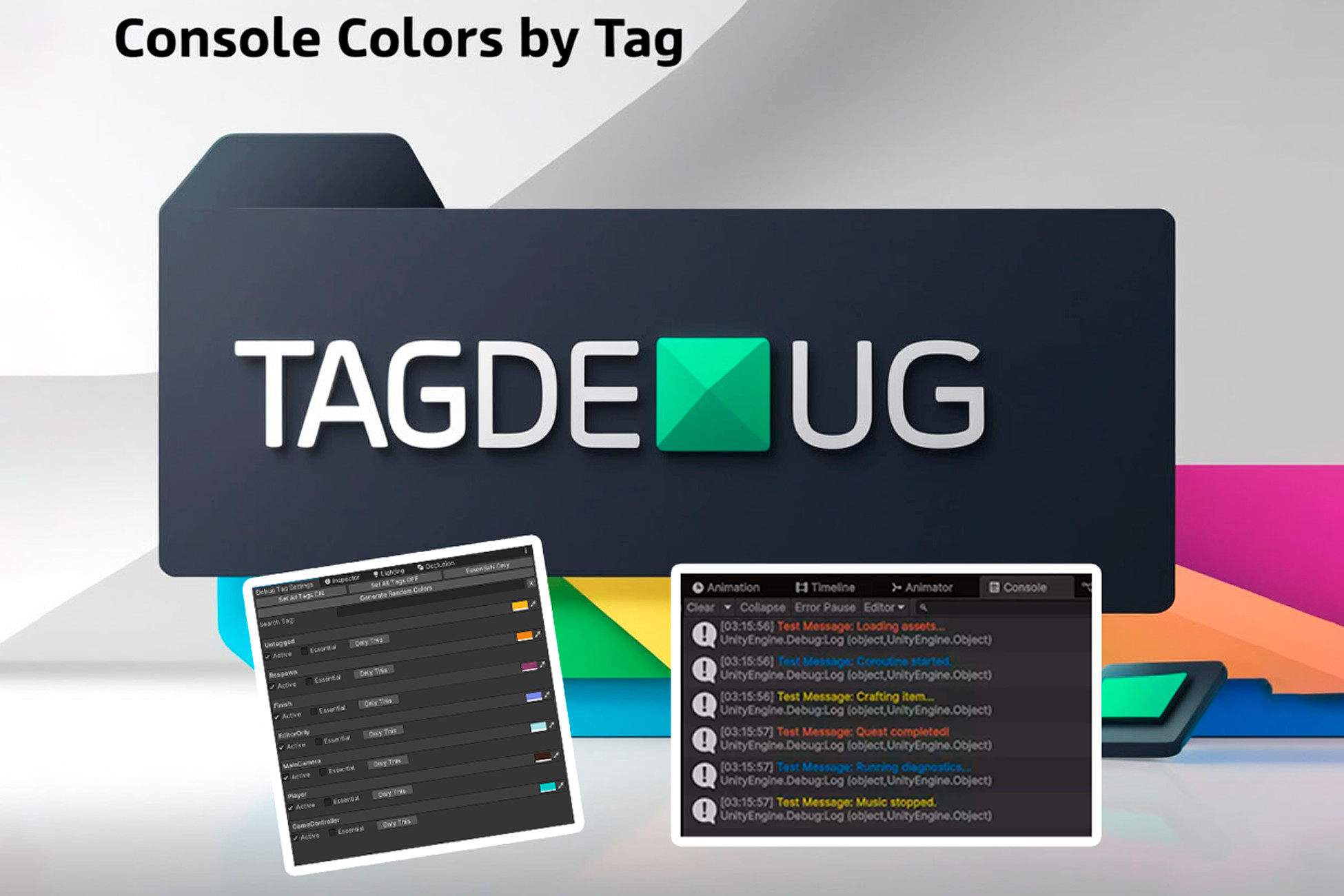
Tag Debug helps you organize your console logs by allowing tag-based filtering, color customization, and easy on/off control for a cleaner, more efficient debugging experience.
Affiliate link · Purchases support this site
Price history
Last 6 months
USDAsset preview
1 / 6

Tag Debug – Control Logs & Color by Tag screenshot 1


About this asset
Tag Debug is a plug-and-play Unity Editor extension that works in any project—no components, no setup, just install and go. It automatically integrates with Unity’s built-in GameObject tags, so you can start organizing your logs instantly without any extra configuration.
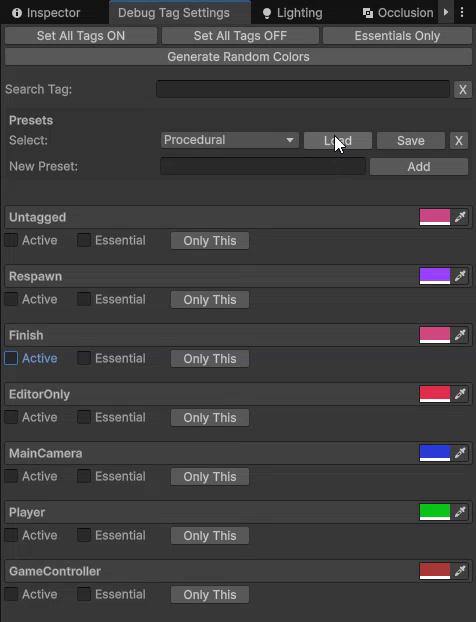
Custom Tags & Colors: Define as many tags as you need (e.g. “AI,” “UI,” “Physics”) and assign a unique color to each for instant visual grouping.
On/Off Control: Enable or disable logs per tag, in-editor or at runtime, so you only see what matters.
Presets: The Tag Debug Preset system allows you to save and load tag configurations with a single click, making it easier to switch between different log setups as needed, streamlining and making the debugging process more agile and efficient.
Universal Compatibility: Whether you’re making an FPS, RPG, mobile app, or VR experience, Tag Debug adapts seamlessly—no boilerplate, no fuss.
Perfect for solo developers and large teams alike, Tag Debug keeps your console output organized, performant, and easy to scan.
From the publisher's Asset Store listing.
Compatibility
| Unity version | Built-in | URP | HDRP | Custom |
|---|---|---|---|---|
| 6000.0.47f1 | Compatible | Compatible | Compatible | Compatible |
Tested In +2022 Unity Versions.
Plug and play.
As listed on the Asset Store.