
 View on Asset Store (opens in new tab)
Package details
- Latest version
- 1.1.5
- Last updated
- First released
- Unity version
- 6000.0.30 or later
- Package size
- 383 KB
- Files
- 12
- Favorites
- 7
- Views in the past week
- 5
Price tracking
- Last checked
- Tracked since
- Lowest recorded
- $5.00 on
Keywords

CineMaster: Modular Gameplay Flow
CineMaster: Modular Gameplay Flow is a flexible system for sequencing cinematic actions, effects, and logic — perfect for cutscenes, tutorials, puzzles, and more — No Coding Required.
Affiliate link · Purchases support this site
Price history
Last 6 months
USDAsset preview
1 / 16

CineMaster: Modular Gameplay Flow screenshot 1

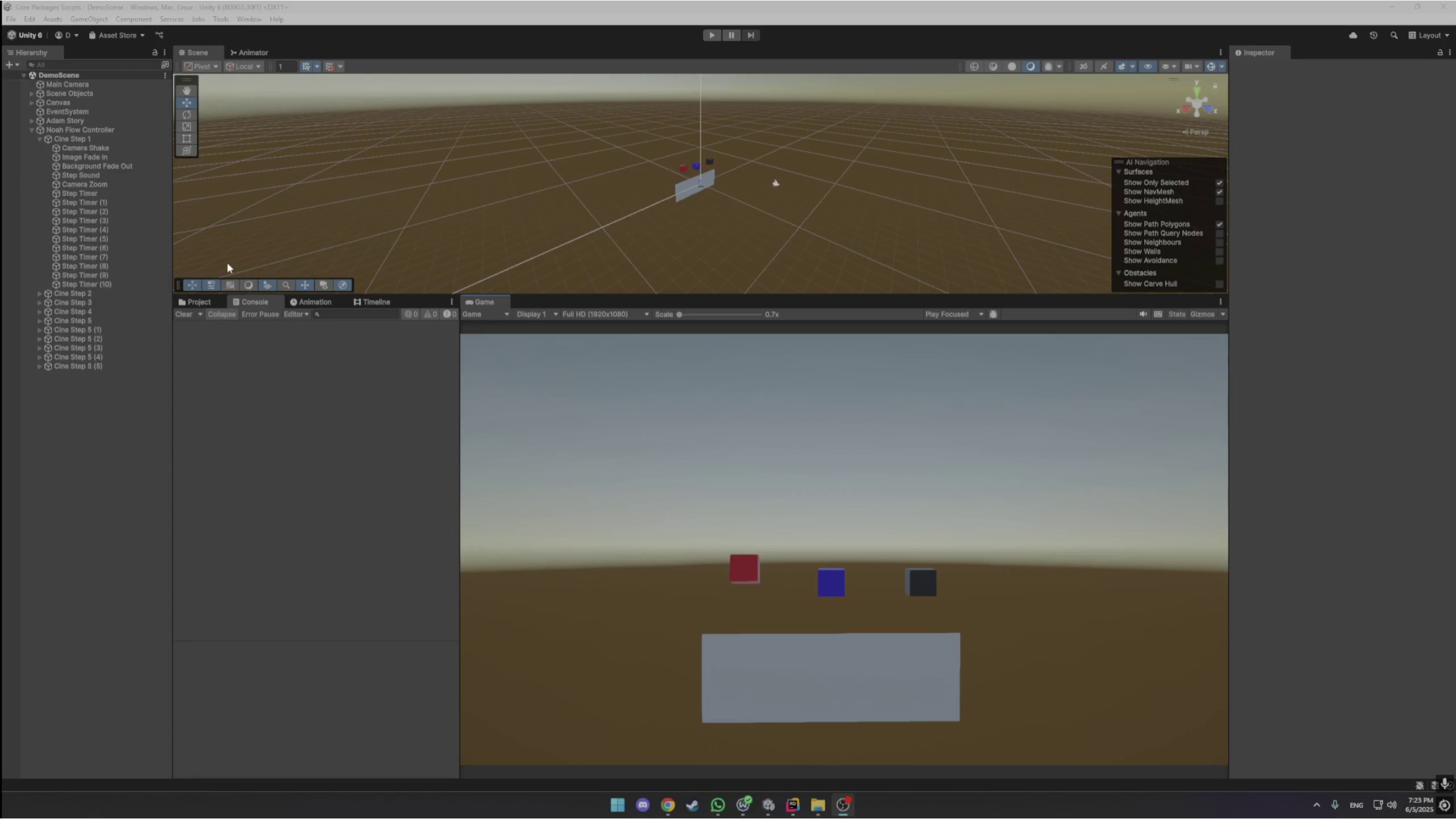


About this asset
Create cinematic, interactive, and reactive gameplay — without reinventing the wheel.
CineMaster is a modular system that gives developers intuitive control over gameplay logic, event sequencing, and scene transitions. It’s built to scale with your project, from bite-sized tutorials to complex branching narratives. Use it to define steps (CineStep), apply layered effects (CineEffects), and manage the overall flow (CineFlowController).
This tool is perfect for:
- Dialogue-driven games
- Interactive cutscenes
- VR/AR training sequences
- Puzzle or task-based games
- Narrative-heavy adventures
- Prototyping and rapid gameplay iteration
🎬 Key Features:
- Modular Architecture: Define reusable "CineStep" steps with built-in start/end events and condition checks.
- Effect System: Trigger animations, audio, video, particles, camera shake, navigation, splines, and timelines — all from one place.
- Zero Code Workflow: Drag-and-drop configuration using custom Unity inspectors and events.
- Branching Support: Easily create non-linear sequences and dependencies.
- Fallback Timers: Built-in duration management when media lengths aren’t available.
- Optional Integrations: Timeline, NavMesh, Splines, and more — auto-detected through scripting, define symbols.
- Network-Ready Logic (optional): Designed to cleanly integrate with multiplayer setups.
Experience Improved Using [ Time Tweaker ] - Fast Iteration from the Asset Store
You can now interact with the timeline viewer to edit the steps and effects faster,r all in the same place, while viewing your flow
From the publisher's Asset Store listing.
Technical details
Package Includes:
- 🎮 CineFlowController — controls global flow and coordination
- 🧩 CineStep — modular steps with events and gating logic
- 🎭 CineEffect — versatile effect handler per step
- 📦 Demo scene with sample prefabs and step sequences
- 💡 Interactive Cine Timeline Viewer - enables you to view and edit your flow
- (Only enabled when the corresponding packages are present)🌐 Optional support for:
Unity Timeline
NavMesh Agent
Unity Splines
VR/AR camera shake
Requirements:
- Unity 2020.3 LTS or later
- No additional plugins required
- Optional: Timeline, Splines, NavMesh, XR Toolkit, Cinemachine, TMPro
Platforms:
✅ PC, Mac, Linux
✅ WebGL
✅ Android & iOS
✅ VR (tested with XR Toolkit)
Compatibility
| Unity version | Built-in | URP | HDRP | Custom |
|---|---|---|---|---|
| 6000.0.30f1 | Compatible | Compatible | Compatible | Compatible |
It works with any editor from Unity 2020 and above
SRP
URP
HDRP
As listed on the Asset Store.