
 View on Asset Store (opens in new tab)
Package details
- Latest version
- 1.1.0
- Last updated
- First released
- Unity version
- 6000.0.51 or later
- Package size
- 266 KB
- Files
- 15
- Favorites
- 1
- Views in the past week
- 0
Price tracking
- Last checked
- Tracked since
- Lowest recorded
- $4.99 on
Keywords
ADB Control Panel
ADB Control Panel is a powerful Unity Editor extension designed to streamline Android app development and debugging directly within the Unity environment.
Affiliate link · Purchases support this site
Price history
Last 6 months
USDAsset preview
1 / 2
ADB Control Panel screenshot 1
About this asset
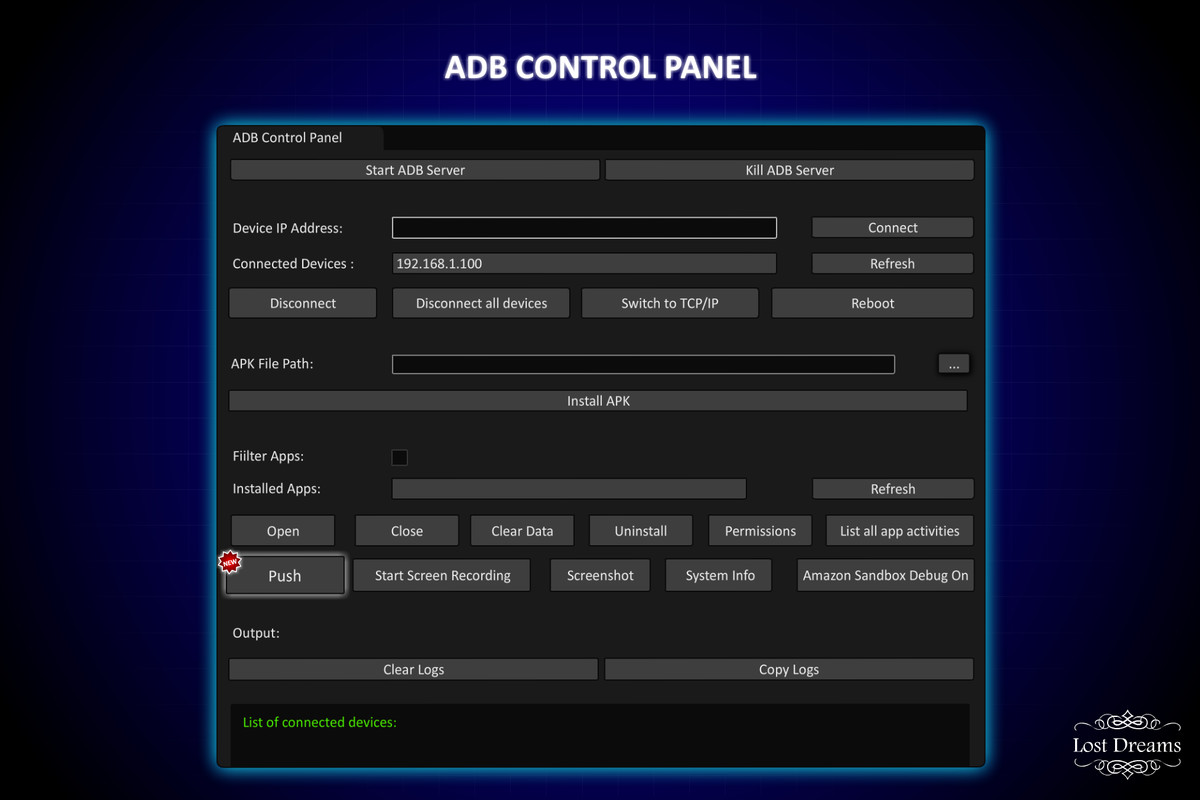
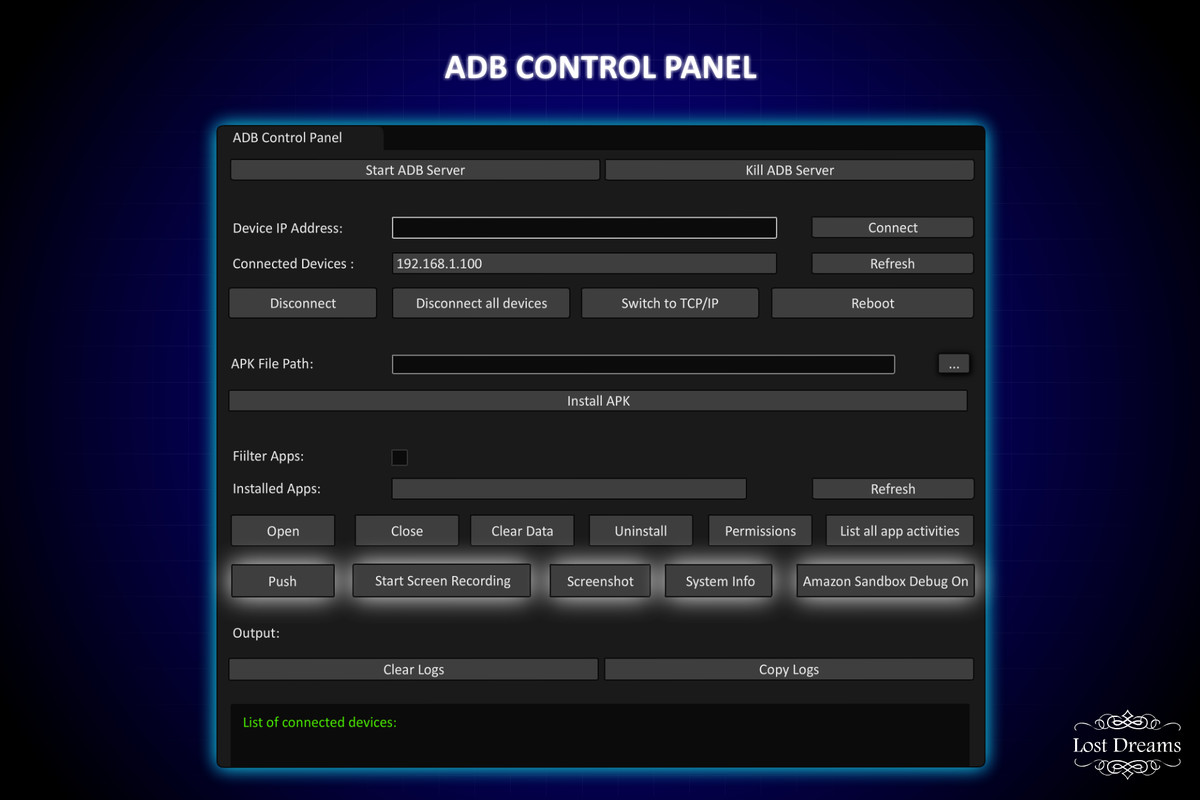
ADB Control Panel is a powerful Unity Editor extension designed to streamline Android app development and debugging directly within the Unity environment. It provides an intuitive interface to interact with Android devices using ADB (Android Debug Bridge) commands, eliminating the need for manual command-line operations.
Connect to android devices
Switch to wireless debugging mode
Install and Uninstall apps. You can also clear their data.
Reboot android devices
Take Screenshots
Start/Stop Screen Recording.
Push Files from your computer to device.
Enable/Disable Amazon Sandbox Debug mode.
Asynchronous Command Execution
To ensure a smooth user experience, all ADB commands in the Android Bridge Control Panel are executed asynchronously. This means:
- Editor Remains Responsive
Commands such as installing APKs, listing packages, or capturing screenshots can take a few seconds. By executing them asynchronously, the Unity Editor does not freeze or block user input while waiting for a response.
- Background Processing
Each ADB command is handled using background threads or async tasks, so developers can continue editing scenes, writing scripts, or navigating the editor while commands run in parallel.
- Better UX with Logging
As commands complete, their outputs (including errors or success messages) are piped back to the Output Panel without disrupting your workflow. Any custom messages from the tool are also logged to improve clarity.
- Thread-Safe Design
Care has been taken to marshal logs back to the main thread safely so that Unity's UI elements can display the results without causing runtime issues or editor crashes.
From the publisher's Asset Store listing.
Compatibility
| Unity version | Built-in | URP | HDRP | Custom |
|---|---|---|---|---|
| 6000.0.51f1 | Compatible | Compatible | Compatible | Compatible |
As listed on the Asset Store.