
 View on Asset Store (opens in new tab)
Package details
- Latest version
- 0.7
- Last updated
- First released
- Unity version
- 6000.0.38 or later
- Package size
- 120 KB
- Files
- 3
- Favorites
- 10
- Views in the past week
- 3
Price tracking
- Last checked
- Tracked since
- Lowest recorded
- Free on
Keywords
Project Syncer
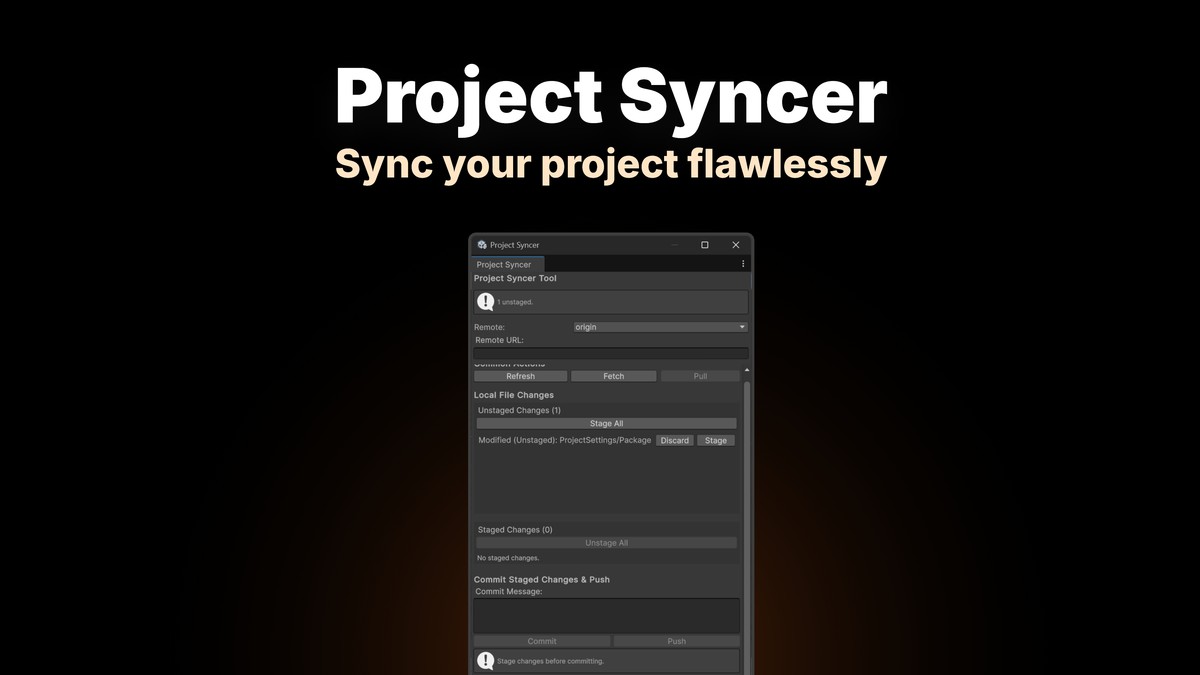
Simple Project sync using git inside unity! Fetch, Pull, Commit & Push directly from the Editor window. Includes history view and scene reload on pull.
Affiliate link · Purchases support this site
Price history
Last 6 months
USDAsset preview
1 / 1
Project Syncer screenshot 1
About this asset
The Project Syncer Tool integrates fundamental Git operations directly into the Unity Editor environment. Its primary goal is to streamline the version control workflow for developers by providing quick access to common commands like fetch, pull, commit, and push, along with visibility into the status of project files (staged, unstaged, conflicted, untracked) and the repository's relationship with its remote counterpart (ahead/behind status). It aims to reduce context switching and provide immediate feedback on Git operations within the familiar Unity interface.
From the publisher's Asset Store listing.
Technical details
- Implementation: The tool is built as a custom Unity Editor Window (EditorWindow), making it dockable and integrated within the editor layout.
- Core Mechanism: It functions by executing standard git commands as external processes using System.Diagnostics.Process. It does not use a C# Git library; it requires a functional git executable accessible via the system's PATH.
- Status Parsing: Local file status (modified, added, deleted, renamed, untracked, conflicted) is determined by parsing the output of the git status --porcelain -uall command. The GitStatusEntry struct is used to represent and interpret each line of this output.
- Remote Interaction: Operations like Fetch, Pull, and Push execute the corresponding git commands (git fetch <remote>, git pull, git push). Ahead/behind status is determined using git rev-list --count.
- Asynchronous Feel: While Process.WaitForExit is used (making the core command execution synchronous relative to the tool's code), EditorApplication.delayCall is used for initialization, and progress bars (EditorUtility.DisplayProgressBar) provide feedback during potentially long operations, preventing the entire editor from freezing indefinitely (though the tool window itself will be blocked during a command).
- State Management: Internal boolean flags (isBusy, repoFoundAndRemoteDetected, isBehindRemote, isAheadRemote, hasConflicts, upstreamConfigured, etc.) track the repository's state and control the availability of UI elements and actions.
- Error Handling: The RunGitCommand method captures standard output and standard error streams. It checks process exit codes and parses error streams for common Git issues (authentication errors, conflicts, network problems, repository not found, etc.) to provide more user-friendly messages in the status bar. General exceptions are caught and logged to the Unity console.
- Environment: The LANG=en_US.UTF-8 environment variable is set for the Git process to ensure consistent, non-localized output messages for easier parsing.
- Timeout: Git commands are given a specific timeout (GIT_COMMAND_TIMEOUT_MS, default 1 hour) to prevent hangs in case of unexpected issues.
- Safety: User confirmations (EditorUtility.DisplayDialog) are implemented for potentially destructive operations like Pulling with uncommitted changes and Discarding file changes. File paths are quoted (SafeQuote) when passed as arguments to git to handle spaces or special characters.
Compatibility
| Unity version | Built-in | URP | HDRP | Custom |
|---|---|---|---|---|
| 6000.0.38f1 | Compatible | Compatible | Compatible | Compatible |
As listed on the Asset Store.