
 View on Asset Store (opens in new tab)
Package details
- Latest version
- 1.0
- Last updated
- First released
- Unity version
- 2022.3.17 or later
- Package size
- 13.0 MB
- Files
- 46
- Favorites
- 2
- Views in the past week
- 7
Price tracking
- Last checked
- Tracked since
- Lowest recorded
- $4.99 on
Keywords

shield vfx-Toon shield Pack
The Shield VFX Pack leverages a Fresnel Shader to create an energy shield effect around characters.
Affiliate link · Purchases support this site
Price history
Last 6 months
USDAsset preview
1 / 1
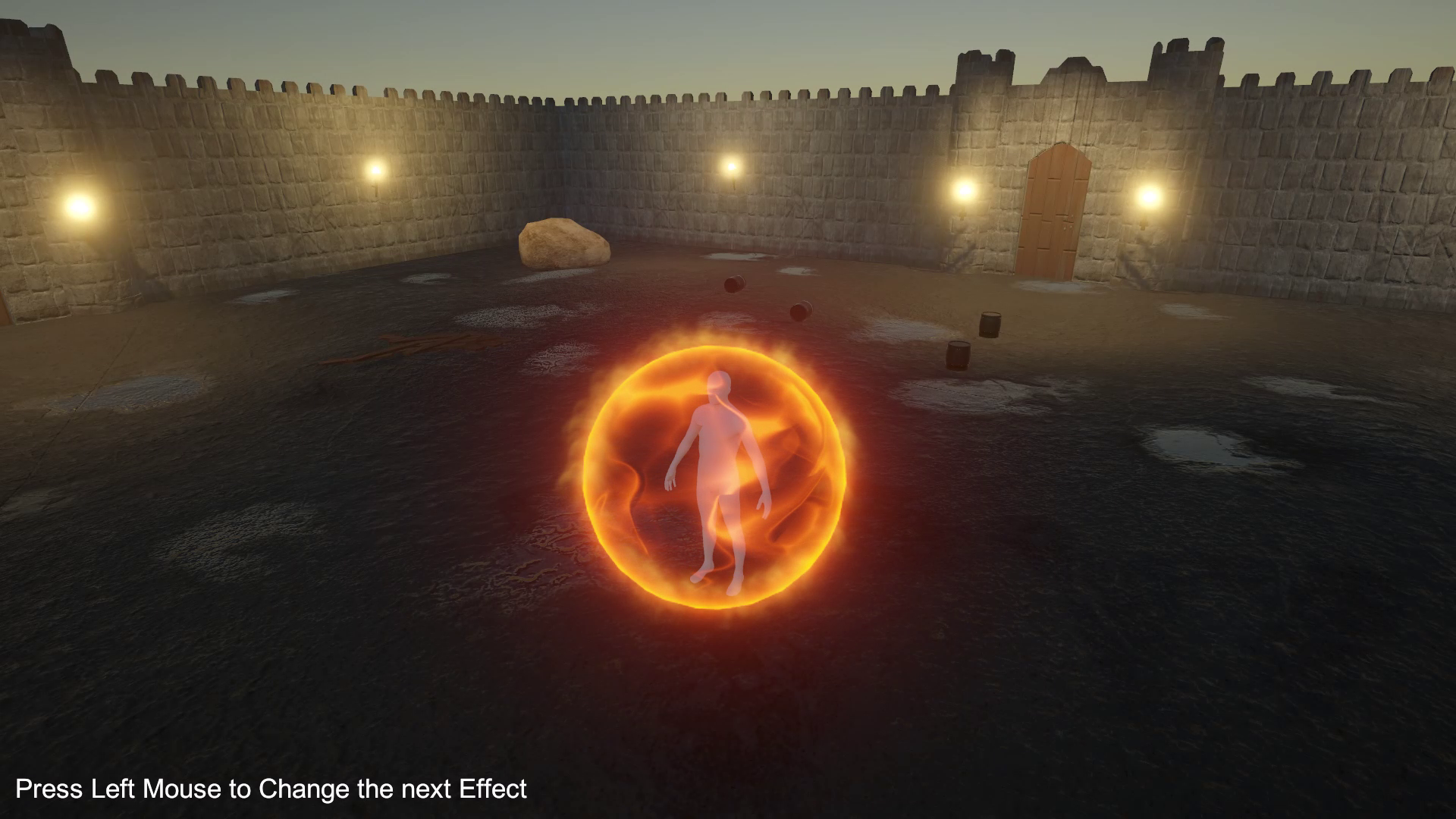
shield vfx-Toon shield Pack video 1 (plays on the Asset Store)
About this asset
The Shield VFX Pack leverages a Fresnel Shader to create an energy shield effect around characters. This effect can be customized for various styles, including sci-fi shields, magic barriers, or energy fields.
- Import the Shield VFxPack into your Unity URP project.
- Enter play mode and press “Left Mouse” to test the next effect in demo scene.
- Easily integrate the effects into your project with drag and drop functionality like Drag and Drop Prefab into scene.
Customization:
The shader highlights the shield edges with customizable properties such as Depth Power, Fresnel Power, and Emission, combined with animated textures to simulate flowing energy, distortion, and noise.
- Apply the Fresnel Shaderto a material and assign this material to the shield object.
- Adjust properties via the Material Inspector:
- Increase Fresnel Power to enhance edge glow.
- Apply a flowing energy texture to Flowand set an appropriate animation speed using Speed Main Tex+ Noise.
- Use Distortion Power to create a warping effect on the shield's surface.
Shader Graph:
Properties:
· Depth Power (Float): Controls the intensity of depth-based edge visibility. Higher values emphasize depth highlights.
· Fresnel Power (Float): Determines the strength of the Fresnel effect around shield edges.
· Main Tex (Texture 2D): The primary texture for the shield surface.
· Noise Tex (Texture 2D): Noise texture used to break up uniformity and add randomness to the effect.
· Texture Opacity (Float): Adjusts the transparency of the shield texture.
· Emission (Float): Controls the brightness of the glowing edges, allowing for stronger or subtler highlights.
· Flow (Texture 2D): The animated texture that creates the appearance of energy flowing across the shield surface.
· Distortion Power (Float): Modifies the distortion intensity applied to the shield surface.
· Speed Main Tex + Noise(Vector4): Controls the animation speed of both the main texture and noise texture, enabling dynamic shield effects.
From the publisher's Asset Store listing.
Technical details
URP Render Pipe line.
Compatibility
| Unity version | Built-in | URP | HDRP |
|---|---|---|---|
| 2022.3.17f1 | Not listed | Compatible | Not listed |
As listed on the Asset Store.