
 View on Asset Store (opens in new tab)
Package details
- Latest version
- 1.0
- Last updated
- First released
- Unity version
- 2022.3.59 or later
- Package size
- 2.4 MB
- Files
- 58
- Favorites
- 100
- Views in the past week
- 41
Price tracking
- Last checked
- Tracked since
- Lowest recorded
- Free on
Keywords
Full Opaque Interactive Water & WaterFall
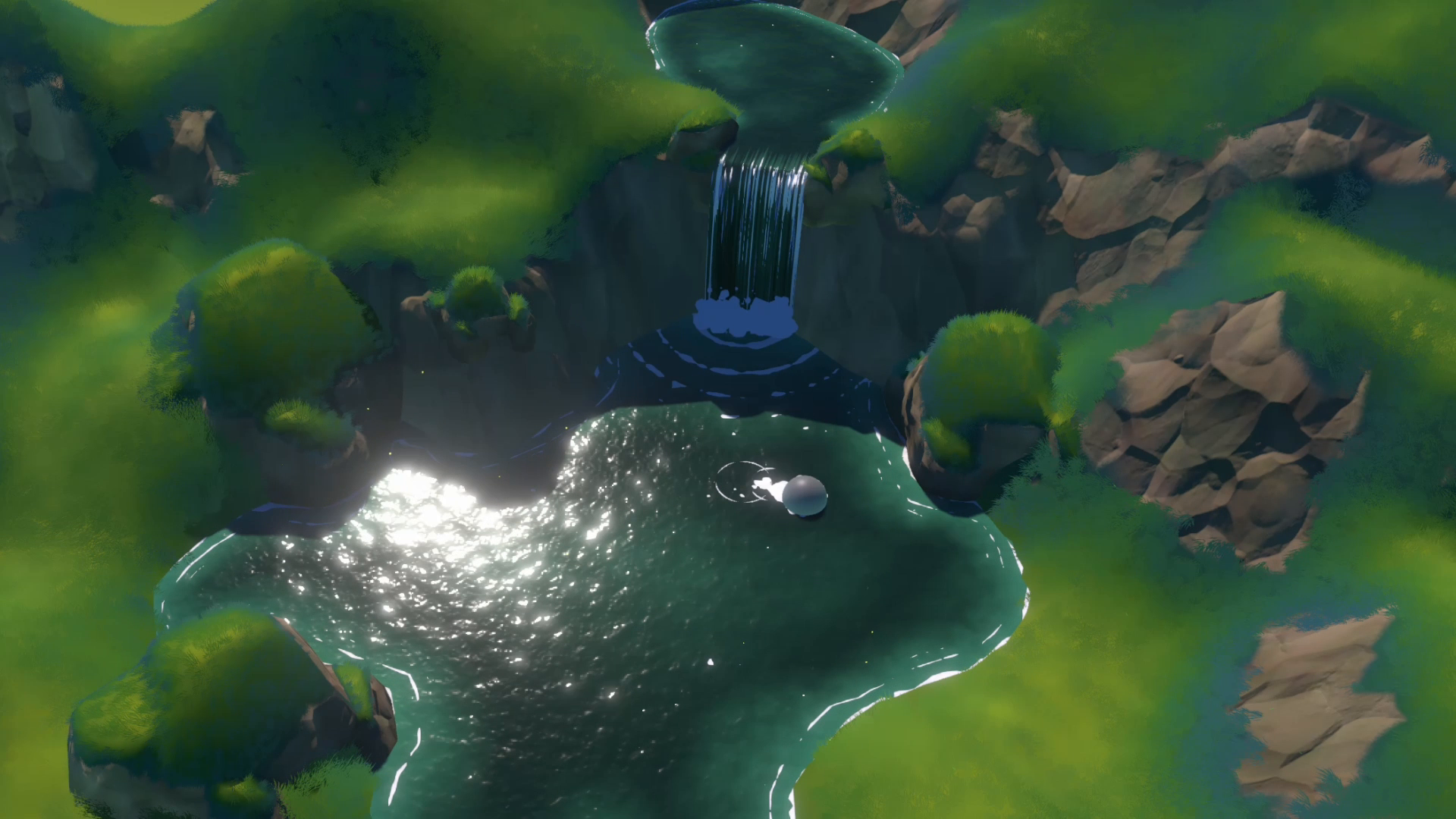
Stylized, fully opaque water & waterfall shaders for mobile, VR, and stylized projects. Includes 2 customizable shaders, a vertex paint tool for foam, and a target-based dynamic trail system.
Affiliate link · Purchases support this site
Price history
Last 6 months
USDAsset preview
1 / 3

Full Opaque Interactive Water & WaterFall screenshot 1
About this asset
The Full Opaque Interactive Water and Waterfall is a stylized, fully opaque water FX pack designed for mobile, VR, and stylized projects. It provides optimized, high-performance water shader effects that work seamlessly in Unity's Universal Render Pipeline (URP). This pack includes two customizable water shaders (Water & Waterfall), a vertex paint tool for foam placement, and a dynamic trail system via a target tracking script.
Features
Fully opaque shaders for better performance and clear visuals.
100% Opaque Rendering
Custom Shader Graphs designed for water and waterfall effects.
URP & Shader Graph
Designed for real-time performance, even on low-end devices.
Lightweight & Optimized
Vertex paint tool lets you draw foam directly onto the water mesh.
Vertex Paint Tool
Customizable materials for both water and waterfall with foam control.
Customizable Water & Waterfall Materials
Creates turbulence and trail effects that follow a moving object.
TargetPosition Script
Waterfall interacts with the water surface to create real-time motion.
Waterfall-Induced Turbulence
Steam visual effects to enhance realism around waterfalls or hot zones.
Steam VFX Included
All foam placement is managed directly in-editor via vertex colors.
Easy Foam Painting Integration
A ready-to-use example scene is included for fast preview and testing.
Demo Scene Included
Vertex Paint System
The Vertex Paint tool allows you to add or remove foam from the water surface by painting directly on the mesh. It provides full artistic control for visual detailing.
How to Use the Vertex Paint Tool
Go to: Tools > Vertex Paint
Select white to add foam, black to remove foam.
Adjust Brush Size and Strength to control the painting.
Paint directly on the water mesh in-scene.
TargetPosition System
The TargetPosition script lets you generate real-time water turbulence and trails that follow your player or any game object.
How to Use the TargetPosition Script
Attach the script to your player or any object.
In the script's inspector, assign your object in the Target field.
Only one target can be active at a time.
Installation
- Download the Full Opaque Interactive Water and Waterfall package.
- Import the package into your Unity project.
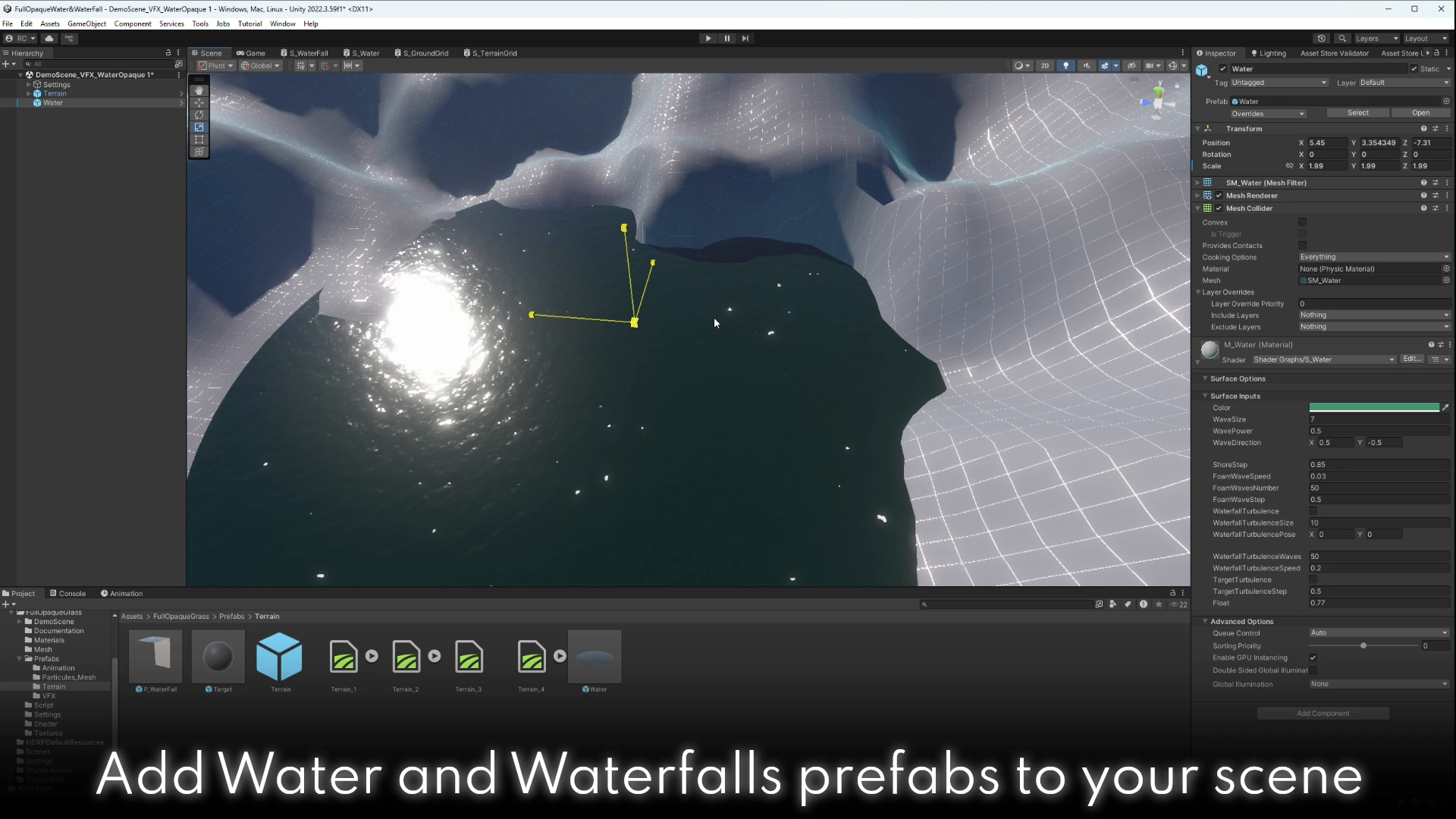
- Drag the Water prefab into your scene.
- Use the Vertex Paint Tool to define foam zones.
- Attach the TargetPosition script to your player or object.
- Enter Play Mode to see dynamic water interactions in real-time.
Copyright Notice
Copyright Roman Chacornac 2025
All rights reserved. This product is protected by copyright and may not be distributed, modified, or resold without the prior permission of the author. Any unauthorized use is prohibited.
Support
If you encounter any issues or need assistance, feel free to reach out to us at:
📧 Email: [email protected]
From the publisher's Asset Store listing.
Technical details
Included Tools:
- Vertex Paint Tool (for foam placement)
- TargetPosition Script (for dynamic trail and turbulence)
Customization:
- Foam painting directly on mesh via vertex colors
- Material parameters adjustable in Inspector
- Supports dynamic target tracking and turbulence control
Render Pipeline: URP (Universal Render Pipeline) Only
Unity Version: Developed and tested on Unity 2022.3.59f1
Performance: Optimized for mobile, VR, and stylized low-poly environments
Opacity: Fully opaque shaders, no alpha blending used
Shader: Custom Shader Graph (Water & Waterfall materials), editable via Inspector
Scene Compatibility: Compatible with Unity URP 2022.3.59f1 and newer
Vertex Paint Tool
The Vertex Paint system allows you to manually define foam placement on water meshes using vertex color painting.
How to Use the Vertex Paint Tool
- Go to Tools > Vertex Paint
- Paint foam using White (add) and Black (remove)
- Adjust Brush Size and Strength in the paint interface
- Paint directly in the Scene View over the Water prefab
TargetPosition Script
The TargetPosition script allows your player (or any game object) to generate trail turbulence and dynamic interactions in the water.
How to Use the TargetPosition Script
- Add the script to your player or object
- Assign the object in the Target field of the script
- Only one active target is supported at a time
- Shader will automatically react and generate trail effects in water
Important Note: These systems are designed for rapid prototyping and visual testing. Integration into full gameplay systems may require additional scripting and customization.
Compatibility
| Unity version | Built-in | URP | HDRP |
|---|---|---|---|
| 2022.3.59f1 | Not listed | Compatible | Not listed |
As listed on the Asset Store.