
 View on Asset Store (opens in new tab)
Package details
- Latest version
- 2.0.0
- Last updated
- First released
- Unity version
- 6000.3.9 or later
- Package size
- 211 KB
- Files
- 44
- Favorites
- 36
- Views in the past week
- 20
Price tracking
- Last checked
- Tracked since
- Lowest recorded
- $12.49 on
Keywords

Universal Performance Optimizer
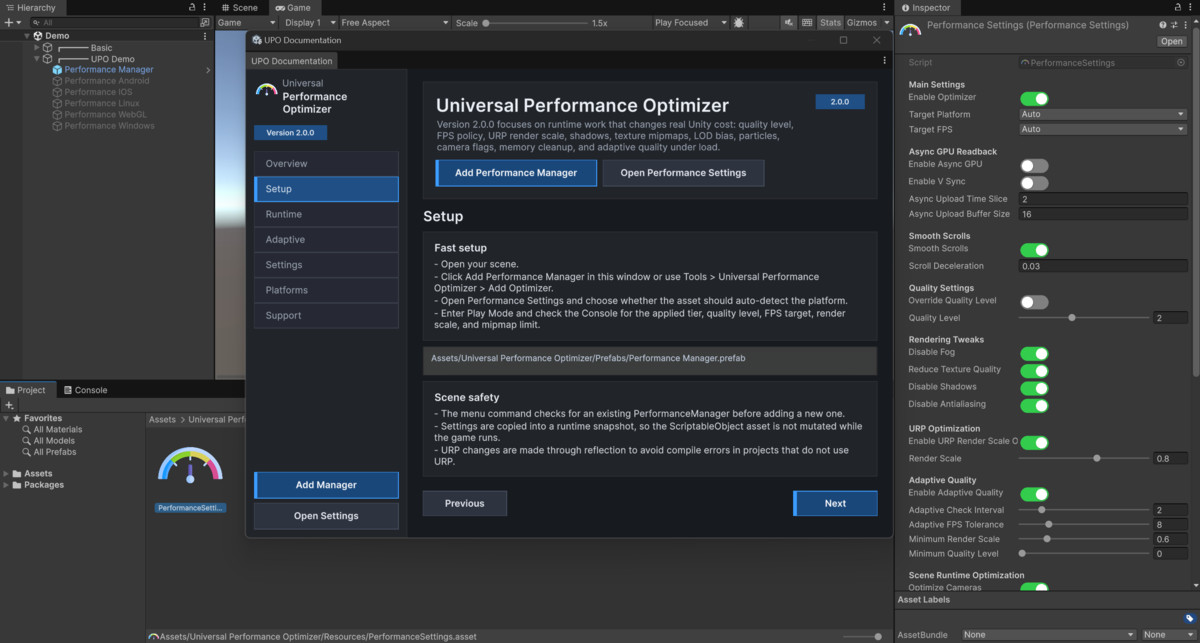
The Performance Manager is a modular, cross-platform optimization system for Unity designed to automatically adjust performance settings based on the platform and device capabilities.
Affiliate link · Purchases support this site
Price history
Last 6 months
USDAsset preview
1 / 5

Universal Performance Optimizer screenshot 1


About this asset
📈 What is Performance Manager?
The Performance Manager is a modular, cross-platform optimization system for Unity designed to automatically adjust performance settings based on the platform and device capabilities.
Discord | Web-site | Mobile Launcher | PC Launcher
It aims to provide a better user experience by:
- Improving FPS (frames per second) stability.
- Reducing memory usage.
- Lowering battery consumption (especially on mobile devices).
- Adapting quality settings based on device performance tier.
It is ideal for games or apps targeting multiple platforms such as Android™, iOS, Windows, Linux, and WebGL.
✅ Benefits
- 💡 Smart: Automatically detects platform and device performance tier.
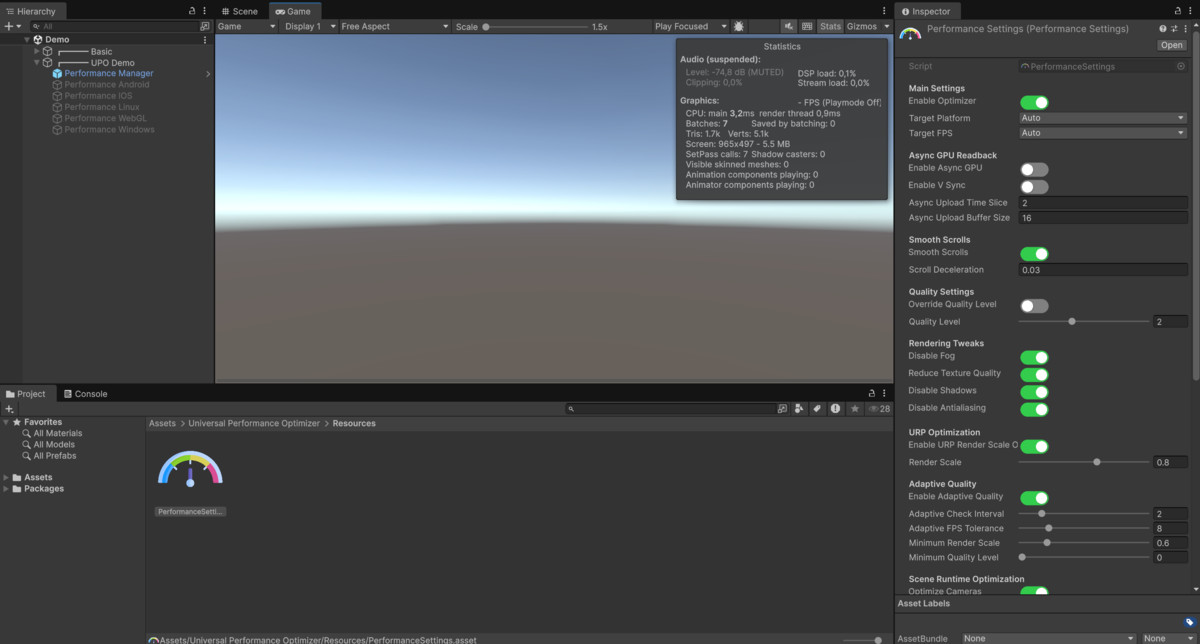
- 🔧 Flexible: Fully customizable via the PerformanceSettings asset.
- 🧠 Efficient: Reduces unnecessary GPU/CPU workload.
- 🚀 Plug-and-Play: Just add PerformanceManager to your scene and configure the settings asset.
💼 Why It Matters
- Ensures smooth gameplay on both high-end and low-end devices.
- Reduces battery drain and overheating on mobile.
- Helps you avoid quality trade-offs by automating performance tuning per device.
- Great for multi-device testing and publishing.
💡 Still have questions? Contact us at [email protected] or reach out to our online support team. We're dedicated to providing the best experience and will assist you with any issues.
(The screenshots use games of the company that officially use screenshots and materials of the games. These games belong to this company and can be used).
The Android robot is reproduced or modified from work created and shared by Google and used according to terms described in the Creative Commons 3.0 Attribution License.
From the publisher's Asset Store listing.
Technical details
Key Features
- Cross-platform support: Detects the current platform (Android, Windows, iOS, Linux, WebGL) and applies platform-specific optimizations.
- Device Tier System: Automatically adjusts quality and performance settings based on whether the device is Low, Medium, or High tier.
- Target FPS Control: Set desired framerate (30–240 FPS) and enable/disable VSync as needed.
- Modular Design: Easily extend optimization logic via per-platform optimizers like AndroidOptimizer.
- URP Optimizations: Optional render scale control for Universal Render Pipeline.
- Battery & Memory Saving Options: Enable lightweight mode with features like texture quality reduction, async GPU uploads, shadow/AA disabling, and more.
- Fully Configurable: All optimization logic is controlled from a single asset — PerformanceSettings — located under Resources/.
Supported OS: Cross-platform (Android™, Windows, iOS, Linux, WebGL).
Link to documentation: Offline inside the project (Built-in).
Compatibility
| Unity version | Built-in | URP | HDRP | Custom |
|---|---|---|---|---|
| 6000.3.9f1 | Compatible | Compatible | Compatible | Compatible |
As listed on the Asset Store.