
 View on Asset Store (opens in new tab)
Package details
- Latest version
- 1.0
- Last updated
- First released
- Unity version
- 2021.3.16 or later
- Package size
- 28.4 MB
- Files
- 349
- Favorites
- 11
- Views in the past week
- 18
Price tracking
- Last checked
- Tracked since
- Lowest recorded
- $39.00 on
Keywords
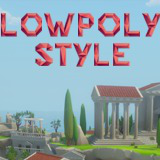
Lowpoly Style Greek Islands
Build your own ancient greek or roman lowpoly environments with easy drag'n'drop: all assets come with a fitting collider and prefabs, or use the big prebuilt demoscene included.
Affiliate link · Purchases support this site
Price history
Last 6 months
USDAsset preview
1 / 10

Lowpoly Style Greek Islands screenshot 1


About this asset
The newest lowpoly style pack is set in ancient greek times on a mediterranean island. Featuring a town with temples, statues, manors, harbours, various buildings, plants and much more to explore!
Build your own environments with easy drag'n'drop: all assets come with a fitting collider - or check out the big included demoscene to get started.
Both models and scenes were carefully crafted by hand.
Features:
* Nearly all objects use just 1 material / texture for perfomance!
* 159 fbx models included
* more than 200 prefabs
* Terrain prefabs for easy world building.
* Enterable buildings
URP / HDRP Support: Simply convert the materials with Unity under Window->Rendering.
Attention: Water and Skybox in the screenshots of the greek island are not included in this package! Simply use the free packages below to get a similar style:
Water: Free
Skybox: Skybox Extended Shader (Free)
Also available:
From the publisher's Asset Store listing.
Technical details
Stats:
- Texture Size: 2048px, looks good down to 512px
- 200 prefabs
-159 meshes
-polygon count of all meshes here
Performance: Everything shares 1 material and 1 texture, so Unity can batch all drawcalls together.
Compatibility
| Unity version | Built-in | URP | HDRP |
|---|---|---|---|
| 2021.3.16f1 | Compatible | Compatible | Compatible |
URP / HDRP Support: Simply convert the materials with Unity under Window->Rendering.
As listed on the Asset Store.