
 View on Asset Store (opens in new tab)
Package details
- Latest version
- 1.0
- Last updated
- First released
- Unity version
- 2021.3.12 or later
- Package size
- 263 KB
- Files
- 5
- Favorites
- 19
- Views in the past week
- 4
Price tracking
- Last checked
- Tracked since
- Lowest recorded
- Free on
Keywords
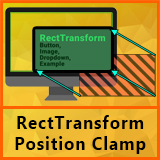
UI Position Clamp – Keep RectTransform On Screen
With one simple method call, your UI will be positioned as expected, but if it goes outside the screen bounds, it will automatically adjust to the nearest edge.
Affiliate link · Purchases support this site
Price history
Last 6 months
USDAsset preview
1 / 3

UI Position Clamp – Keep RectTransform On Screen screenshot 1


About this asset
Ensure Your UI Stays On Screen!
This lightweight and easy-to-use extension for RectTransform ensures that your UI elements never go off-screen. With one simple method call, your UI will be positioned as expected, but if it goes outside the screen bounds, it will automatically adjust to the nearest edge.
✅ Effortless Screen Clamping – Prevents UI elements from being positioned off-screen.
✅ Simple API – Just call .SetPositionInsideScreen(position).
✅ Lightweight & Efficient – Minimal overhead, perfect for any project.
✅ Seamless Integration – Works with existing UI setups.
Ideal for tooltips, floating buttons, pop-ups, and draggable UI elements that need to stay within view!
🛠️ Quick Setup – Just import and start using it in seconds.
From the publisher's Asset Store listing.
Technical details
- 🚀 Single Script, Zero Hassle – Just import and use!
- 🛠 No Extra Setup Required – Works instantly with a simple method call.
- ⚡ Lightweight & Optimized – Minimal performance impact.
- 🎯 Seamless Integration – Use .SetPositionInsideScreen(position) instead of setting transform.position directly.
- ✅ Compatible with Any UI Layout – Works with any RectTransform in Canvas.
Compatibility
| Unity version | Built-in | URP | HDRP | Custom |
|---|---|---|---|---|
| 2021.3.12f1 | Compatible | Compatible | Compatible | Compatible |
- Uses Unity's standard UI system. Not UI Toolkit. Could potentially be supported later.
As listed on the Asset Store.