
 View on Asset Store (opens in new tab)
Package details
- Latest version
- 1.0
- Last updated
- First released
- Unity version
- 2022.3.47 or later
- Package size
- 91 KB
- Files
- 10
- Favorites
- 1
- Views in the past week
- 7
Price tracking
- Last checked
- Tracked since
- Lowest recorded
- $19.99 on
Keywords
AR Camera Fov Adjuster
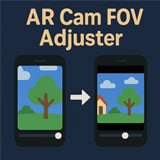
AR Cam FOV Adjuster dynamically adjusts the AR camera’s field of view on iOS and Android. Includes zoom-out scaling and a customizable border color for out-of-range areas.
Affiliate link · Purchases support this site
Price history
Last 6 months
USDAsset preview
1 / 5

AR Camera Fov Adjuster screenshot 1


About this asset
AR Cam FOV Adjuster is a Unity plugin designed to give you full control over the AR camera’s field of view on both iOS (ARKit) and Android (ARCore). By modifying the camera’s projection matrix, you can smoothly zoom out the background image via a uniformScale parameter and fill any extra space with a user-defined BorderColor.
Features
- Zoom-Out Effect: Dynamically scale the camera texture to show more of the real-world feed.
- Customizable Border Color: Fill areas outside the [0,1] UV range with any color you choose.
- Platform-Specific Shaders: Separate HLSL (for iOS) and GLSL (for Android) shaders, each tailored to the ARKit or ARCore pipeline.
- Orientation Handling: Detects device orientation changes and reconfigures the camera projection for consistent AR content alignment.
- Easy Integration: Attach the ARCameraFOVAdjusterController to your AR camera and assign the included materials—done!
- URP Support: Works with the Universal Render Pipeline if you add the ARBackgroundRendererFeature to your Forward Renderer.
How It Works
- A slider or script modifies uniformScale, which adjusts the UV coordinates in the background shader.
- When uniformScale is below 1, the camera feed is zoomed out, and _BorderColor appears around the edges.
- The plugin also modifies the camera’s projection matrix (especially on iOS) to maintain proper AR alignment.
From the publisher's Asset Store listing.
Technical details
- Unity Versions: Tested with Unity 2021.3 LTS, Unity 2022.x, Unity 2023.x, and Unity 6.
- ARFoundation: Requires ARFoundation 5.x or later.
- Platforms:
- Android (ARCore) — Make sure to disable Vulkan and enable OpenGL ES 3.0.
- iOS (ARKit)
- Required Components:
- ARSessionOrigin in the scene.
- ARCameraManager and ARCameraBackground on the same camera.
For more details, please see the included README or contact us at [email protected]. Enjoy a more flexible and customizable AR camera experience!
Compatibility
| Unity version | Built-in | URP | HDRP |
|---|---|---|---|
| 2022.3.47f1 | Not listed | Compatible | Not listed |
Requirements:
- ARFoundation 5.x and higher
As listed on the Asset Store.