
 View on Asset Store (opens in new tab)
Package details
- Latest version
- 1.5
- Last updated
- First released
- Unity version
- 6000.0.0 or later
- Package size
- 571 KB
- Files
- 74
- Favorites
- 53
- Views in the past week
- 15
Price tracking
- Last checked
- Tracked since
- Lowest recorded
- $25.00 on
Keywords

Lane Graph
LaneGraph is a lightweight lane-based navigation system for pathfinding in Unity.
Affiliate link · Purchases support this site
Price history
Last 6 months
USDAsset preview
1 / 11
Lane Graph screenshot 1



About this asset
Build intelligent road networks in minutes, not days.
LaneGraph eliminates the complexity of lane-based navigation with a visual editor that lets you design, connect, and control traffic flow as easily as drawing paths.
Featured in 📺 CodeMonkey's Top 10 Unity Tools
📖 Documentation | 💬 Discord | 📧 Email Support
Why LaneGraph?
Stop wrestling with complex navigation systems. LaneGraph gives you production-ready lane-based pathfinding that scales from simple racetracks to sprawling city networks—all without writing a single line of navigation code.
Perfect for:
- Racing Games: Create dynamic racing lines with overtaking lanes and pit lane transitions
- Traffic Simulations: Build realistic city traffic with intersections, signals, and lane changes
- Autonomous AI: Give vehicles intelligent navigation through complex road networks
- City Builders: Design road networks that NPCs can actually navigate properly
Visual Design Tools
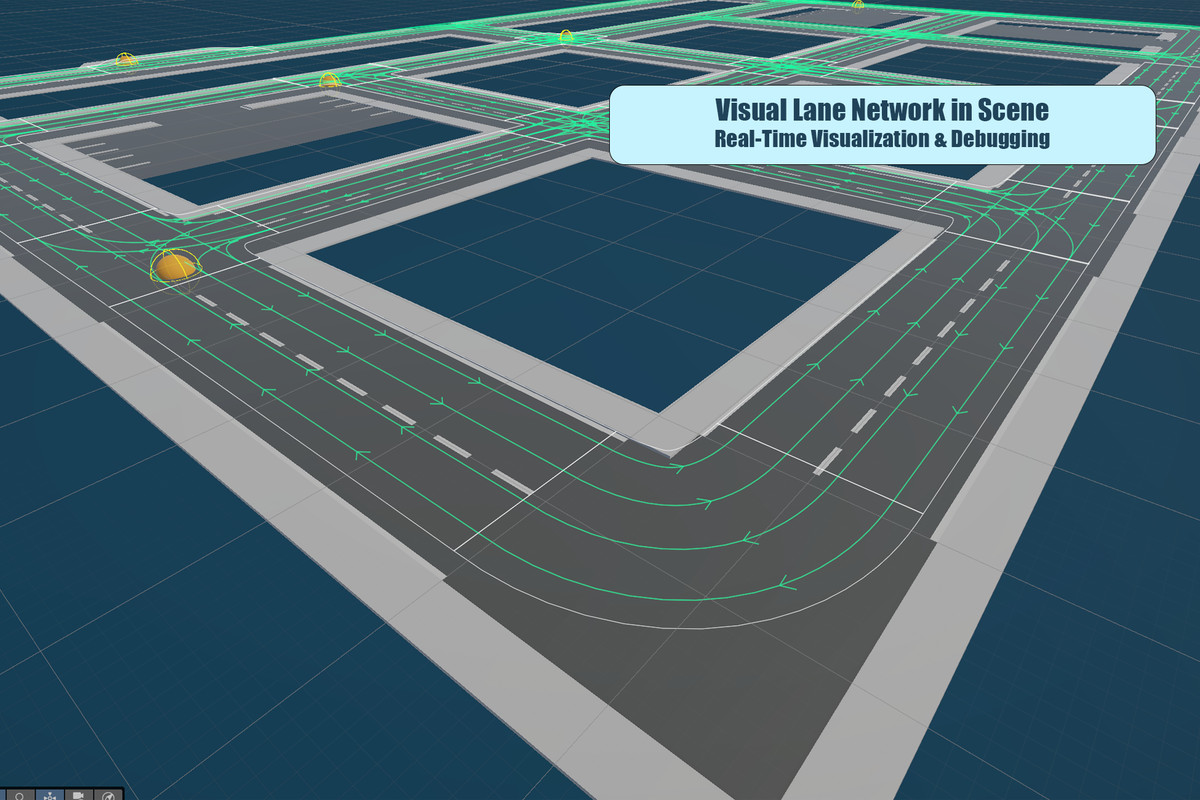
Design your entire road network visually in the Unity editor—no code, no guessing. See your changes in real-time.
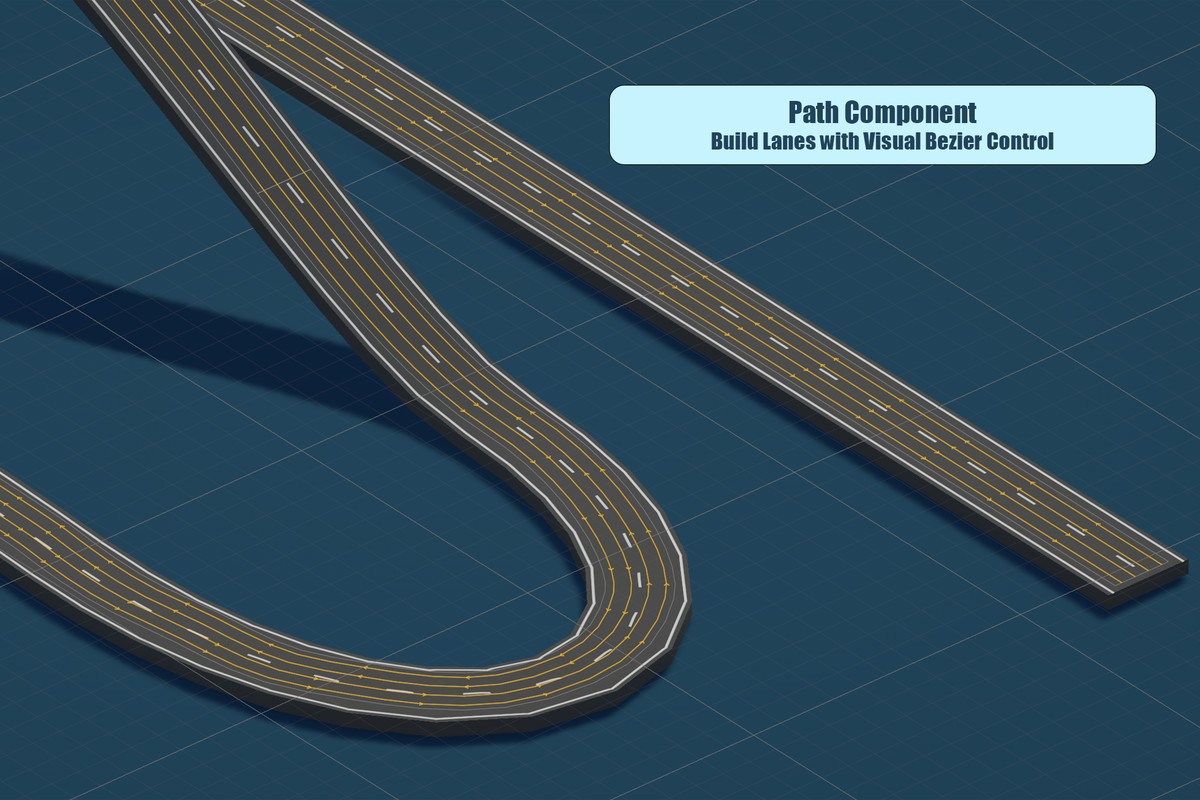
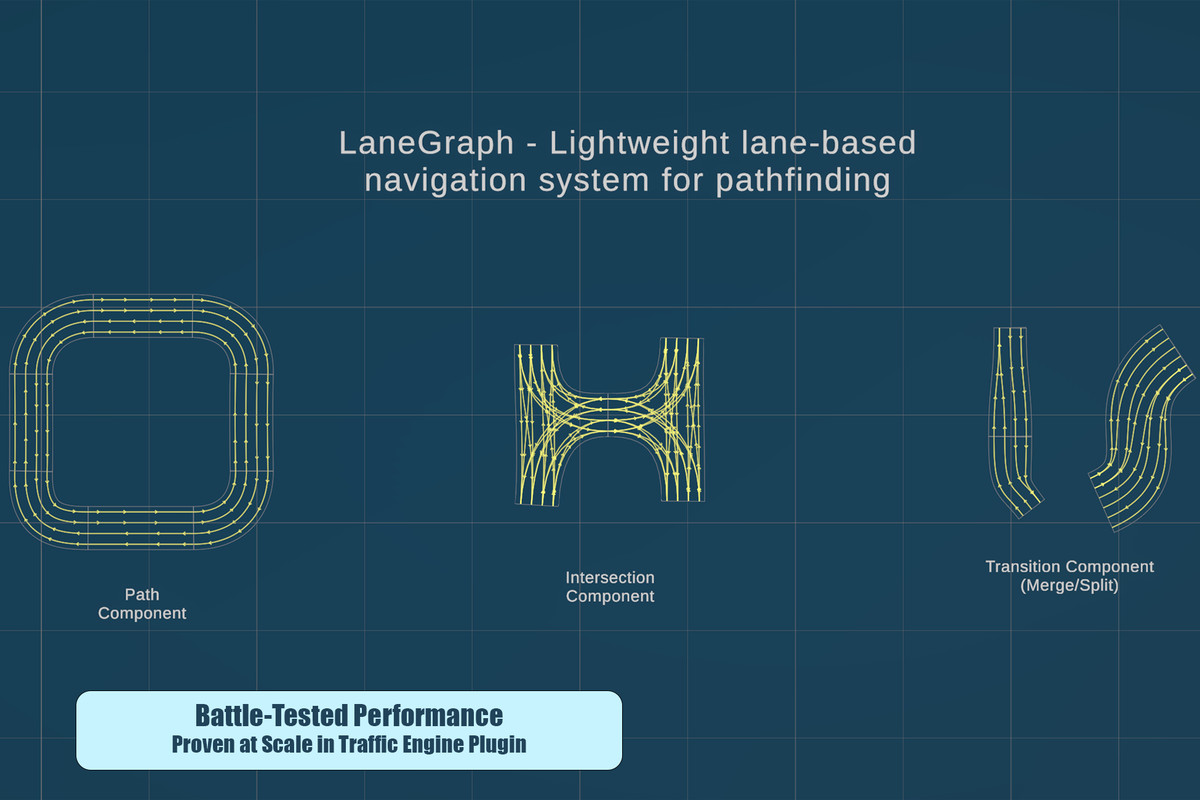
Path Component: Straight roads, sweeping curves, or complex shapes using Linear, AutoBezier, or manual Bezier control. Perfect for highways, racetracks, and city streets.
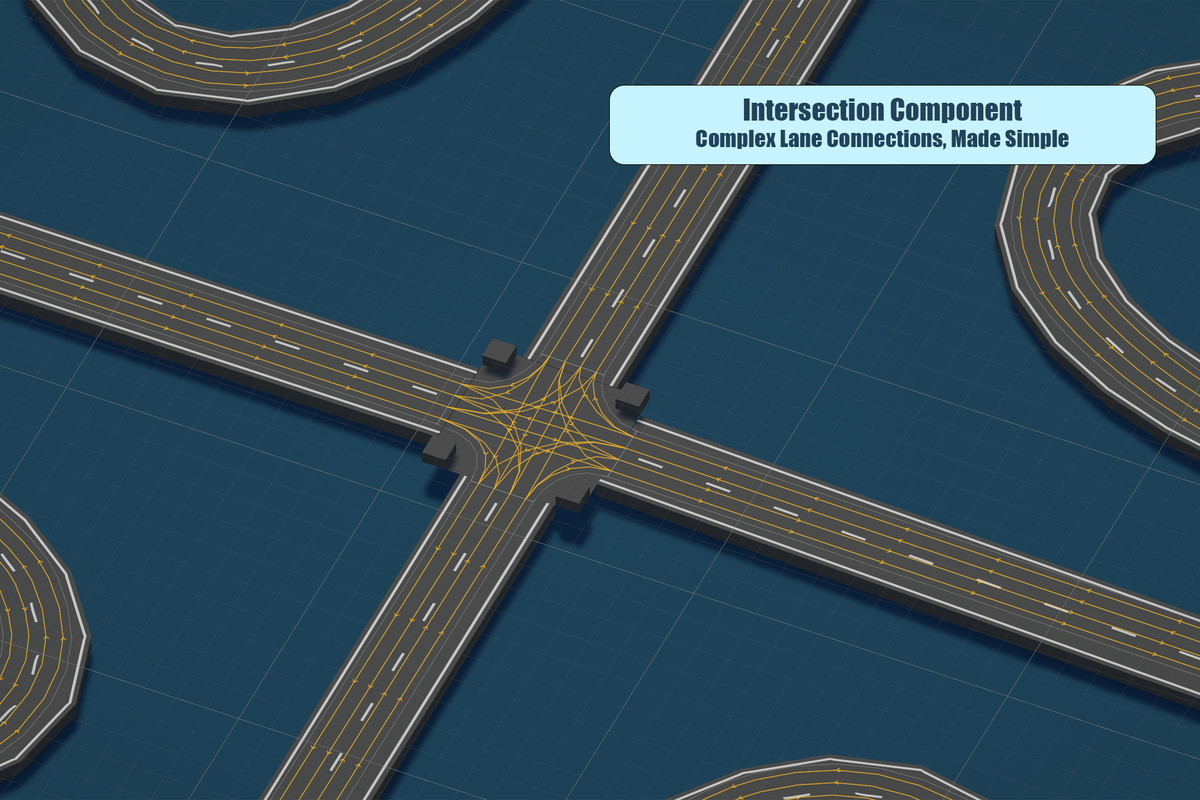
Intersection Component: Connect paths with customizable lane-to-lane routing. Define which lanes can turn left, right, or go straight—exactly like real traffic engineers do.
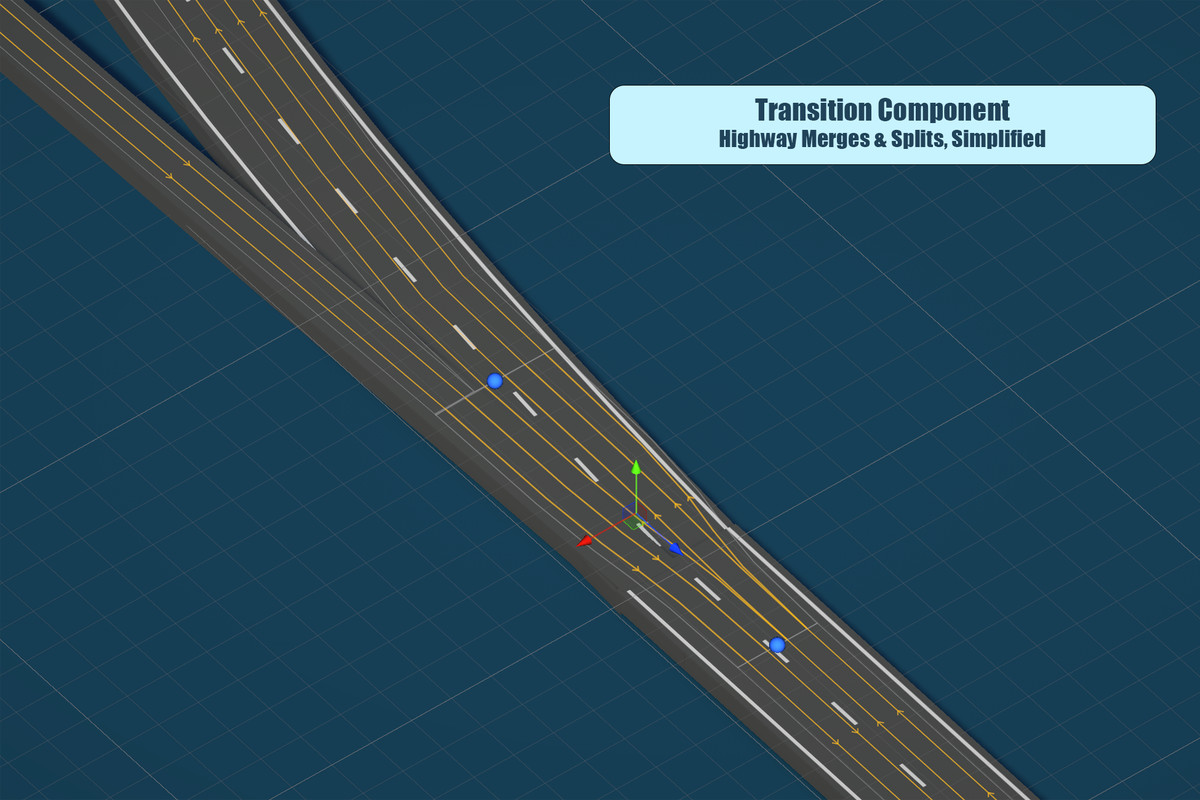
Transition Component: Handle merges, splits, on-ramps, and lane reductions. Your AI can finally navigate highway entrances without breaking a sweat.
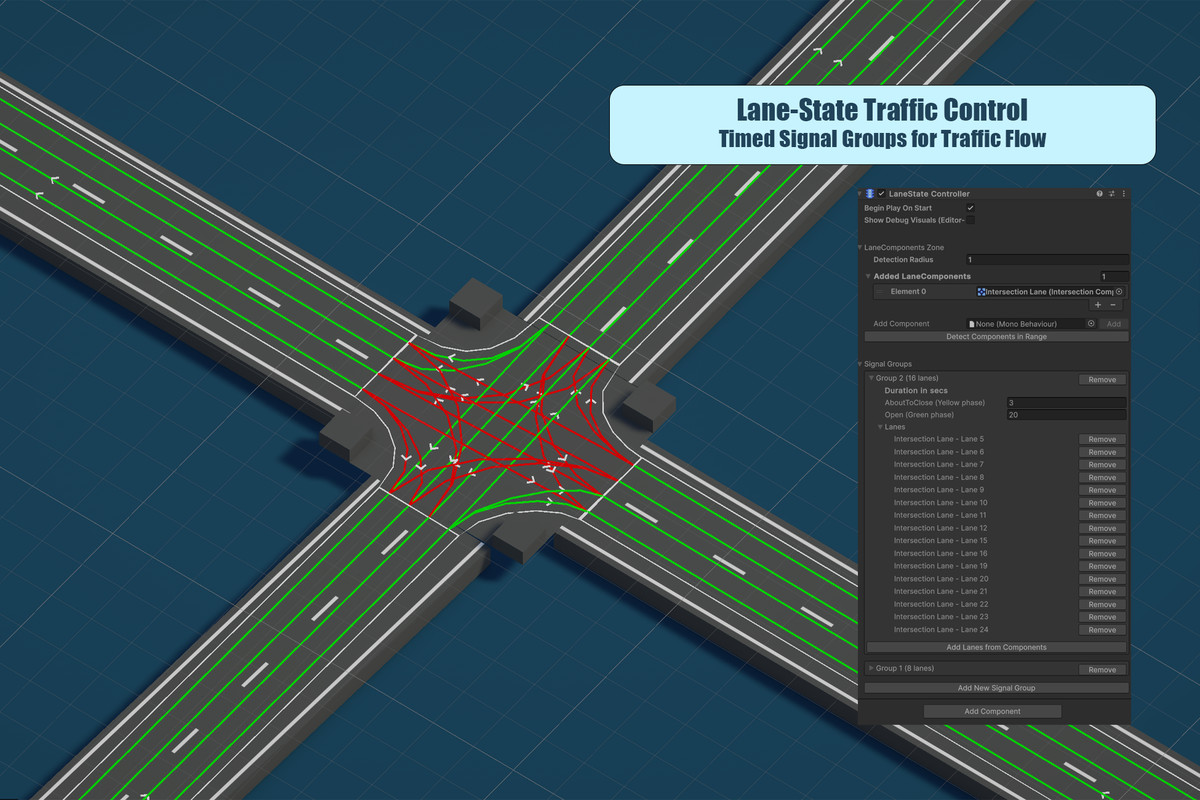
Lane State Controller: Add working traffic signals with customizable timing. Green, yellow, red—your lanes respond like real traffic lights.
Runtime Performance That Scales
Built for performance from day one:
- Hierarchical BVH (Bounding Volume Hierarchy) for lightning-fast spatial queries
- A* pathfinding optimized for lane graphs—finds routes through thousands of lanes in nanoseconds
- Unity.Mathematics data types (float3, etc.) for light-weight queries
- Automatic scene optimization converts editor data to lean runtime structures
Query nearby lanes, find paths, detect positions—all without frame drops, even in massive open worlds.
What's Included
Editor Tools (Editor-Only):
- Drag-and-drop lane component creation
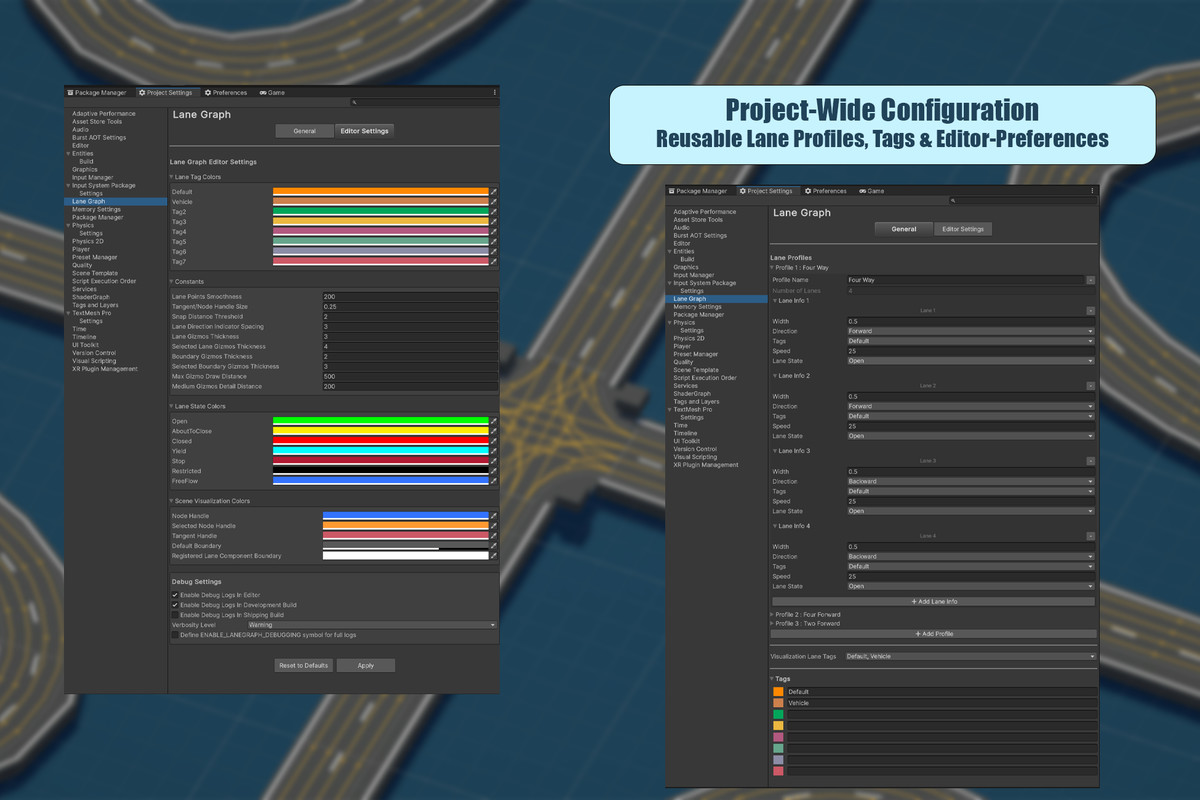
- Visual profile manager for configuring lane properties (width, direction, speed limits, tags)
- Real-time connection visualization and snapping
- Traffic signal controller setup
- One-click build system
Runtime Components (Optimized ScriptableObjects):
- Compact lane graph data structures
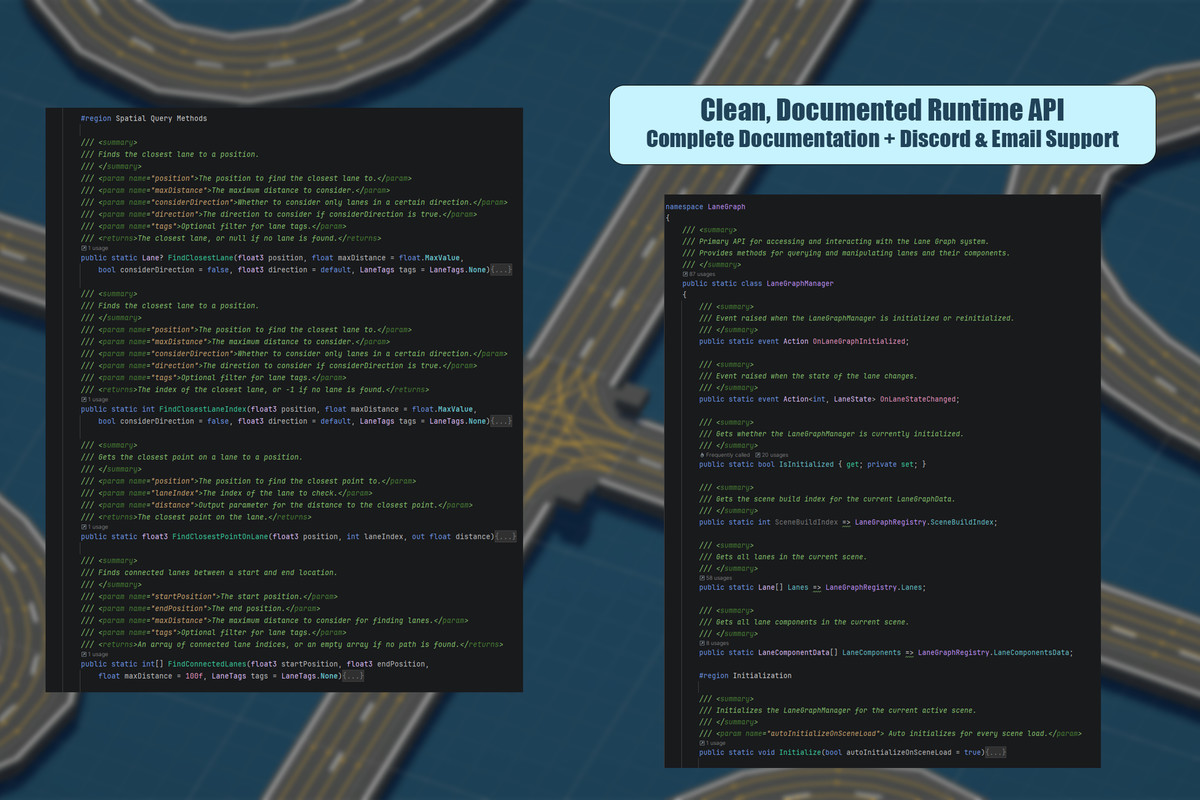
- Fast spatial query API via LaneGraphManager
- Lane state management with event callbacks
- Pathfinding between any two positions
- Direction and tag-based lane filtering
Documentation & Support:
- Comprehensive user guide with workflow examples
- Complete API reference with code samples
- Demo scenes showcasing different configurations
- Discord community for quick help
- Email support for technical issues
From the publisher's Asset Store listing.
Technical details
Key Features:
- Lane-based pathfinding with A* algorithm optimized for road networks
- Multiple lane types with customizable properties (width, direction, speed, tags)
- Flexible intersections with per-lane connection configuration for turns and traffic flow
- Lane transitions for merges, splits, and complex highway scenarios
- Traffic signal control with timing-based state management
- Optimized spatial queries using hierarchical BVH for fast lookups in large scenes
- Unity.Mathematics integration for efficient, allocation-free calculations
- Shape variety: Linear paths, automatic Bezier curves, or manual Bezier with full tangent control
- Visual editor: Real-time lane visualization, snapping, and debugging tools
- Event system: Lane state change callbacks for reactive AI behavior
Runtime Architecture:
- Editor components convert to optimized ScriptableObjects at build time
- Lane data stored in compact, cache-friendly structures
- Spatial queries execute in O(log n) time via BVH traversal
- Zero runtime allocations for spatial queries using Span<T> and stack allocation
- Scene-based data isolation—multiple scenes can each have their own lane networks
Supported Platforms:
Fully compatible with all Unity platforms. The runtime system is designed for consistent performance across:
- Desktop (Windows, macOS, Linux)
- Mobile (iOS, Android)
- Consoles
- WebGL
The data structures are memory-efficient and platform-agnostic, with no platform-specific code required.
Requirements:
- Unity 2019.1 or later
- Unity.Mathematics package (included with Unity)
Compatibility
| Unity version | Built-in | URP | HDRP | Custom |
|---|---|---|---|---|
| 6000.0.0f1 | Compatible | Compatible | Compatible | Compatible |
The package is compatible with all unity versions.
Ensure your project use Unity.Mathematics if it doesn't already.
As listed on the Asset Store.