
 View on Asset Store (opens in new tab)
Package details
- Latest version
- 1.0
- Last updated
- First released
- Unity version
- 6000.0.32 or later
- Package size
- 250 KB
- Files
- 2
- Favorites
- 7
- Views in the past week
- 10
Price tracking
- Last checked
- Tracked since
- Lowest recorded
- $15.00 on
Keywords
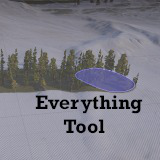
Everything Tool
Terrain tool that lets you mix and match what you want to paint.
Price $15.00
Buy on Asset Store (opens in new tab)
Affiliate link · Purchases support this site
Price history
Last 6 months
USDAsset preview
1 / 7

Everything Tool screenshot 1


About this asset
The EverythingTool is a terrain tool designed to allow the user to mix and match painting textures, details, and trees at the same time without needing to swap between different menus. By checking off specific items the user can setup their brush however they want it.
From the publisher's Asset Store listing.
Technical details
Brush Options:
- Brushes - This is the standard unity Brushes selection menu consistent with other terrain tools.
- Brush Size - This is the standard unity Brush Size slider consistent with other terrain tools.
- Opacity - This is the standard unity Opacity slider consistent with other terrain tools.
- Rotation - This slider lets the user rotate the brush from 0 to 360 degrees.
Layer Painting:
- Paint Texture - This checkbox determines if the user wishes to paint a texture while using the EverythingTool. If selected the tool will act similar to the Paint Texture tool.
- Texture Layer - Using this dropdown the user can set which texture layer they wish to paint.
- Erase Texture? - This checkbox determines if the user wants to erase to a specific texture when holding the shift key.
- Erase Texture Layer - Using this dropdown the user can set which texture layer they wish to erase to.
Detail Painting:
- Detail - The name of each grass detail on the terrain will show with a checkbox. Checking a detail will allow the brush to paint it while using the EverythingTool.
- Detail Density - Each detail has a slider to determine what density from 0-1 the brush should paint.
Tree Painting:
- Tree - Similar to details the name of each tree on the terrain will show with a checkbox allowing the user to paint that tree.
- Tree Density - The density min/max slider allows the user to set the random range of how many trees to place for each frame of painting.
- Tree Height - how tall the trees to be placed will be, can either be a constant value or a random range between two numbers.
- Lock Width to Height - if true the width will always be simply set to the height keeping the scale consistent.
- Tree Width - how wide the trees to be placed will be, can either be a constant value or a random range between two numbers.
- Tree Color - The color value of the trees. By default this is unused but it's available for a custom shader or script to access from the TreeInstance.
Compatibility
| Unity version | Built-in | URP | HDRP | Custom |
|---|---|---|---|---|
| 6000.0.32f1 | Compatible | Compatible | Compatible | Compatible |
As listed on the Asset Store.