
 View on Asset Store (opens in new tab)
Package details
- Latest version
- 1.5
- Last updated
- First released
- Unity version
- 6000.0.32 or later
- Package size
- 1.2 MB
- Files
- 22
- Favorites
- 13
- Views in the past week
- 13
Price tracking
- Last checked
- Tracked since
- Lowest recorded
- $12.99 on
Keywords

Native Mobile Input
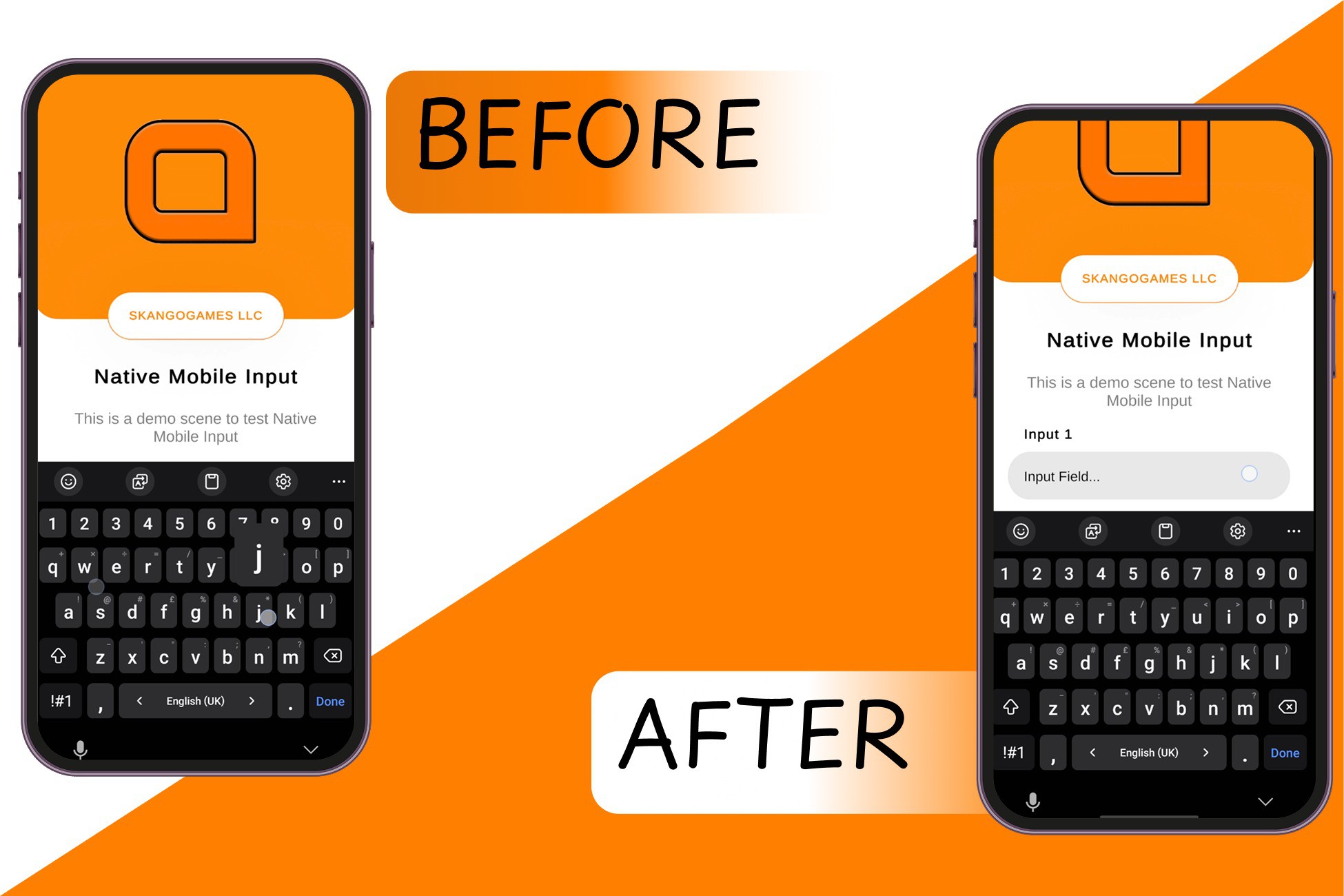
Fix mobile keyboard overlap in Unity! Native Mobile Input keeps input fields visible with automatic canvas adjustment on Android & iOS. Easy to use, smooth, and reliable.
Affiliate link · Purchases support this site
Price history
Last 6 months
USDAsset preview
1 / 5

Native Mobile Input screenshot 1


About this asset
Native Mobile Input solves the common issue of mobile keyboards covering input fields in Unity apps. It automatically moves your UI to ensure input fields remain visible when the keyboard appears. It also removes the white textbox (Using the TMP plugin by Unity). This plugin works seamlessly on Android and iOS and is perfect for forms, chats, login screens, or any mobile UI involving text input.
The package is easy to integrate and highly customizable — adjust movement limits, offsets, and animation settings to match your design. It also includes an editor simulation for faster testing.
Whether you're making a casual game, business app, or productivity tool, Native Mobile Input improves usability and gives your users a smooth, frustration-free experience.
It also has a built-in function to pass touch events from input fields to scrolls, so input fields don't interrupt scrolling momentum.
Use Text mesh pro for best experience. If you have legacy input fields, you can use our built in tool to convert them automatically.
Recently added copy/paste feature with Unity UI since the native one won't be activated when hiding the text box.
DOCUMENTATIONS & Tutorial Links:
Online Docs: https://skangogames.com/nativemobileinput/
From the publisher's Asset Store listing.
Technical details
- Use Text mesh pro for the best experience. If you have legacy input fields, you can use our built in tool to convert them automatically.
- Copy/Paste feature added recently with Untiy UI
- 📱 Automatic keyboard-aware UI adjustment for mobile
- ✅ Supports Android and iOS
- 🎯 Keeps input fields visible when the keyboard appears
- ⚙️ Move Canvas mode with configurable offset and movement limits
- 🧠 Scroll View integration: passes drag events from input fields to parent ScrollRect
- 🧼 Includes IgnoreNativeMobileInput component to exclude specific fields
- 🛠️ Editor simulation for keyboard testing inside Unity
- 🔁 Smooth animation options for canvas movement
- 🧰 Editor tool to convert Legacy InputFields to TextMeshPro with setting preservation
- ⚡ Simple one-component setup – no coding required
- 🎮 Works with Unity UI (UGUI)
Compatibility
| Unity version | Built-in | URP | HDRP | Custom |
|---|---|---|---|---|
| 6000.0.32f1 | Compatible | Compatible | Compatible | Compatible |
As listed on the Asset Store.