
 View on Asset Store (opens in new tab)
Package details
- Latest version
- 1.01
- Last updated
- First released
- Unity version
- 2022.3.37 or later
- Package size
- 191 KB
- Files
- 13
- Favorites
- 4
- Views in the past week
- 6
Price tracking
- Last checked
- Tracked since
- Lowest recorded
- $12.99 on
Keywords

Scene Object Anchoring – RectTransform Power for Any GameObject
- Price drop
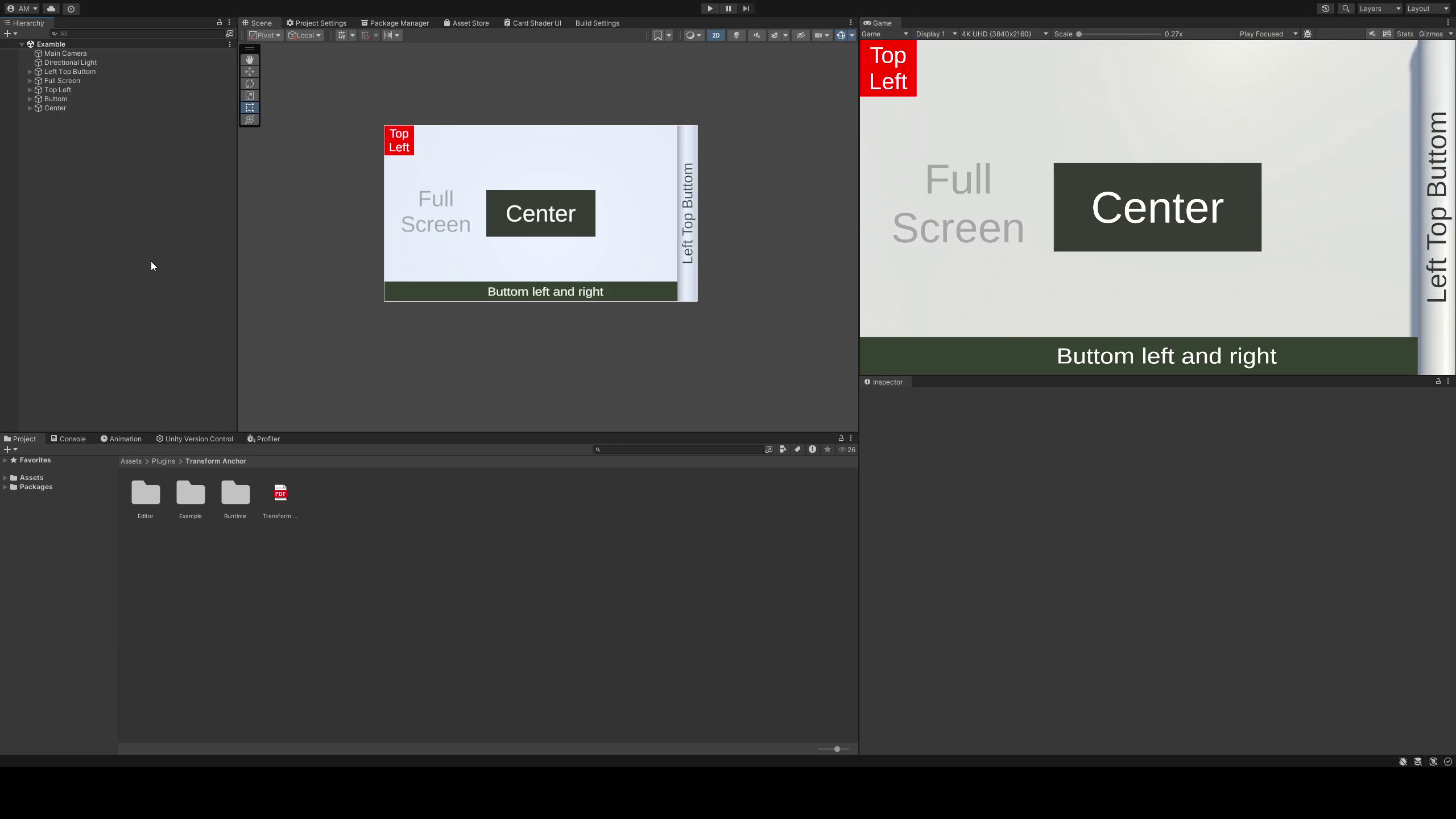
Bring RectTransform-style anchoring to any GameObject in your Unity scene. Want an object to always stay pinned to the top-left of the screen or scale dynamically like UI? Now you can.
Lowest recorded price
Get 35% off on Asset Store (opens in new tab)Affiliate link · Purchases support this site
Price history
Last 6 months
USDAsset preview
1 / 6

Scene Object Anchoring – RectTransform Power for Any GameObject screenshot 1


About this asset
Transform Anchor Tool – Unity Editor Extension
📌 Description:
Transform Anchor Tool is a Unity editor extension that simplifies object positioning, scaling, and alignment using anchors. It works for UI, 3D objects, and level design, allowing flexible placement in world units, pixels, or percentages.
✨ Features:
✅ Anchor-Based Positioning – Align objects relative to custom anchors, parents, or the camera.
✅ Flexible Scaling & Rotation – Adjust scale and rotation while maintaining anchor-based positioning.
✅ Multiple Unit Conversions – Work in world units, pixels, or percentages for precise placement.
✅ Real-Time Updates – Changes apply instantly for a smooth workflow.
✅ Custom Editor UI – Easy-to-use interface with dropdown menus and visual guides.
✅ Supports 2D & 3D – Works with both UI elements and game objects.
✅ Perfect for Dynamic Layouts – Ideal for responsive designs and adaptive positioning.
🛠 How to Use:
1️⃣ Add the Transform Anchor Tool component to any GameObject.
3️⃣ Adjust position, scale, and rotation with intuitive controls.
4️⃣ Use different unit modes (World, Pixel, Percentage) for precision.
5️⃣ See real-time updates in the Unity editor for instant feedback.
🎯 Ideal For:
🎨 UI Designers – Advanced anchoring for non-UI objects.
🏗️ Level Designers – Precise object placement without manual tweaks.
🎮 Game Developers – Dynamic layouts and adaptive positioning.
📱 Mobile Developers - Support for dynamic screen sizes.
Boost your workflow and take full control of object anchoring in Unity with Transform Anchor Tool! 🚀
From the publisher's Asset Store listing.
Technical details
✨ Features:
✅ Anchor-Based Positioning – Align objects relative to custom anchors, parents, or the camera.
✅ Flexible Scaling & Rotation – Adjust scale and rotation while maintaining anchor-based positioning.
✅ Multiple Unit Conversions – Work in world units, pixels, or percentages for precise placement.
✅ Real-Time Updates – Changes apply instantly for a smooth workflow.
✅ Custom Editor UI – Easy-to-use interface with dropdown menus and visual guides.
✅ Supports 2D & 3D – Works with both UI elements and game objects.
✅ Perfect for Dynamic Layouts – Ideal for responsive designs and adaptive positioning.
✅ Editor Integration – Works seamlessly inside the Unity Editor with full Undo/Redo support.
✅ Pivot & Anchor Editing – Modify pivots and anchors in real-time for fine-tuned adjustments.
🛠 How to Use:
1️⃣ Add the Transform Anchor Tool component to any GameObject.
3️⃣ Adjust position, scale, and rotation with intuitive controls.
4️⃣ Use different unit modes (World, Pixel, Percentage) for precision.
5️⃣ See real-time updates in the Unity editor for instant feedback.
🔧 Technical Details:
- Supported Unity Versions: Compatible with Unity 2020.3 and later.
- Render Pipelines: Works with Built-in, URP, and HDRP.
- Platforms: Supports PC, Mac, Android, iOS, and WebGL.
- Scripting Language: C# with clean, well-documented code.
- Editor Tools: Fully integrated with Unity’s Inspector and Scene view.
- Performance: Optimized for minimal overhead in the editor.
- Customization: Allows modifying anchor presets, unit conversions, and pivot settings.
Compatibility
| Unity version | Built-in | URP | HDRP | Custom |
|---|---|---|---|---|
| 2022.3.37f1 | Compatible | Compatible | Compatible | Compatible |
As listed on the Asset Store.