
 View on Asset Store (opens in new tab)
Package details
- Latest version
- 5.0.0
- Last updated
- First released
- Unity version
- 6000.5.5 or later
- Package size
- 149 KB
- Files
- 112
- Favorites
- 24
- Views in the past week
- 8
Price tracking
- Last checked
- Tracked since
- Lowest recorded
- Free on
Keywords

My Scene Manager
Load, unload and transition Unity scenes in one line with progress, phases and cancellation on every operation. One API for Build Settings and Addressables alike.
Affiliate link · Purchases support this site
Price history
Last 6 months
USDAsset preview
1 / 5
My Scene Manager screenshot 1
About this asset
Documentation | GitHub | OpenUPM
What's new in 5.0
- The API surface went from 64 methods to 4.
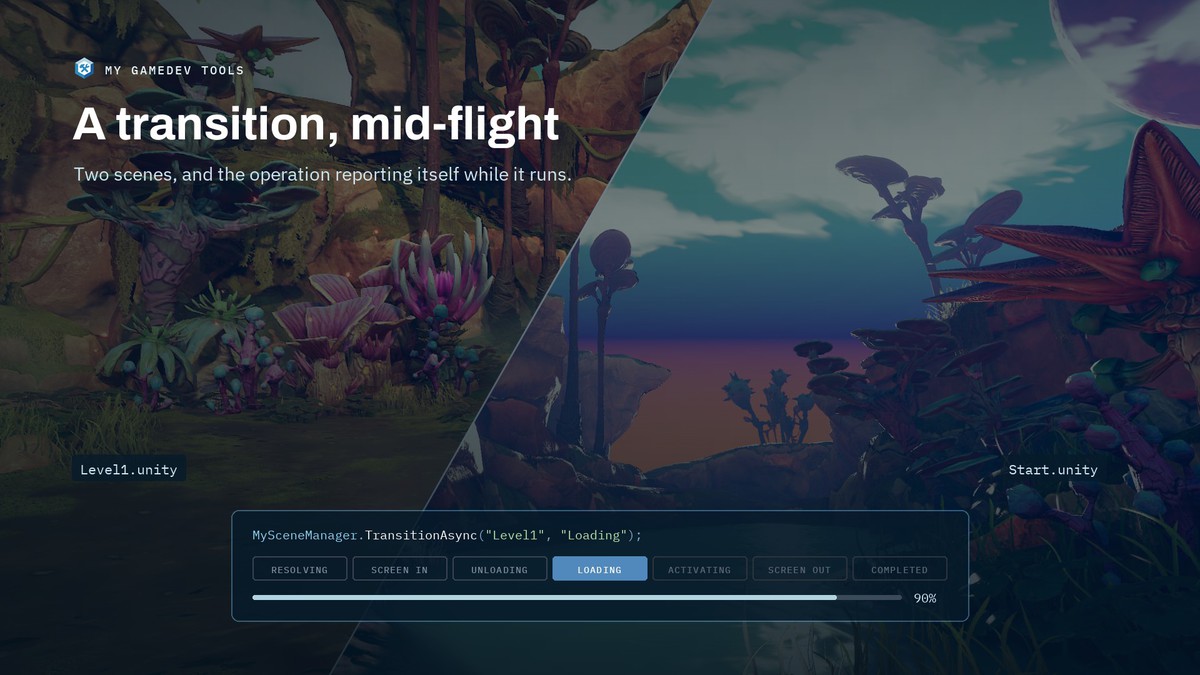
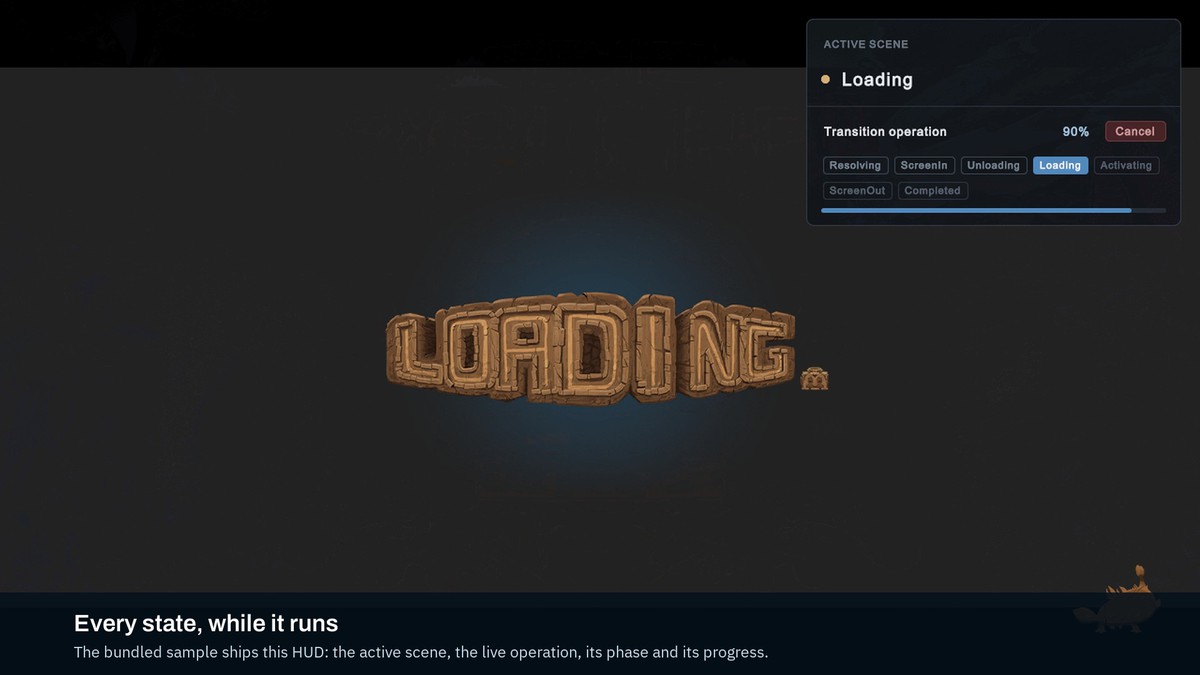
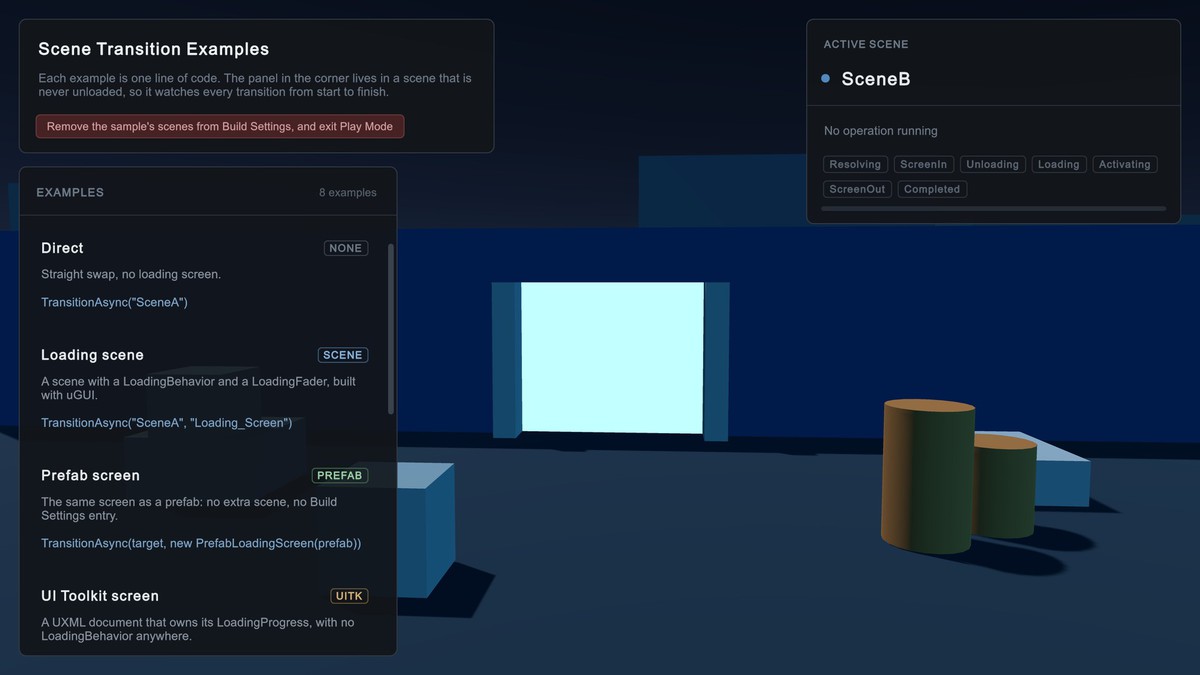
- SceneOperation gained a full lifecycle: Resolving, ScreenIn, Unloading, Loading, Activating, ScreenOut, Completed, each one observable while it runs.
- Loading screens can now be prefabs or UI Toolkit documents, not just scenes.
- Scene references resolve from plain strings, addressable or not.
My Scene Manager: Scene Transitions in one line
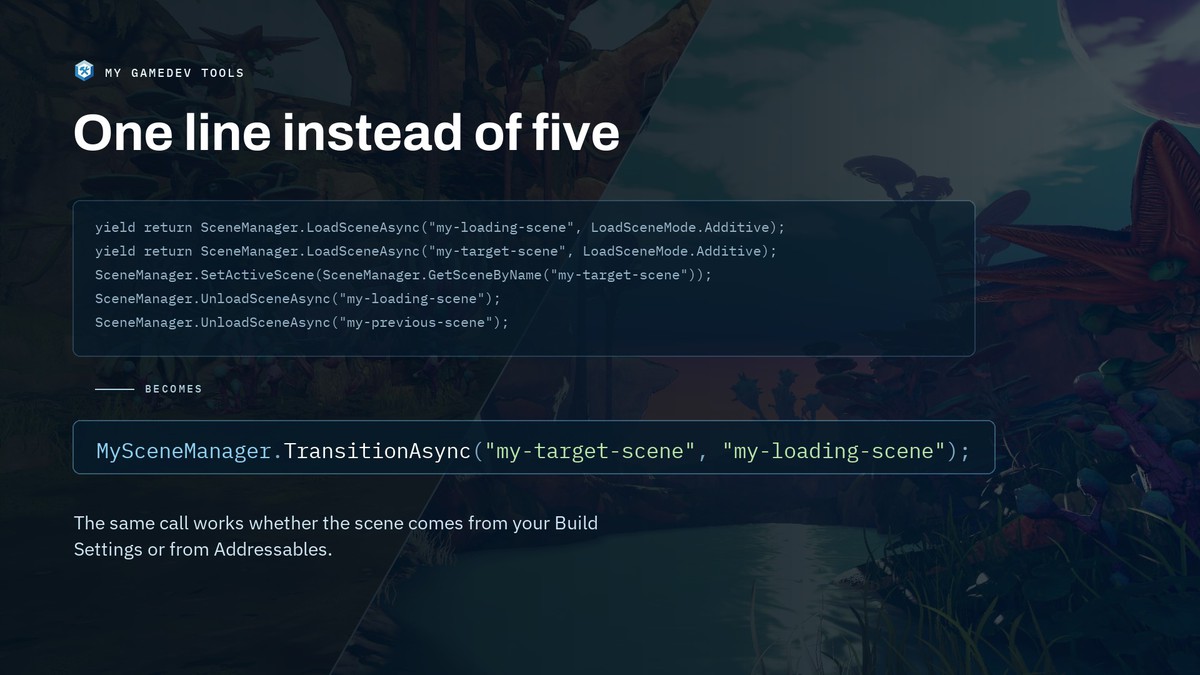
A scene transition is five lines of ceremony. It should be one:
MySceneManager.TransitionAsync("my-target-scene", "my-loading-scene");
Instead of:
yield return SceneManager.LoadSceneAsync("my-loading-scene", LoadSceneMode.Additive);
yield return SceneManager.LoadSceneAsync("my-target-scene", LoadSceneMode.Additive);
SceneManager.SetActiveScene(SceneManager.GetSceneByName("my-target-scene"));
SceneManager.UnloadSceneAsync("my-loading-scene");
SceneManager.UnloadSceneAsync("my-previous-scene");
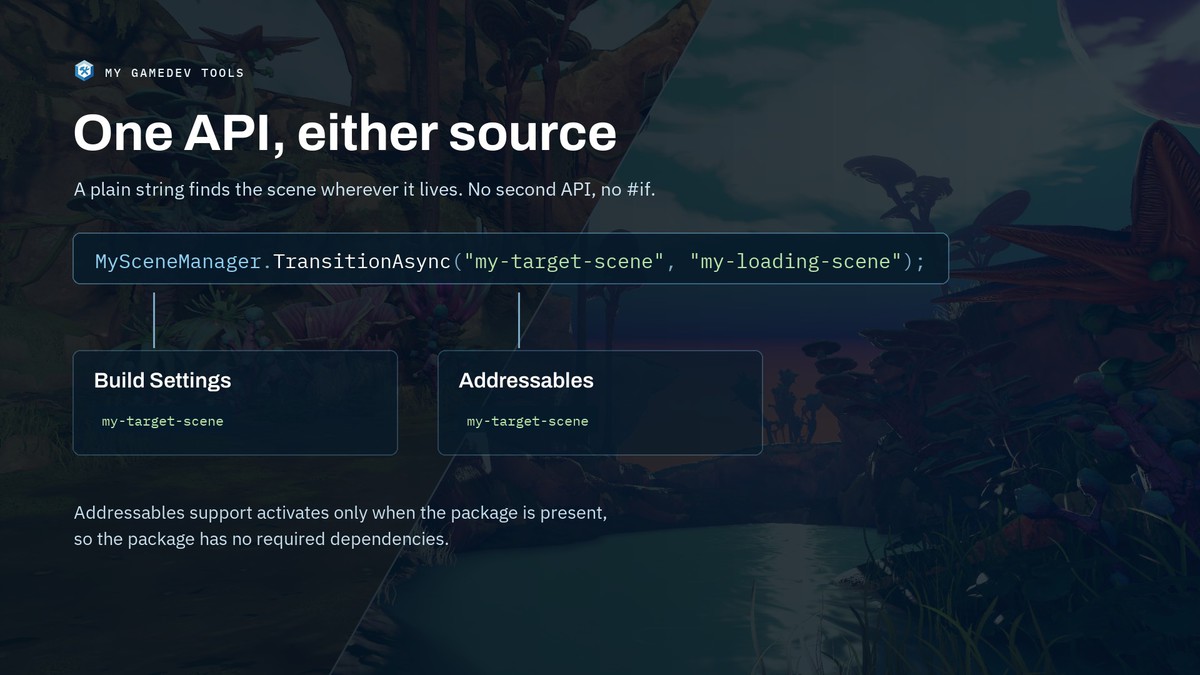
And that same line works whether the scene lives in your Build Settings or in Addressables. The string resolves itself, so there is no second API to learn and no #if around your scene loading.
🚀 Key Features
- Four methods, not sixty-four — Load, unload, transition and get. Version 5 collapsed the entire API into them.
- One string, either source — The same call finds your scene in Build Settings or in Addressables, with no separate addressable API.
- A handle for every operation — Progress, phase, per-scene events and cancellation live on the object you get back, not on arguments you pass in advance.
- Await it your way — Await it directly, bridge it to a Task, or yield return it from a coroutine.
- Loading screens beyond scenes — Drive one from a scene, a prefab or a UI Toolkit document, with a built-in component for each.
- Cancellation that means it — Call Cancel on the handle. No CancellationToken threaded through your call sites just in case.
- Multiple scenes per call — Load, unload or transition to a set as easily as to one.
- Watch it work — A configurable logging layer reports each step, so a transition that stalls is diagnosable instead of mysterious.
- Reliable & Tested — High code coverage (80%+) with robust tests, ensuring stability and performance.
🌟 Open Source & Forever Free
My Scene Manager is open source: free to use, modify, and contribute to. Join our community on GitHub and help shape the future of Unity scene management.
🎯 Why Choose My Scene Manager?
Experience the flexibility of Unity's Scene Manager — but better. Converting your existing SceneManager calls to MySceneManager is simple, so you can level up your workflow without reinventing the wheel.
✅ This package is perfect for you if:
- You write code for scene transitions in your project.
- You want an easy way to build custom loading screens.
- You use Addressable scenes — or might, later.
- You rely on async/await workflows.
- You want to know what a load is doing while it is running.
❌ This package may not be for you if:
- You need a fully no-code solution.
- You're looking for an open-world streaming system.
From the publisher's Asset Store listing.
Technical details
- Unity 6.0 or newer. Built-in, URP and HDRP.
- No required dependencies. Addressables support activates only if the package is present.
- MIT licensed, developed in the open, with CI and coverage on every commit.
- Ships a sample: eight examples, one line of code each, with a HUD reporting every operation’s phase and progress as it runs.
Compatibility
| Unity version | Built-in | URP | HDRP |
|---|---|---|---|
| 6000.5.5f1 | Compatible | Compatible | Compatible |
The Package Samples automatically convert their materials to URP or HDRP when imported.
As listed on the Asset Store.