
 View on Asset Store (opens in new tab)
Package details
- Latest version
- 1.0.0
- Last updated
- First released
- Unity version
- 2021.3.45 or later
- Package size
- 1.6 MB
- Files
- 57
- Favorites
- 9
- Views in the past week
- 9
Price tracking
- Last checked
- Tracked since
- Lowest recorded
- $16.80 on
Keywords

Advanced Graphics Settings for URP
Integrates a robust system that facilitates the creation of Advanced Video and Graphics settings and Graphics Presets into your URP projects.
Affiliate link · Purchases support this site
Price history
Last 6 months
USDAsset preview
1 / 18

Advanced Graphics Settings for URP screenshot 1






About this asset
SUPPORT – QUESTIONS - NEWS
Hop on our Discord server.
Follow on Twitter/X.
You can read the documentation here.
-------------------------------------------------
Game performance is something players deeply care about now more than ever, as game engines and games evolved and got more and more complex, so does the challenge of optimization, scalable video and graphical settings allow players to fine-tune performance and visuals to their hardware, preventing frustration from lag or unnecessary power consumption (in the case of portable devices).
Advanced Graphics Settings for URP (AGS for URP) handles this task by offering controls for the following settings:
Support for a wide range of video options:
- Resolution
- Refresh rate
- Fullscreen mode
- V-sync
- Render scaling
- FPS cap
Support for advanced graphics settings:
- Anisotropic filtering
- Anti-Aliasing
- Global Shadow Distance
- Global Shadow LOD Quality
- Global Shadow Quality
- Local Shadow Quality
- Texture Quality
- Ambient Occlusion
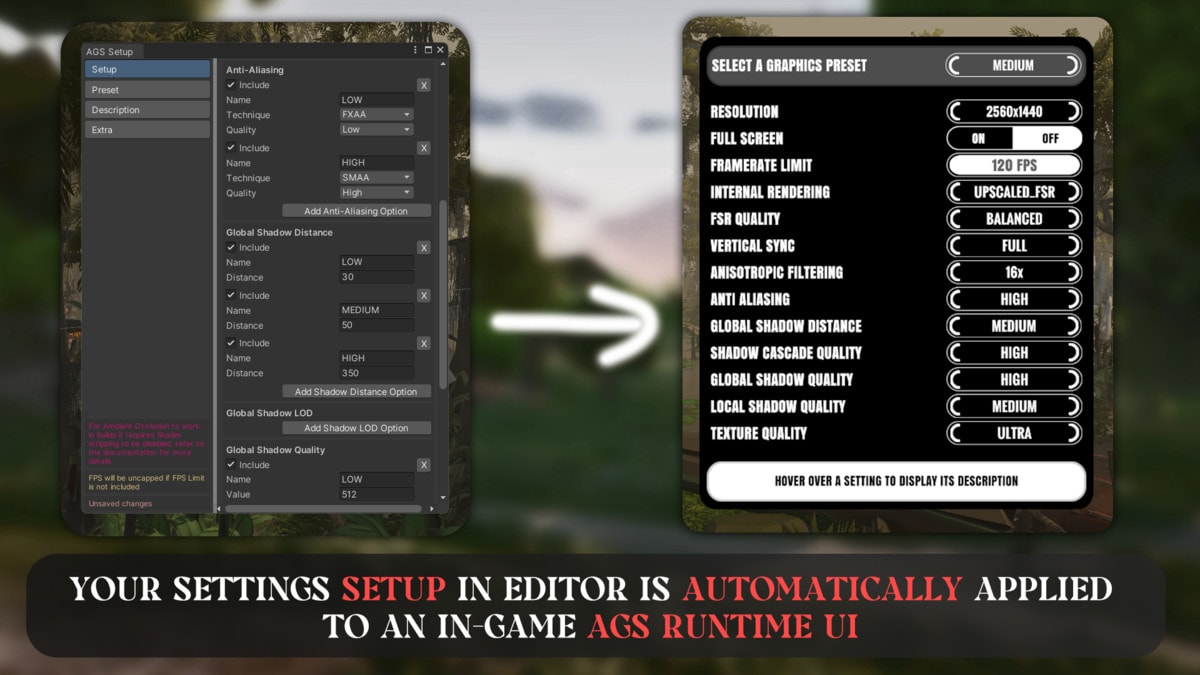
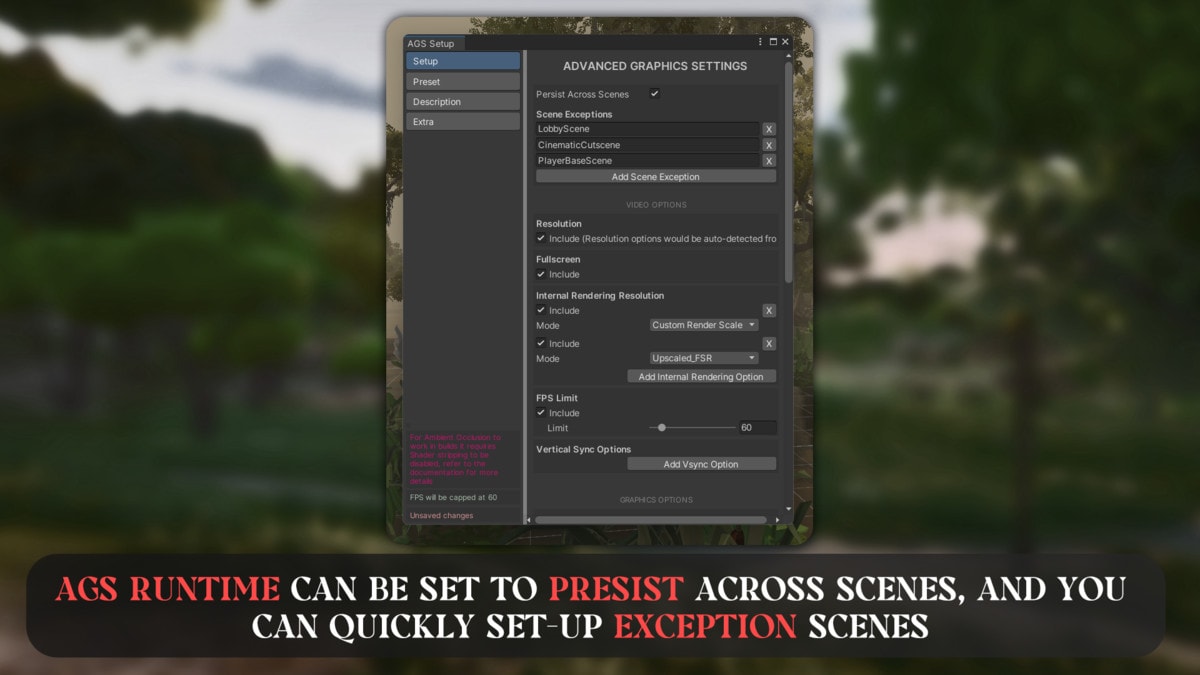
FRICTIONLESS SETUP, the biggest goal of AGS is offering the simplest yet most robus way to handle video and graphics settings, so we ended up with a 2 step setup, first simply add AGS Runtime to your scene, and lastly start creating your settings in our custom AGS Setup window, and that's it, any settings created would automatically be added to AGS Runtime.
CONTROL, you can name your graphics options, pick between different techniques for each option, for example you could use FXAA in LOW and SMAA in HIGH anti-aliasing...
PRESETS, AGS offers a powerful Preset system that lets you apply a collection of settings all at once, you could create a PERFORMANCE preset with LOW settings and a QUALITY preset with HIGH settings for example, the possibilities are yours to fit your games.
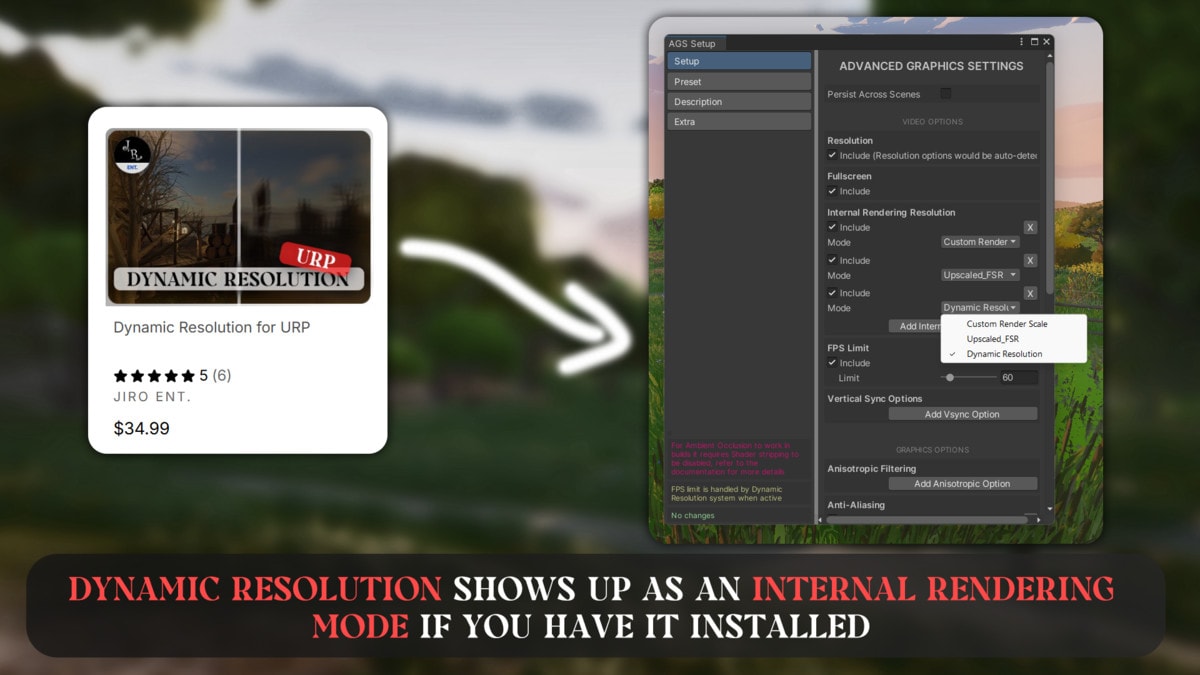
SUPPORTS DYNAMIC RESOLUTION FOR URP, our most loved tool "Dynamic Resolution" is supported in AGS, you'll be able to use it if you have it installed in the project. Make you to check out Dynamic Resolution if you have not already!
ACTIVE SUPPORT, while we can't promise anything in the future we do intend on continued development of AGS, in the form of both bug fixes and new features.
-------------------------------------------------
CHECK OUT OUR MOST POPULAR TOOL:
-------------------------------------------------
SUPPORT – QUESTIONS - NEWS
Hop on our Discord server.
Follow on Twitter/X.
You can read the documentation here.
-------------------------------------------------
From the publisher's Asset Store listing.
Compatibility
| Unity version | Built-in | URP | HDRP |
|---|---|---|---|
| 2021.3.45f1 | Not listed | Compatible | Not listed |
1- It's best to have TMPro installed in your project before you import AGS for URP.
As listed on the Asset Store.