
 View on Asset Store (opens in new tab)
Package details
- Latest version
- 1.0.1
- Last updated
- First released
- Unity version
- 2022.3.53 or later
- Package size
- 108 KB
- Files
- 6
- Favorites
- 10
- Views in the past week
- 6
Price tracking
- Last checked
- Tracked since
- Lowest recorded
- $4.99 on
Keywords
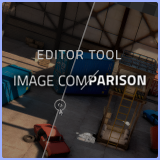
Image Comparison - Editor Tool
Image comparison editor tool, easily compare game or scene screenshots inside the editor.
Affiliate link · Purchases support this site
Price history
Last 6 months
USDAsset preview
1 / 4

Image Comparison - Editor Tool screenshot 1


About this asset
Image Comparison - Unity Editor Tool
Easily Compare Scene and Image Changes in Unity
Image Comparison is a powerful Unity editor tool that lets you visually compare changes in your scenes and assets by capturing and analyzing screenshots. You can compare images using Slide Reveal, Side by Side, or Flicker methods, making it easier to evaluate differences.
When is this tool useful?
During development, you'll often face visual design choices—adjusting color palettes, UI layouts, post-processing effects, lightmaps, or model updates. Typically, you’d need to manually take screenshots and switch between them using an external viewer. This tool eliminates that hassle by integrating the process directly into the Unity Editor, saving time and improving workflow efficiency.
Other practical use cases include:
✔ Comparing before and after scene changes
✔ Evaluating sprite, texture, or model updates
✔ Assessing lighting and level design adjustments
✔ Reviewing UI modifications and visual refinements
How does it work?
For Scene Comparisons:
- Open the Image Comparison editor window.
- Take a screenshot of the Scene or Game View with a single click.
- Make changes to your scene.
- Take another screenshot after modifications.
- Select both images in the gallery tab inside the editor.
- Compare using Slide Reveal, Side by Side, or Flickering.
For Comparing Project Images (Sprites, Textures, etc.):
- Drag and drop the images into the editor window.
- Select both images in the gallery tab inside the editor.
- Compare using your preferred method.
With Image Comparison, making informed visual decisions has never been easier!
From the publisher's Asset Store listing.
Technical details
Works with Game and Scene View.
Works with project images.
Slide Reveal Comparison.
Side by Side Comparison.
Flickering images Comparison.
Zoom in/out in the editor window.
Panning inside of the editor window.
Easy to use.
Compatibility
| Unity version | Built-in | URP | HDRP | Custom |
|---|---|---|---|---|
| 2022.3.53f1 | Compatible | Compatible | Compatible | Compatible |
As listed on the Asset Store.