
 View on Asset Store (opens in new tab)
Package details
- Latest version
- 1.9.2
- Last updated
- First released
- Unity version
- 6000.4.0 or later
- Package size
- 2.9 MB
- Files
- 221
- Favorites
- 92
- Views in the past week
- 12
Price tracking
- Last checked
- Tracked since
- Lowest recorded
- $9.99 on
Keywords
Tabby Context - Enhanced Context Menus
- Price drop
Redesigned context menus for the Unity Editor, reducing visual clutter, improving visual appearance and boosting productivity
Lowest in 6 months
Get 50% off on Asset Store (opens in new tab)Affiliate link · Purchases support this site
Price history
Last 6 months
USDAsset preview
1 / 9

Tabby Context - Enhanced Context Menus screenshot 1


About this asset
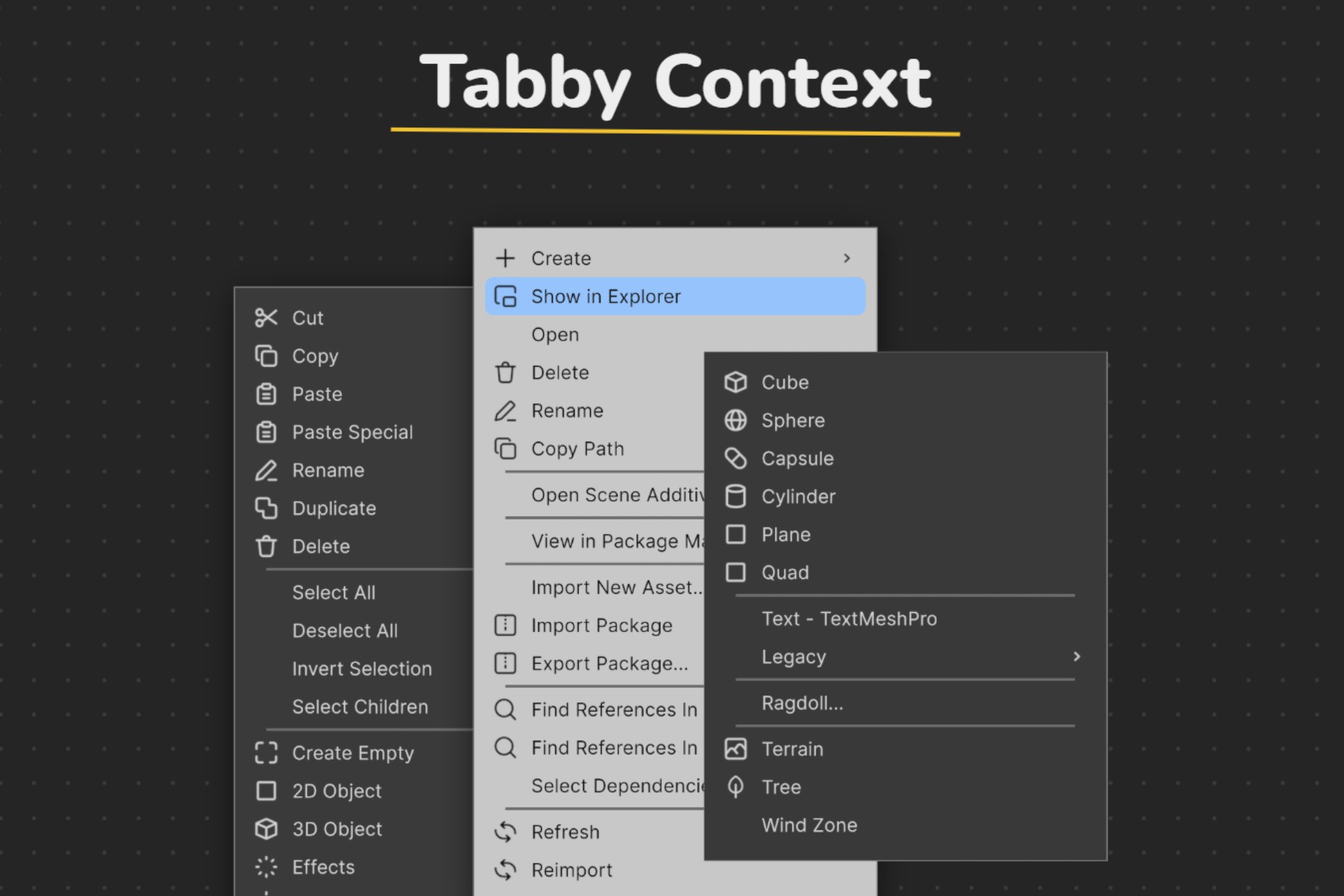
Tabby Context reimagines Unity's context menus with a new fully customizable context menu system that comes with new functionality and visuals. Here's some of what Tabby Context lets you do:
• Declutter - Hide unwanted items from context menus, and focus on the things that matter.
• Customize - Easily organize your menus from a simple drag and drop UI, or customize your menus with custom icons and colors and resize them with multiple scaling options to improve visibility and clear unused space.
• Navigate - Use the scroll wheel or the keyboard to easily navigate through large menus and save time.
• Find what you need - Just start typing to quickly find what you're looking for, no more sifting through endless options.
• Add functionality - Create custom items and submenus that live independently of your code, and make them work seamlessly with unity's built-in [MenuItem] attribute
• Experiment - Switch between different menu profiles to experiment with different setups or to adapt your layout for different tasks and workflows.
Unlock your productivity today with Tabby Context! 🐱🚀
Implementation
Tabby Context is built with UI Toolkit, so you can dig in and add even more than what's available out of the box without writing a line of code.
Everything works using only Unity's editor APIs, so there's no native window code and as such Tabby context is compatible with any OS. Note menus other than the project browser, hierarchy and scene view context menus have an external dependency.
All your data is stored as json for transparency and so that you can easily manage it and keep it under version control if you desire.
Currently compatible with Unity 2021 and above
Links
If you need help, have any questions or suggestions, reach out to us on Discord
From the publisher's Asset Store listing.
Technical details
• Built with Unity’s UI Toolkit
• Fully compatible with Unity projects using both .NET 4.x and .NET Framework 2.1
• Fully compatible all Render pipelines
• No additional packages required
• Currently tested on Windows 10
• Currently tested on Unity 6, 2023, 2022 and 2021
Compatibility
| Unity version | Built-in | URP | HDRP | Custom |
|---|---|---|---|---|
| 6000.4.0f1 | Compatible | Compatible | Compatible | Compatible |
As listed on the Asset Store.