
 View on Asset Store (opens in new tab)
Package details
- Latest version
- 1.0.1
- Last updated
- First released
- Unity version
- 6000.0.28 or later
- Package size
- 1.5 MB
- Files
- 36
- Favorites
- 75
- Views in the past week
- 41
- Requires
Price tracking
- Last checked
- Tracked since
- Lowest recorded
- $7.50 on
Keywords

Card Visual Effects Pack
- Price drop
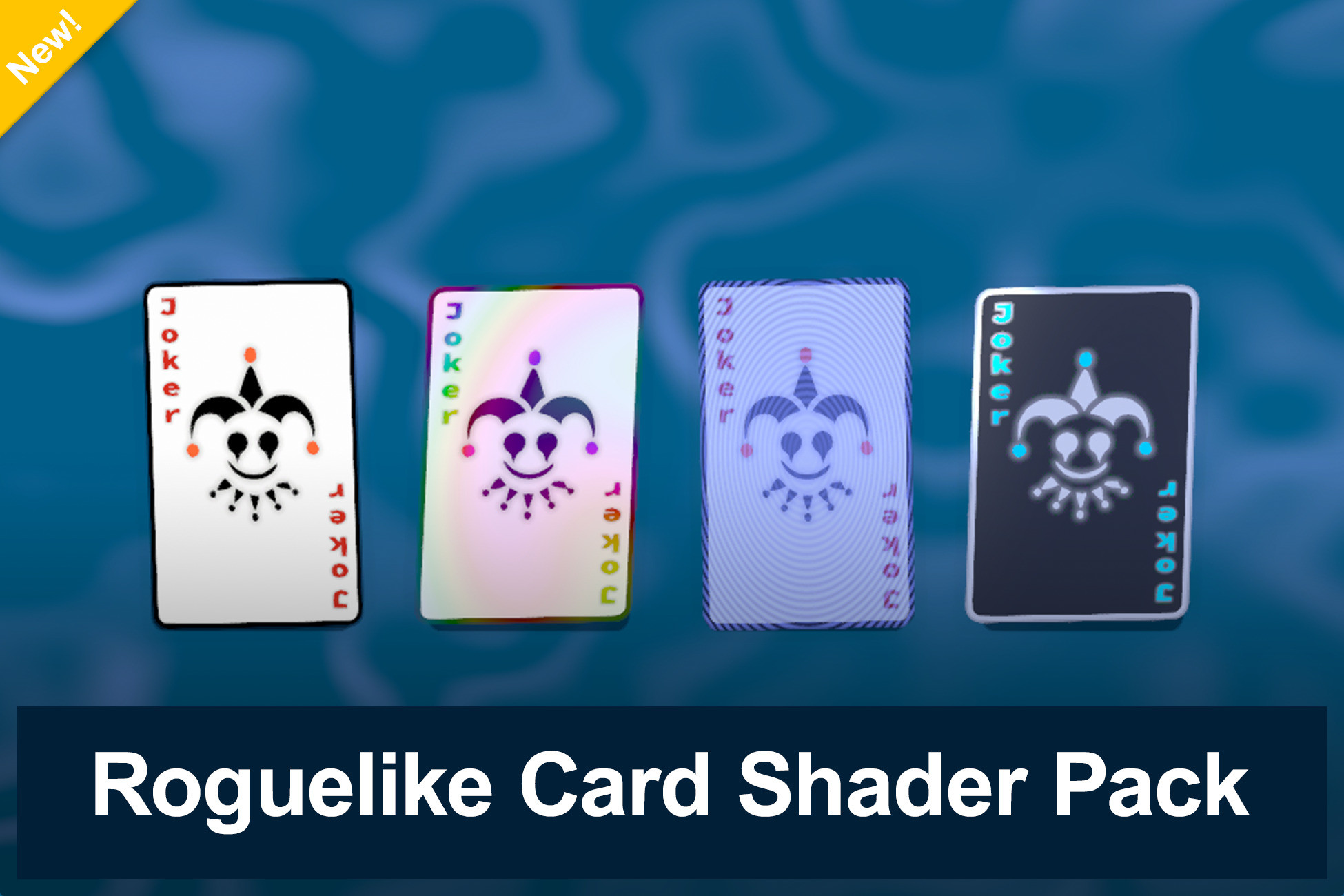
Elevate your card game visuals with Card Visual Effects Pack—a complete suite featuring Foil, Holographic, Negative shaders, plus scripts for smooth card rotation, and a dynamic background effect.
Affiliate link · Purchases support this site
Price history
Last 6 months
USDAsset preview
1 / 1

Card Visual Effects Pack video 1 (plays on the Asset Store)
About this asset
The Card Visual Effects Pack is all about making your cards look and feel amazing. Whether you're going for a premium foil look, a holographic glow, or a stylish negative effect, these shaders will make your game stand out. On top of that, you get interactive scripts for card rotation and hover effects, plus a background shader that ties everything together.
Included Features:
✔ Foil Shader – Shiny, reflective, and perfect for rare cards.
✔ Holographic Shader – A shimmering, color-shifting effect for that high-tech vibe.
✔ Negative Shader – Invert colors for a dramatic, high-contrast look.
✔ Balatro Background Shader – A dynamic, animated backdrop to enhance the scene.
✔ Card Rotation Script – Adds smooth spinning animations to your cards.
✔ Hover Effects Script – Make cards react when hovered for a more interactive experience.
Also check out our velocity based card movement pack :
https://assetstore.unity.com/packages/templates/systems/cardflow-312145
From the publisher's Asset Store listing.
Technical details
How to Use
- Import the Package – Drag and drop it into Unity.
- Apply the Shaders – Assign the materials to your card objects.
- Set Up the Scripts – Attach the rotation and hover scripts to add interactivity.
- Customize! – Adjust colors, effects, and settings to fit your style.
Compatibility
| Unity version | Built-in | URP | HDRP |
|---|---|---|---|
| 6000.3.0f1 | Not listed | Compatible | Not listed |
| 6000.0.28f1 | Not listed | Compatible | Not listed |
As listed on the Asset Store.