
 View on Asset Store (opens in new tab)
Package details
- Latest version
- 2.0.0
- Last updated
- First released
- Unity version
- 2022.3.62 or later
- Package size
- 14.5 MB
- Files
- 247
- Favorites
- 27
- Views in the past week
- 39
Price tracking
- Last checked
- Tracked since
- Lowest recorded
- $13.29 on
Keywords

OmniGrid - Modular Grid Building System
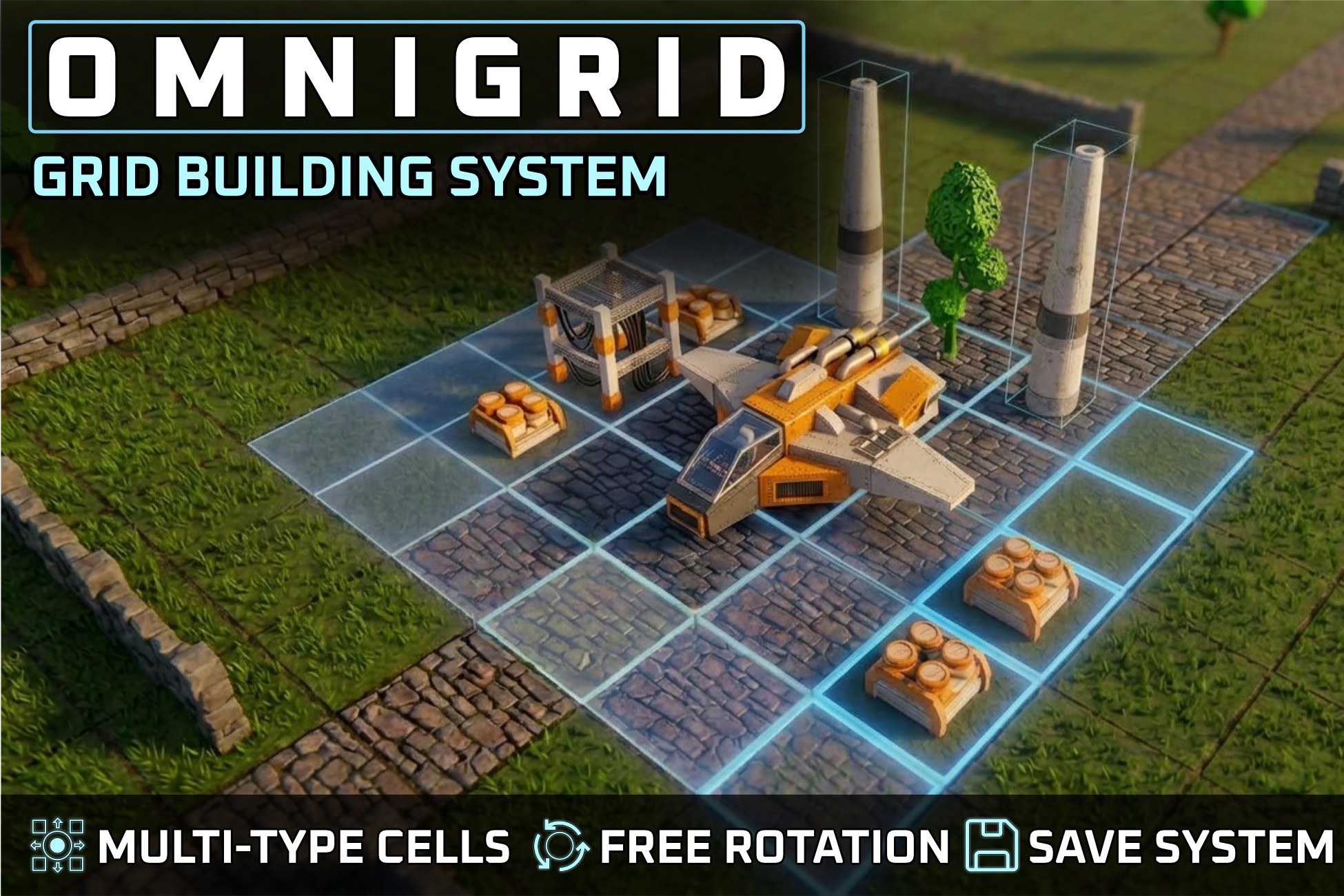
OmniGrid is a modular grid placement system with arbitrary rotation, multi-state cell logic & saving. Perfect for modular building, RTS, city builders, and simulation games.
Affiliate link · Purchases support this site
Price history
Last 6 months
USDAsset preview
1 / 12

OmniGrid - Modular Grid Building System screenshot 1


About this asset
OmniGrid is a modular, designer-friendly, highly customizable grid placement tool ideal for creating city builders, farm simulators, RTS, and strategy games.
It features adjustable grid sizes with custom cell visualizations, multi-layered grid data for advanced placement mechanics, and building rotation support. An integrated tab-based Shop UI allows for intuitive object selection, while the smart Remove UI streamlines object deletion by filtering specific grid types. With its range of production-ready tools, OmniGrid makes your world-building development workflow clean, fast, and easy.
Part of the Gameplay Systems Bundle! Get this asset together with 5 additional assets and enjoy the complete collection at a special bundle price.
Key features:
Customizable Grid System
Define grid cell sizes and use custom prefabs or the included grid shader for visual grid representations to match your game's unique style.
Smart Object Adaptation & Pivot Centering
- Automatic Size Calculation: No manual math required! OmniGrid uses Scriptable Objects and custom editor scripts to automatically pre-calculate object boundaries.
- Pivot Alignment: Misaligned 3D model pivots? Simply assign the included CenterMeshXZ script to your model holder to ensure perfect grid alignment and rotation effortlessly.
- Dynamic Object Size: Avoid unwanted gaps when using fixed-size terrain objects across different cell sizes. Toggle the dynamicSize flag to let the object scale dynamically to the cell.
Multi-Layered Placement
Utilize multiple GridData levels, allowing completely different object types (e.g., terrain, buildings, decorations) to independently occupy the exact same coordinate position.
Dynamic Object Rotation
Rotate buildings at specified angles for more dynamic, organic, and creative placement styles.
Integrated Save System
Automatically saves your grid data on exit and reloads the scene state on game start, ensuring persistent worlds without extra setup.
UI & Configuration Modules
- Tab-Based Shop UI: Clean, intuitive UI layout to quickly categorize and select different placeable object types.
- Smart Remove UI: Delete objects with precision filtering (e.g., remove only decorations while leaving buildings intact). Alternatively, hold the mouse over an object to quickly choose between move and delete actions.
- Global Game Configurator: Manage all essential asset and placement configurations from a single centralized panel.
Predesigned Demo Level
A predesigned level showcasing all placeable objects, grid types, and core features, allowing you to see and test the system in action right away.
Extensive Online Documentation & Intuitive Integration:
Integrate this asset into your Unity project with user friendly scripts and detailed documentation and make the most of this powerful tool. No need to be a coding expert - this asset is designed for easy implementation.
WebGL Demo
Try before you buy! Explore the asset with the WebGL Demo directly in your browser. Get a hands on feel on how the system works and see its key features in action instantly. An on-screen FPS counter is included so you can directly evaluate runtime performance
Whether you're designing vast cities, charming farms, or strategic settlements, the Grid Building System provides a flexible and robust foundation to streamline development and enhance gameplay.
-------------------------
Licensing:
For better showcasing of the Grid Building System, there is some CC0 licensed content included in this asset
CC0 content doesnt require attribution even when used commercially,
however I would still like to give credits to the CC0 assets contributors:
- Textures for terrains: ambientcg
- 3D models: https://kenney.nl/assets
- UI Sprites: Wenrexa on opengameart.org
From the publisher's Asset Store listing.
Technical details
Render Pipeline Compatibility
- Supports Built-In, URP and HDRP
Grid Architecture & Configuration
- Fully Configurable Dimensions: Easily define precise cell sizes and total grid boundaries.
- Layer-Based GridData: Seamless multi-layer stacking allowing distinct object types (e.g., placing a building directly on top of specialized terrain) to occupy the same coordinates.
- Dynamic Object Scaling: Optional feature to automatically scale objects dynamically to match shifting grid dimensions.
- Visual Modality: Toggle custom prefab-based cell visualizations or use the included vector grid shader.
State-Based Placement Engine
Driven by an isolated, state-based controller supporting 5 distinct operational modes:
- Placement State: Active snapping, boundary validation, and object positioning.
- Move State: Pick up, rotate, and relocate existing scene objects.
- Remove State: Targeted precision deletion. Includes a Remove by GridType feature that automatically hides unaffected grid layers during deletion.
- Remove All State: Clears specified layouts completely.
- Load Saved Objects State: Instantly deserializes and re-establishes your saved world states.
Data-Driven Workflows
- ScriptableObject Placeables: Create new assets instantly via ScriptableObjects. Simply assign your prefab, UI icon, GridType, and ObjectGroup.
- Object Grouper: Assign customizable structural categories to items for clean filtering and automatic layout population inside the Shop UI.
Custom Editor Tooling
Includes 2 dedicated custom editor utility scripts to automate asset preparation:
- Automated Size Calculator: Analyzes mesh data to instantly calculate required object grid footprints and pivot offsets.
- XZ Pivot Aligner: Automatically re-centers unaligned 3D model pivots along the X and Z axes for perfect grid placement symmetry.
Shaders & Systems Overview
- Core Shader Pack: Includes an optional Grid Matrix Shader and an optimized Ghost/Preview Shader for real-time placement feedback.
- Centralized Game Configurator: A single editor dashboard to manage camera properties, grid boundaries, and persistence settings simultaneously.
- Tactical RTS Camera Controller: Smooth out-of-the-box navigation supporting mouse-drag panning, scroll zoom, orbit rotation, and RTS-style screen-edge panning.
- Integrated Persistence System: Lightweight binary/JSON save and load state framework requiring zero extra configuration.
Documentation & Resources
- Extensive online and in-asset documentation explaining how to use use and configure the asset.
- Demo scene with predesigned demo level showing the full potential of the grid system
- WebGL Demo that allows you to test the asset directly in your browser, even measuring FPS performance
Compatibility
| Unity version | Built-in | URP | HDRP |
|---|---|---|---|
| 6000.3.9f1 | Compatible | Compatible | Compatible |
| 2022.3.62f2 | Compatible | Compatible | Compatible |
As listed on the Asset Store.