
 View on Asset Store (opens in new tab)
Package details
- Latest version
- 1.0.6
- Last updated
- First released
- Unity version
- 2022.3.62 or later
- Package size
- 3.7 MB
- Files
- 122
- Views in the past week
- 18
Price tracking
- Last checked
- Tracked since
- Lowest recorded
- $4.99 on
Keywords
- Search for mesh optimizer
- Search for Transform Tool
- Search for Collider generator
- Search for pivot editor
- Search for Mesh Editor
- Search for Workflow Utility
- Search for 3d preview
- Search for multi object editing
- Search for obj export
- Search for model analyzer
- Search for Editor Extension
- Search for 3D tool

Mesh Pivot Pro Editor
by Krykftn | Advanced Editor Tools & Systems (opens in new tab)
Empower your Unity workflow with Mesh Pivot Pro. Instantly edit pivot points, analyze mesh optimization, visualize UV maps, and compare 3D assets within a sleek, modern Editor UI.
Affiliate link · Purchases support this site
Price history
Last 6 months
USDAsset preview
1 / 7
Mesh Pivot Pro Editor screenshot 1
About this asset
Take full control of your 3D models directly inside Unity!
Tired of exporting assets back to your 3D modeling software just to fix a misaligned pivot point or check UV coordinates? Mesh Pivot Pro is a comprehensive, multi-object editor utility designed to streamline your 3D workflow. Featuring a modern, card-based UI with a responsive dark theme and cyan accents, it offers an unparalleled experience without bloating your build.
⭐ 7 POWERFUL MODULES IN ONE FAST TOOL ⭐
1) OVERVIEW & OPTIMIZATION DASHBOARD
Get instant health checks on your models. View vertex/triangle counts and evaluate your mesh with a color-coded Optimization Score (Green to Red). Select and isolate objects instantly with the built-in multi-object list.
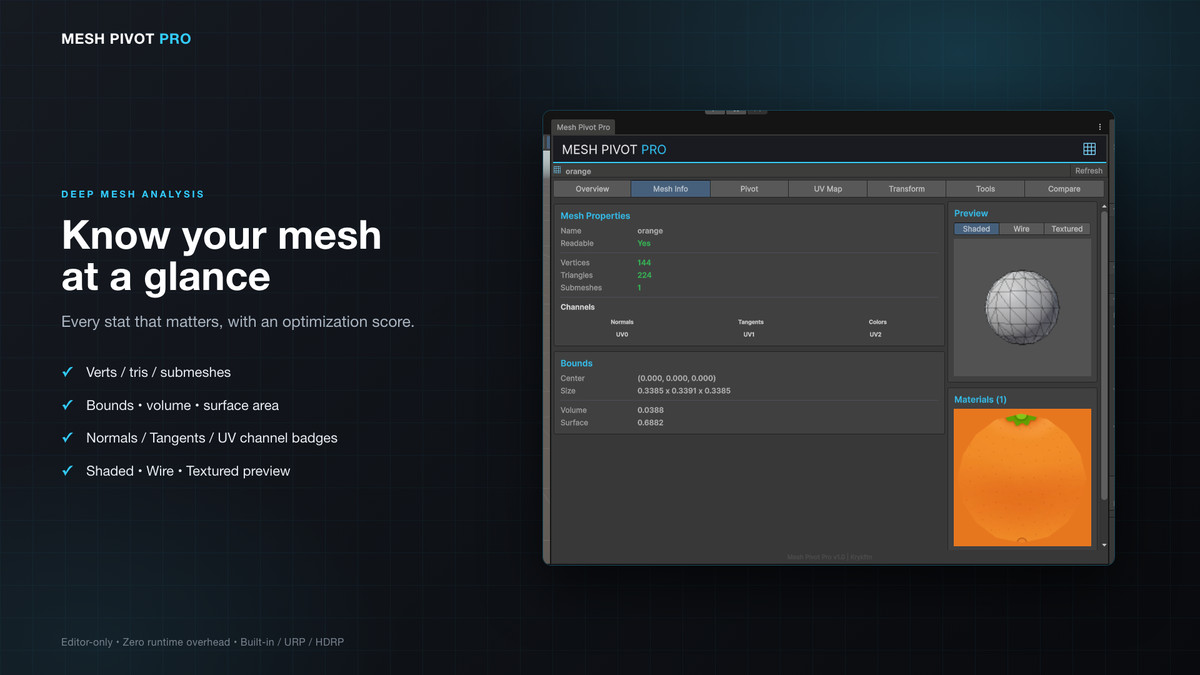
2) DEEP MESH INFO
Inspect detailed mesh data including submeshes, bounds, volumes, and surface areas. Toggle between Shaded, Wireframe, and Textured previews. Check data-channel badges (Normals, Tangents, UVs) and view materials with large 220x220 texture previews.
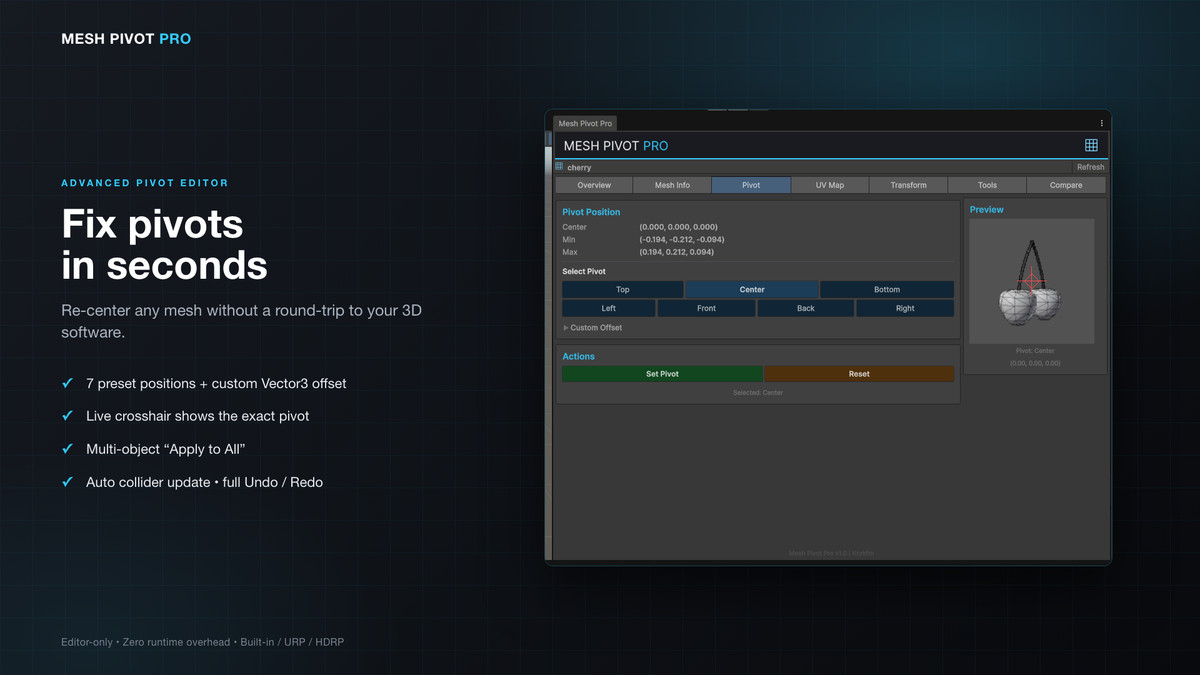
3) ADVANCED PIVOT EDITOR
Fix pivots in seconds! Choose from 7 preset positions (Center, Top, Bottom, Left, Right, Front, Back) or enter a custom Vector3 offset. A visual crosshair shows the exact pivot on the mesh. Multi-object support, automatic collider updates, and full Undo/Redo.
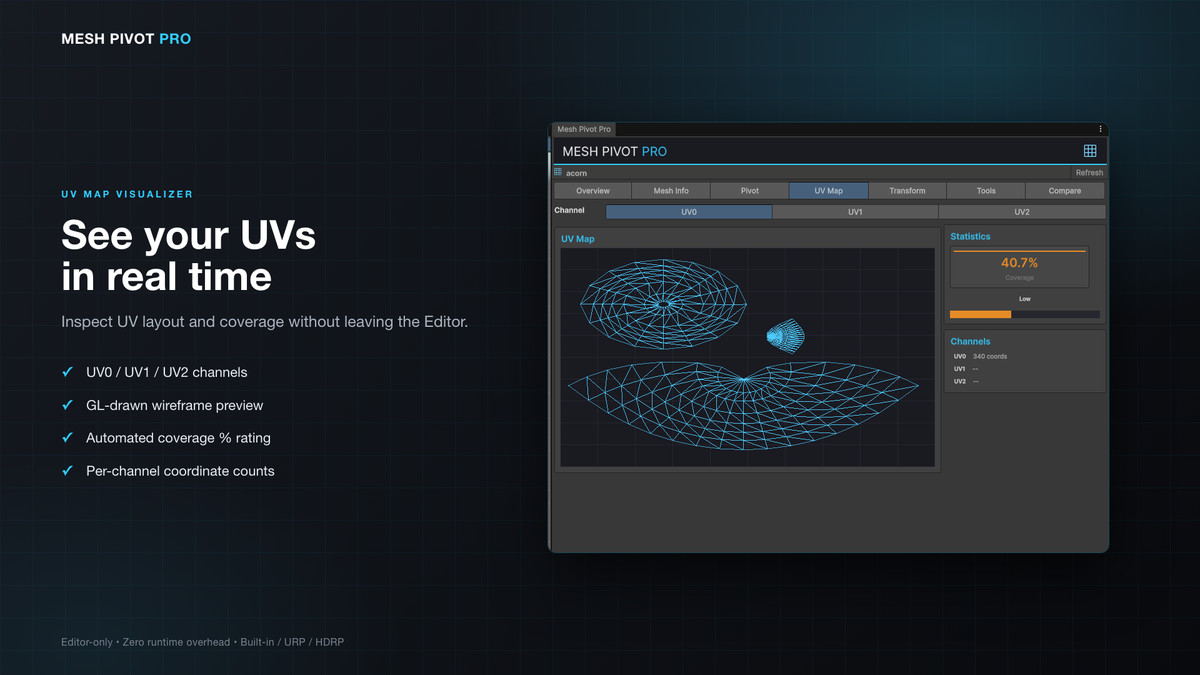
4) UV MAP VISUALIZER
Draw UV wireframes in real time. Switch between UV0, UV1 and UV2 channels to inspect coordinate counts. Evaluate coverage with automated percentage ratings (Excellent to Very Low).
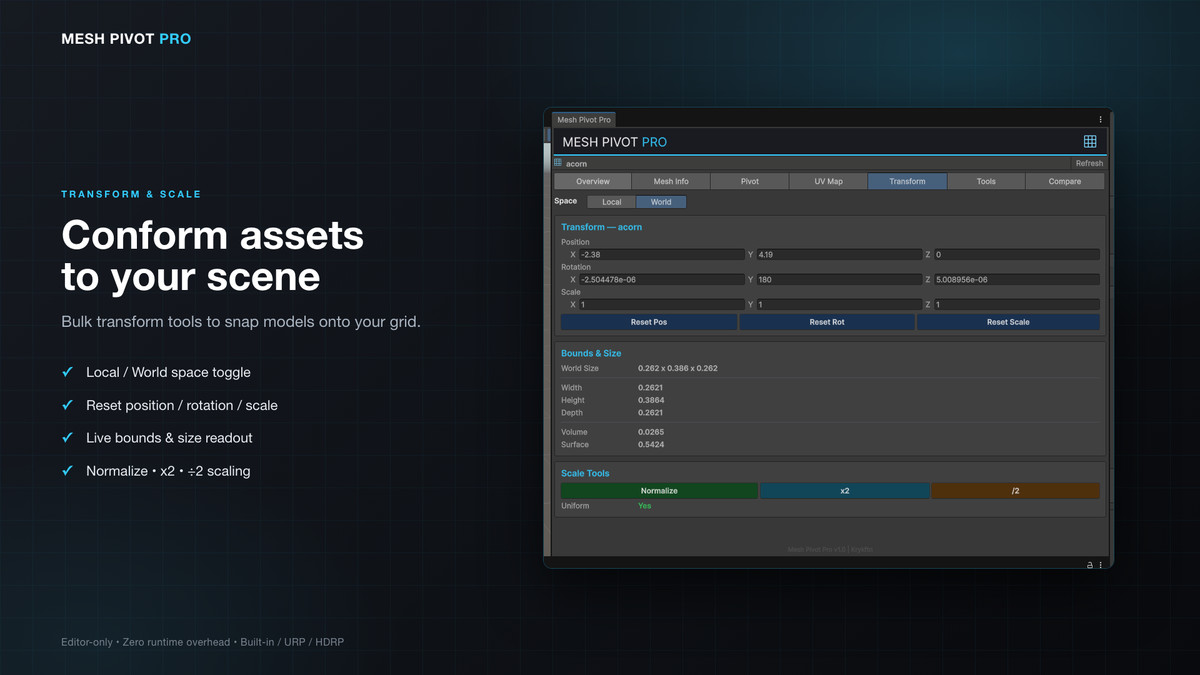
5) TRANSFORM CONTROLS
Toggle Local/World space. Bulk position, rotation and scale resets across multiple objects. Smart scaling tools (Normalize, x2, /2) to quickly conform assets to your grid.
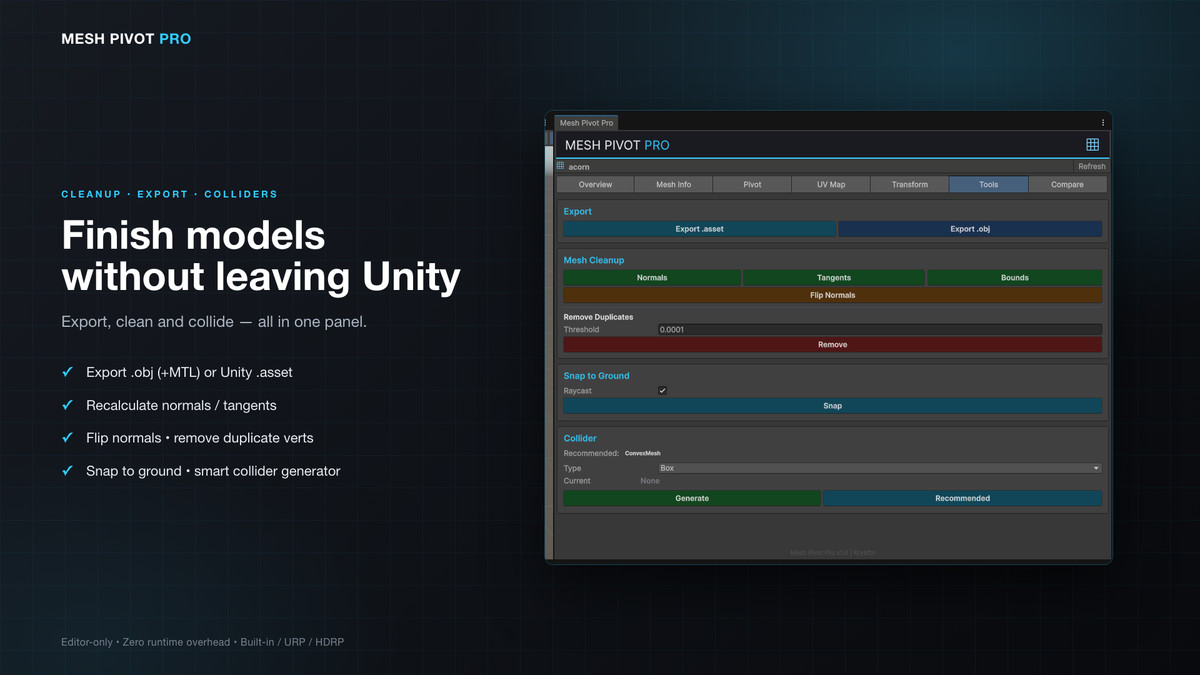
6) TOOLSET & EXPORT
Export modified meshes as .asset or .obj (with material/MTL support) without leaving Unity. Clean up geometry by recalculating normals/tangents, flipping normals, or removing duplicate vertices with an adjustable threshold. Snap objects to the ground or generate optimized colliders with an intelligent suggestion system.
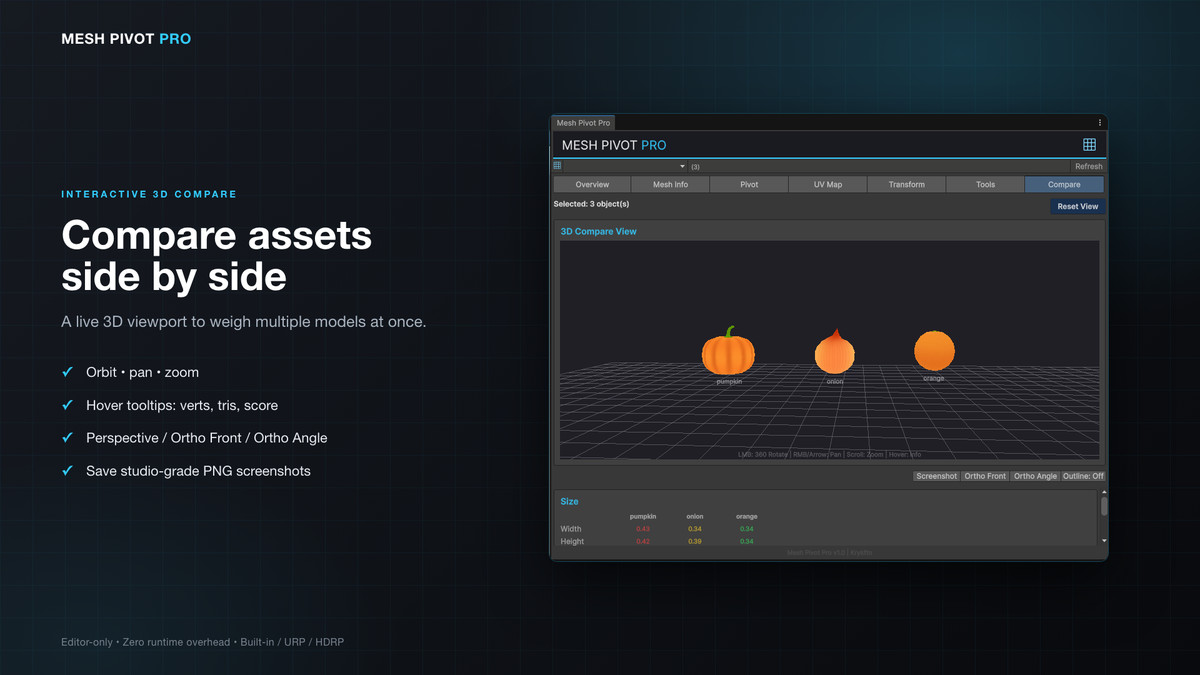
7) INTERACTIVE 3D COMPARE
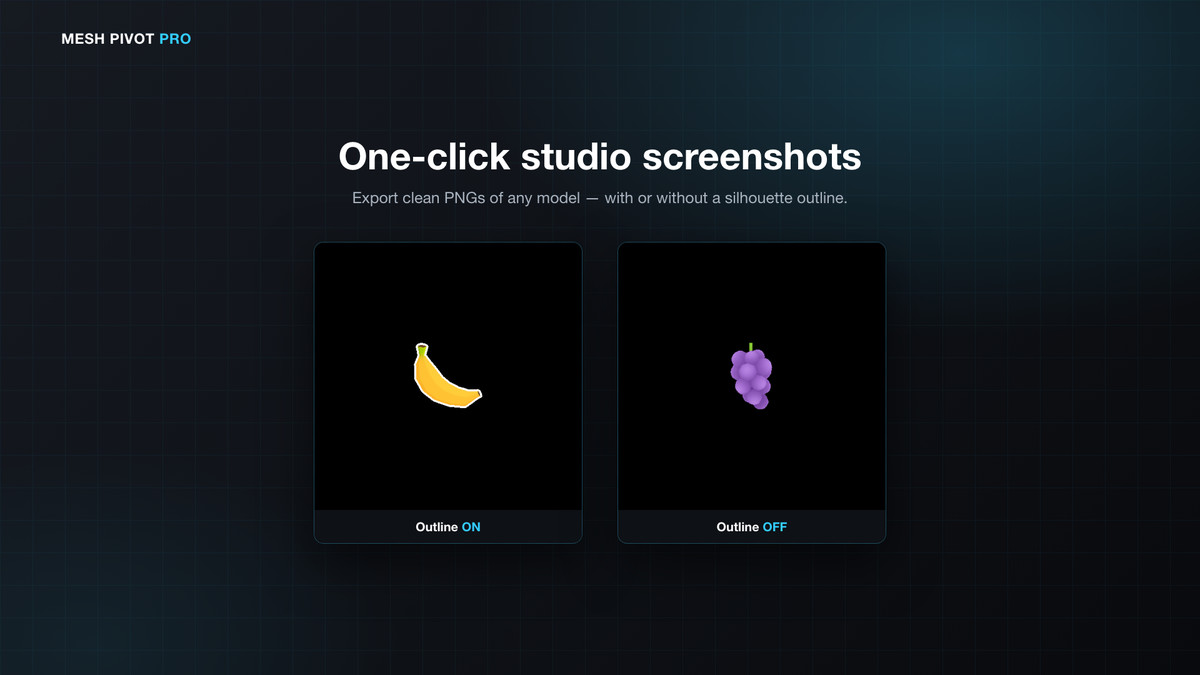
Compare multiple assets side-by-side in a real-time 3D preview. Orbit, pan and zoom to inspect models. Hover for tooltips with vertex counts and optimization scores. Save high-quality PNG screenshots (Perspective, Ortho Front, Ortho Angle) with an optional silhouette outline.
WHY CHOOSE MESH PIVOT PRO?
• Zero Runtime Overhead — 100% Editor-only. It won't add a single byte to your game build.
• High Performance — allocation-free mesh analysis and cached GUI styles keep the editor smooth.
• Universal Compatibility — fully supports Built-in, URP and HDRP.
• Safe Editing — complete Undo/Redo for every operation.
From the publisher's Asset Store listing.
Technical details
- Advanced Pivot Editing: 7 quick-presets, custom offsets, visual crosshairs, and bulk "Apply to All" functionality.
- Mesh Optimization Scoring: Color-coded progress bars evaluating mesh weight (Optimized, Moderate, Heavy, Extreme).
- Interactive 3D Comparison: Real-time 3D preview utility with orbit/pan/zoom to compare multiple selected assets side-by-side.
- Studio-Grade Screenshot Tool: Capture Perspective, Ortho Front, or Ortho Angle PNGs with optional silhouette outlines straight from the editor.
- Real-time UV Visualization: Draw UV0/UV1/UV2 wireframes via GL.Lines and calculate UV coverage percentages.
- One-Click Geometry Cleanup: Recalculate normals/tangents, flip normals, and remove duplicate vertices with adjustable thresholds.
- Smart Collider Generator: Automatically suggests and applies Box, Sphere, Capsule, Mesh, or Convex Mesh colliders based on geometry.
- In-Editor Export: Export any mesh directly to .obj (with MTL) or Unity .asset formats.
- Modern, Responsive UI: Card-based layout featuring a professional dark theme with Cyan (#33CCFF) accents and custom cached GUIStyles.
- Editor-Only Architecture: Safely wrapped in #if UNITY_EDITOR. Will not compile into your final build.
Compatibility
| Unity version | Built-in | URP | HDRP | Custom |
|---|---|---|---|---|
| 2022.3.62f2 | Compatible | Compatible | Compatible | Compatible |
Mesh Pivot Pro is an editor-only tool. It repositions mesh pivots/origins and writes mesh assets — it adds no materials, shaders, or runtime rendering, so it is fully compatible with the Built-in, URP, and HDRP render pipelines with no pipeline-specific setup. The demo uses Unity's built-in Unlit shader, so it renders in any pipeline.
As listed on the Asset Store.