
 View on Asset Store (opens in new tab)
Package details
- Latest version
- 1.1
- Last updated
- First released
- Unity version
- 2022.3.33 or later
- Package size
- 2.4 MB
- Files
- 6
- Favorites
- 308
- Views in the past week
- 116
Price tracking
- Last checked
- Tracked since
- Lowest recorded
- Free on
Keywords
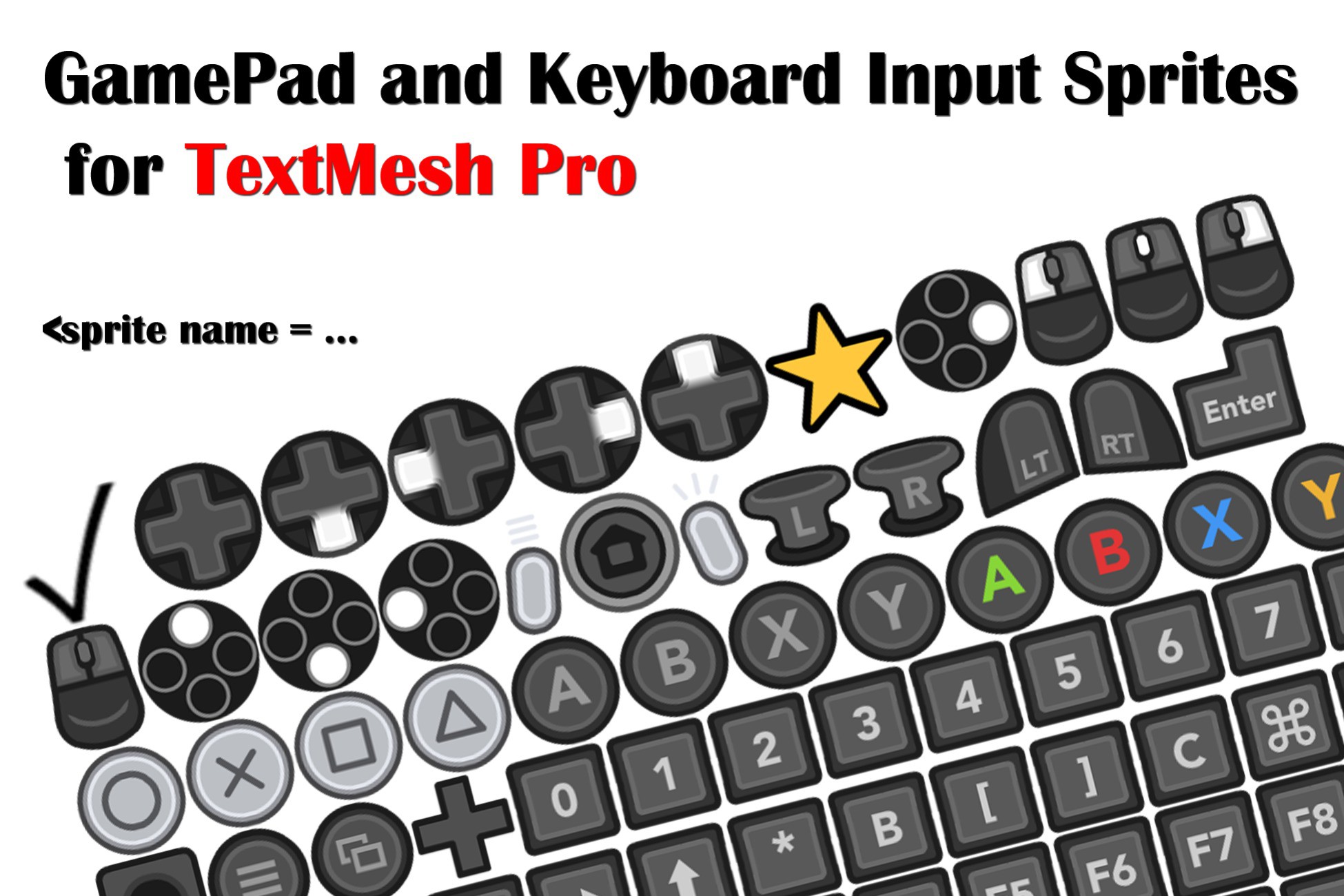
GamePad and Keyboard Input Sprites for TextMesh Pro
The simplest way to add GamePad, Keyboard, or Mouse Input icons (aka glyphs, sprites, etc) to your TextMesh Pro 2D/3D gameobjects. Works with UIs and in-game.
Affiliate link · Purchases support this site
Price history
Last 6 months
USDAsset preview
1 / 3

GamePad and Keyboard Input Sprites for TextMesh Pro screenshot 1


About this asset
This Sprite pack is fully configured for TextMesh Pro's Sprite atlas so that you can add GamePad or keyboard input glyphs to any in-game or UI text with a simple tag (eg <sprite=1>, or <sprite name="dpad">). For simplicity, glyphs for the Xbox, Switch, PlayStation, and PC Keyboard/Mouse are included all in one sheet, as are some generic gamepad "face" icons. In order to save space, when one glyph matches multiple devices, such as the dpad, only one variant is included.
Check out my other assets:
From the publisher's Asset Store listing.
Technical details
One sprite sheet for all input types. On disk, the sheet is just a 150kb PNG. In memory (if uncompressed) it's 0.8mb. After setup (3 clicks in the project editor!) you can add all input icons to your TextMesh Pro objects using fairly intuitive short names, like <sprite name="xa"> for the xbox "a" button.
Generic face button sprites (north/south/east/west) also included.
Compatibility
| Unity version | Built-in | URP | HDRP |
|---|---|---|---|
| 2022.3.33f1 | Compatible | Compatible | Compatible |
Sprite asset is compatible with all pipelines, but the included demo scene is for URP.
Developed with TextMeshPro 3.0.6, but should work with much older versions (2.x) and newer versions (4.x) as well.
As listed on the Asset Store.