
 View on Asset Store (opens in new tab)
Package details
- Latest version
- 1.0.1
- Last updated
- First released
- Unity version
- 2022.3.41 or later
- Package size
- 286 KB
- Files
- 16
- Favorites
- 2
- Views in the past week
- 1
Price tracking
- Last checked
- Tracked since
- Lowest recorded
- $19.99 on
Keywords

Flow Master
Flow Master streamlines Unity development with automated scene organization, tagging, favorites, and asset management, helping you work faster and stay focused on game creation.
Affiliate link · Purchases support this site
Price history
Last 6 months
USDAsset preview
1 / 3

Flow Master video 1 (plays on the Asset Store)


About this asset
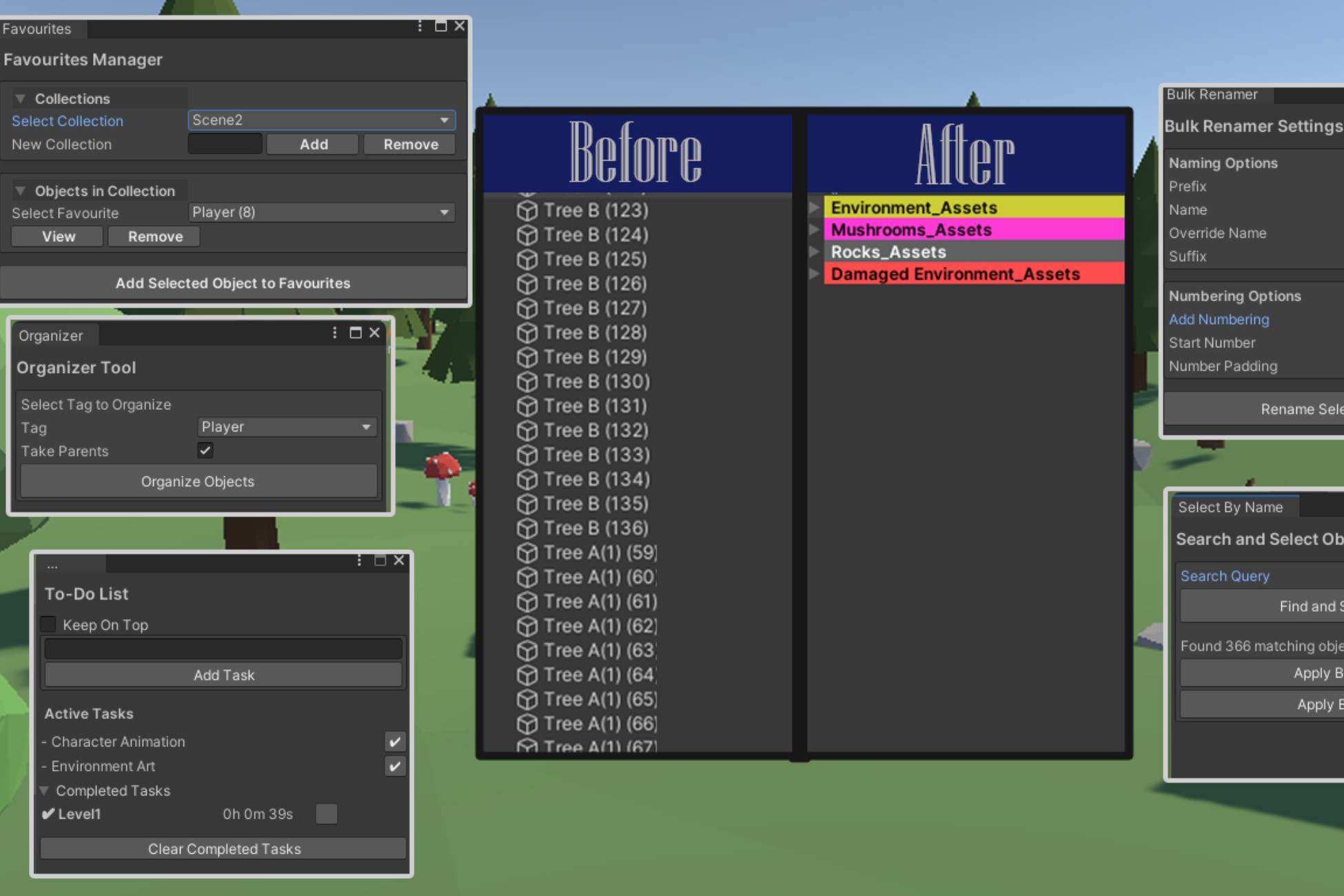
Flow Master is a powerful Unity tool designed to enhance development speed and organization. It automates scene structuring, object tagging, and asset management, helping developers maintain clean and efficient workflows.
Key Features:
✅ Scene Organization – Automatically groups objects into structured parent categories (e.g., "Player_Assets") to keep the Hierarchy clean.
✅ Custom Tagging & Color Coding – Assign persistent custom tags and colors for quick identification and better visual organization.
✅ Favorites Manager – Save frequently used objects for quick access, organized into collections with instant scene focus.
✅ To-Do List – Track development tasks directly inside Unity, keeping workflows efficient without external tools.
✅ Persistent Data & Automation – Settings, tags, and favorites persist between Unity sessions, eliminating repetitive setup.
Customization & Suitability:
- Fully customizable, allowing developers to configure tags, colors, and organization settings.
- Suitable for any Unity project, from small indie games to large-scale productions.
- Works with all genres, particularly beneficial for complex projects requiring structured asset management.
Enhance productivity, reduce clutter, and focus on what matters—building great games faster with Flow Master!
From the publisher's Asset Store listing.
Technical details
✅ Key Features:
- Automated Scene Organization – Objects are grouped into structured parent categories (e.g., "Player_Assets") for a cleaner Hierarchy.
- Custom Tagging & Color Coding – Assign persistent custom tags and color cues to objects for better organization and visibility.
- Favorites Manager – Save frequently used objects into collections for quick access, with instant scene focusing.
- To-Do List Integration – Manage development tasks inside Unity, ensuring better workflow tracking.
- Persistent Data Storage – Tags, favorites, and settings persist between Unity sessions, removing the need for reconfiguration.
- Batch Tagging System – Apply tags to multiple selected objects at once, improving efficiency.
- Quick Object Selection – Use search-based selection to instantly find and manage objects within the scene.
- Non-Destructive Workflow – Flow Master operates independently of Unity's built-in Hierarchy, ensuring safe and reversible changes.
- Customizable UI – Flexible settings for configuring tag colors, categories, and preferences.
- Lightweight & Optimized – Minimal performance overhead, designed for small to large-scale projects.
📌 Compatibility:
✔ Works on: Windows, macOS
✔ Compatible with: 2D, 3D, VR, and AR projects
Flow Master helps developers optimize workflow, manage assets efficiently, and focus on game creation.
Compatibility
| Unity version | Built-in | URP | HDRP | Custom |
|---|---|---|---|---|
| 2022.3.41f1 | Compatible | Compatible | Compatible | Compatible |
As listed on the Asset Store.