
 View on Asset Store (opens in new tab)
Package details
- Latest version
- 2.0.0
- Last updated
- First released
- Unity version
- 6000.6.0 or later
- Package size
- 3.0 MB
- Files
- 122
- Favorites
- 31
- Views in the past week
- 29
Price tracking
- Last checked
- Tracked since
- Lowest recorded
- Free on
Keywords
SimpleWebRTC
SimpleWebRTC uses peer-to-peer video, audio and data for Unity with WebRTC: component-based, pluggable signaling (WebSocket, Photon, LAN or your own), 360° video and connection stats.
Affiliate link · Purchases support this site
Price history
Last 6 months
USDAsset preview
1 / 5

SimpleWebRTC screenshot 1



About this asset
SimpleWebRTC adds real-time peer-to-peer video, audio and data to your Unity project. Players, devices and XR headsets send their streams directly to each other instead of through a game server: low latency, no server bandwidth for the media, and everything encrypted.
Version 2.0 is built from small components that you combine like any other Unity components. Want only a chat? Add a DataChannel. Want to stream a camera? Add a VideoSender. Want to use your own backend for matchmaking? Write a signaling transport with three methods. Everything else (offers, answers, ICE, reconnects, late joiners) is handled for you.
FEATURES
• Peer-to-peer video, audio and data channels between any number of peers (full mesh)
• Component-based: WebRTCPeerManager, DataChannel, VideoSender/VideoReceiver, AudioSender/AudioReceiver, WebRTCStatsMonitor
• Pluggable signaling: WebSocket (NativeWebSocket or Meta Voice SDK), Photon Fusion 2, in-process loopback, LAN broadcast example, or your own backend
• Start and stop streams at any time; peers joining later receive running streams automatically
• Video from cameras, any texture, webcams or as 360° video (mono or stereo over-under), e.g. for XR spectator views
• Show received video in UI RawImages, on any renderer or in a RenderTexture (e.g. a 360° skybox)
• Audio from AudioSources or the microphone, played back per peer (supports spatial audio and mixer groups)
• Multiple data channels: reliable or unreliable, text or binary, to everyone or to a single peer
• Rooms, STUN and TURN servers, preferred video codec, bitrate and framerate limits
• Connection statistics: round trip time, bitrates, FPS, resolution, codec and encoder, packet loss, jitter, direct or TURN-relayed path, with an optional on-screen overlay
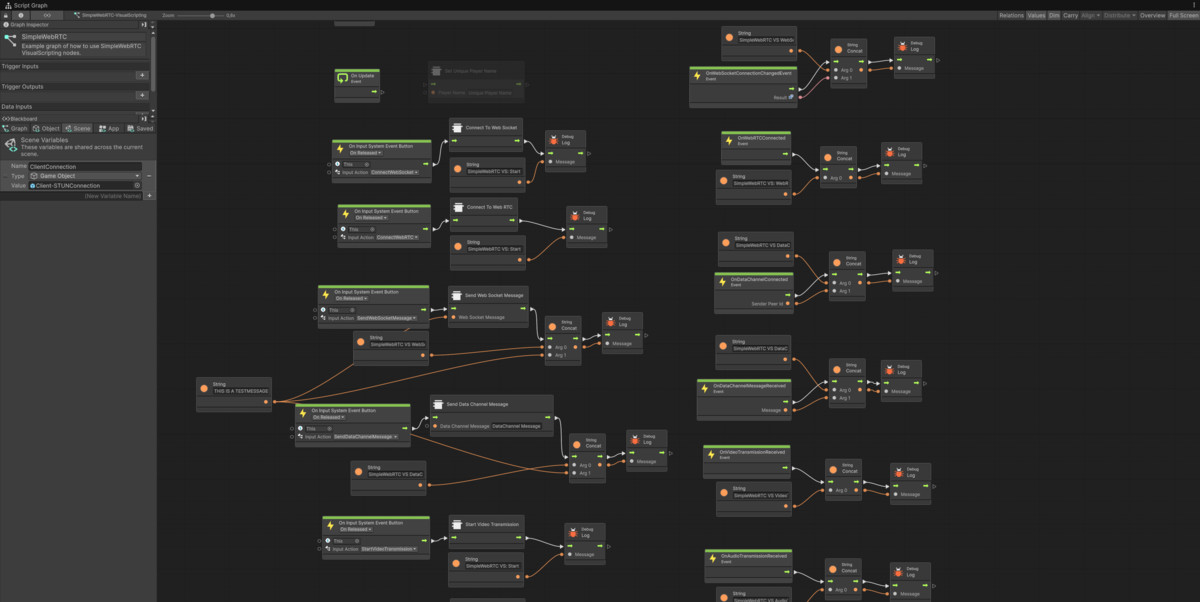
• Unity Visual Scripting nodes and events
• Play mode buttons in the inspector for quick testing
• Migration tool for projects using SimpleWebRTC 1.x
SAMPLES
• Loopback: two peers in one scene exchanging video and chat, no server needed. Press Play and it works.
• Example Scenes: single client, lobby driven from C#, three clients in one scene, signaling connection test
• Custom Signaling Transport: devices in the same network find each other via UDP broadcast, no server needed
• Immersive Video: stream a 360° view of a 3D scene to an XR headset and switch camera positions remotely
• Photon Fusion 2 and Visual Scripting samples
Every sample comes with a README explaining setup, contents and things to try.
DOCUMENTATION
Includes a "How WebRTC works" guide with diagrams (signaling, offer/answer, ICE, STUN/TURN), a component reference and step-by-step sample guides. A ready-to-run Node.js signaling server is included.
Documentation: https://github.com/FireDragonGameStudio/SimpleWebRTC#readme
REQUIREMENTS
• Unity 6000.0 or newer
• WebRTC (FDGS) 3.2.0+ (free, open source): https://github.com/FireDragonGameStudio/com.unity.webrtc.fdgs. SimpleWebRTC detects if it's missing and installs it with one click.
• For WebSocket signaling: NativeWebSocket 2.x (free, also one click) or the Meta Voice SDK
• A signaling server for WebSocket signaling (included). Not needed for the Loopback and LAN samples, or with Photon Fusion 2.
• Platforms: all platforms supported by WebRTC (FDGS): Windows, macOS, Linux, Android (including Meta Quest) and iOS. WebGL is not supported.
• Compatible protocol to integrate a web- based client with SimpleWebRTC-Web
• Optional: Photon Fusion 2, Unity Visual Scripting
UPGRADING FROM 1.x
Version 2.0 is a breaking release. Remove the old version first, then use Tools > SimpleWebRTC > Migrate Open Scenes to convert your scenes. 1.x and 2.x clients cannot connect to each other.
From the publisher's Asset Store listing.
Technical details
- WebRTC peer-to-peer connection management
- WebSocket-based signaling
- Video and audio streaming
- Immersive video streaming (360° monoscopic or stereo over-under)
- Data channel communication
- Logging and debugging tools
- Photon Fusion 2 Integration
- Meta Voice SDK Integration
- Streaming to web via SimpleWebRTC web client
- Support for Unity Visual Scripting
Compatibility
| Unity version | Built-in | URP | HDRP | Custom |
|---|---|---|---|---|
| 6000.6.0f1 | Compatible | Compatible | Compatible | Compatible |
As listed on the Asset Store.