
 View on Asset Store (opens in new tab)
Package details
- Latest version
- 1.0
- Last updated
- First released
- Unity version
- 6000.0.19 or later
- Package size
- 972 KB
- Files
- 18
- Favorites
- 64
- Views in the past week
- 14
Price tracking
- Last checked
- Tracked since
- Lowest recorded
- Free on
Keywords
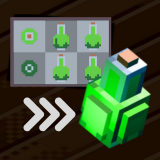
AutoVoxel - Generate 3D Voxel Meshes from Sprites
AutoVoxel: Automatically convert pixel art sprites into optimized 3D voxel meshes with flat shading - no manual modelling needed!
Affiliate link · Purchases support this site
Price history
Last 6 months
USDAsset preview
1 / 4

AutoVoxel - Generate 3D Voxel Meshes from Sprites screenshot 1


About this asset
AutoVoxel is a mesh generation tool designed for pixel artists. Effortlessly transform pixel art sprites into 3D voxel meshes - perfect for game developers and artists to streamline the asset creation process.
AutoVoxel automates mesh generation with flat shading and vertex optimization. The package is fully customizable, allowing users to define output paths, toggle optimization features, and create meshes tailored to their specific needs.
Whether you're building retro-inspired games, voxel worlds, or another unique art style, AutoVoxel is suitable for any pixel-based genre. With a seamless editor integration, AutoVoxel renders complex modelling tasks obsolete, giving you more time to focus on creativity!
From the publisher's Asset Store listing.
Technical details
Sprite-to-Mesh Conversion: Automatically converts 2D pixel art sprites into 3D voxel-style meshes. For best results focus on using simple shapes for your input sprites.
Scalability: Supports variety of tile sizes e.g. 4x4, 8x8, 16x16, max. 32x32
Optimized Mesh Generation: Automatic optimisation for minimal mesh size.
Editor Integration: User-friendly interface with a single-click mesh generation directly in the Unity Inspector.
Additional Material: Use the Demo scene or our Aseprite templates to get started right away!
Compatibility
| Unity version | Built-in | URP | HDRP | Custom |
|---|---|---|---|---|
| 6000.0.19f1 | Compatible | Compatible | Compatible | Compatible |
The Demo scene was built in URP, for use in other pipelines please replace the Material shaders of the scene objects.
As listed on the Asset Store.