
 View on Asset Store (opens in new tab)
Package details
- Latest version
- 1.3.1
- Last updated
- First released
- Unity version
- 6000.0.31 or later
- Package size
- 2.9 MB
- Files
- 101
- Favorites
- 5
- Views in the past week
- 4
Price tracking
- Last checked
- Tracked since
- Lowest recorded
- $4.99 on
Keywords

Runtime Level Editor 3D
An easy level editor for Unity 6+. Make & save collections of primitive objects for re-use as a level, or other type of building/creation app.
Affiliate link · Purchases support this site
Price history
Last 6 months
USDAsset preview
1 / 13

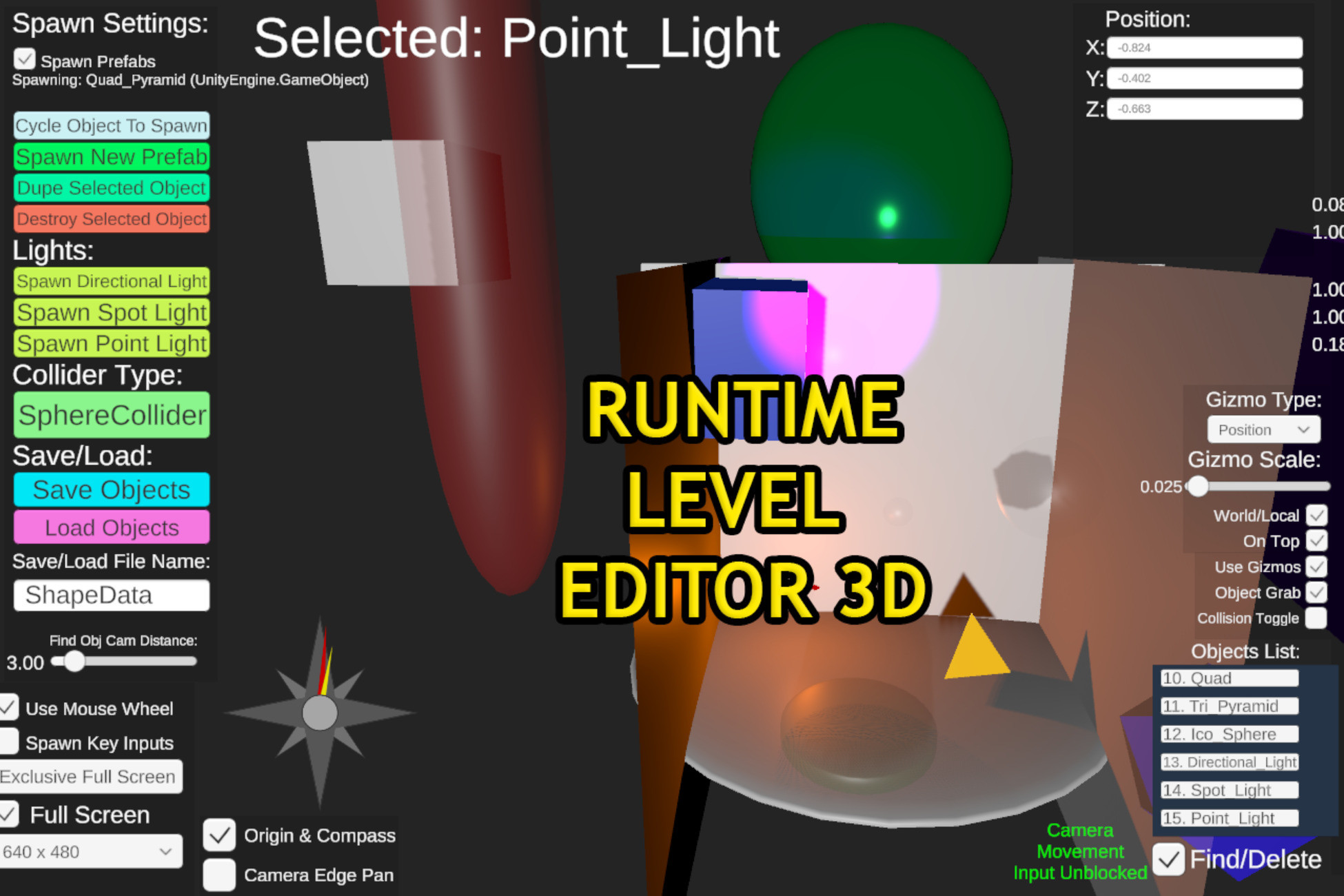
Runtime Level Editor 3D screenshot 1


About this asset
WEB DEMO: https://manbearpigman.itch.io/level-maker-demo
WORKS OUT OF THE BOX FOR HDRP, URP, AND BUILT-IN!!!
Unlock your game development potential with our powerful yet lightweight tool designed specifically for Unity 6 and above. Whether you're a seasoned developer or just starting out, our level editor simplifies the process of creating intricate game levels or other objects & prefabs for your game's runtime with ease and efficiency.
This easy to use level editor for Unity 6+ is powerful, yet small. It takes advantage of unity's built in primitive shapes to Save/Load them from a JSON file in your appdata.
From the publisher's Asset Store listing.
Technical details
1. Spawn primitive shapes: cube, plane, quad, sphere, cylinder, capsule
2. Rescale and resize the shapes to make new shapes
3. Color the shapes materials & change their metallic, smoothness, and alpha channel properties
4. Save/Load the objects from custom file names
5. Modify colliders
6. Modify rigidy bodies
7. Custom object names
8. Find/delete object list
9. Use mesh or box collider for all shapes (except cube)
10. Slider and input fields for scale & rotation
11. Modify objects positions using mouse input or more precisely input fields
12. Rotate & move objects to/from camera using mouse wheel
13. Optional keyboard input spawning
14. Spawn prefabs from list and save/load them
15. Change object texture and UV side and save/load them
16. NEW (work in progress) 2D mode for 2D games!
Compatibility
| Unity version | Built-in | URP | HDRP |
|---|---|---|---|
| 6000.0.31f1 | Compatible | Compatible | Compatible |
As listed on the Asset Store.