
 View on Asset Store (opens in new tab)
Package details
- Latest version
- 1.0.0
- Last updated
- First released
- Unity version
- 2022.3.0 or later
- Package size
- 182.1 MB
- Files
- 72
- Favorites
- 3
- Views in the past week
- 3
Price tracking
- Last checked
- Tracked since
- Lowest recorded
- $9.99 on
Keywords
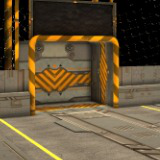
Car Football Stadium Pack
This asset pack includes a stadium.Optimized for both mobile and PC games.
Affiliate link · Purchases support this site
Price history
Last 6 months
USDAsset preview
1 / 18

Car Football Stadium Pack screenshot 1


About this asset
Bring your car football game to life with the Car Football Stadium Pack! This asset pack offers two texture sets, perfect for creating either a natural, traditional stadium or a futuristic, high-tech arena.
What’s Included:
- 15 Unique Models: A complete stadium with ground, borders, goals, and lighting poles.
- Two Texture Sets:Natural Look: Grassy textures for a traditional feel.
Sci-Fi Look: Sleek metallic textures for a futuristic vibe. - High-Quality Textures: Includes 2K and 4K resolution maps.
- Shader Graph Materials: RGB-masked materials for efficient memory usage.
- Demo Scenes: See both texture sets in action.
From the publisher's Asset Store listing.
Technical details
Package Contents:
- 15 unique models.
- 30 textures (BaseColor, Normal, AO/Roughness/Metallic).
- 2 Shader Graphs for customizable RGB-masked materials.
- 10 pre-configured materials.
- 2 demo scenes (one for each texture set).
Texture Sizes:
- 2K and 4K textures included for all models.
- Chainlink material available in 512x512 and 1K resolutions.
Dependencies:
- Shader Graph: Required for custom materials. Shader Graph was used to create RGB-masked materials, optimizing memory usage.
- Unity Version: Unity 2022.3.0 and later.
Rigging: No
Animation:No
Minimum polygon count: 304
Maximum polygon count: 1519
Compatibility
| Unity version | Built-in | URP | HDRP |
|---|---|---|---|
| 2022.3.0f1 | Compatible | Compatible | Not listed |
This asset pack includes shaders created with Shader Graph. Please ensure that the Shader Graph package is installed in your Unity project for proper functionality. You can install it via the Package Manager (Window > Package Manager).
As listed on the Asset Store.