
 View on Asset Store (opens in new tab)
Package details
- Latest version
- 1.0
- Last updated
- First released
- Unity version
- 6000.0.24 or later
- Package size
- 2.5 MB
- Files
- 17
- Favorites
- 8
- Views in the past week
- 5
Price tracking
- Last checked
- Tracked since
- Lowest recorded
- $6.99 on
Keywords
- Search for camera collision
- Search for collision camera
- Search for avoid wall camera
- Search for avoid wall s
- Search for avoid wall cameras
- Search for avoid camera
- Search for collide camera
- Search for avoid cameera
- Search for avoid wall
- Search for camera avoid
- Search for avoid camera script
- Search for camera collisions
Camera Collision | Wall Camera Avoidance/ Camera Collision System & Framework
Ensures your camera avoids obstacles while maintaining a clear view of your target. Featuring obstacle detection, smooth position adjustment, and support for both Automatic and Programmatic Modes.
Affiliate link · Purchases support this site
Price history
Last 6 months
USDAsset preview
1 / 5

Camera Collision | Wall Camera Avoidance/ Camera Collision System & Framework screenshot 1


About this asset
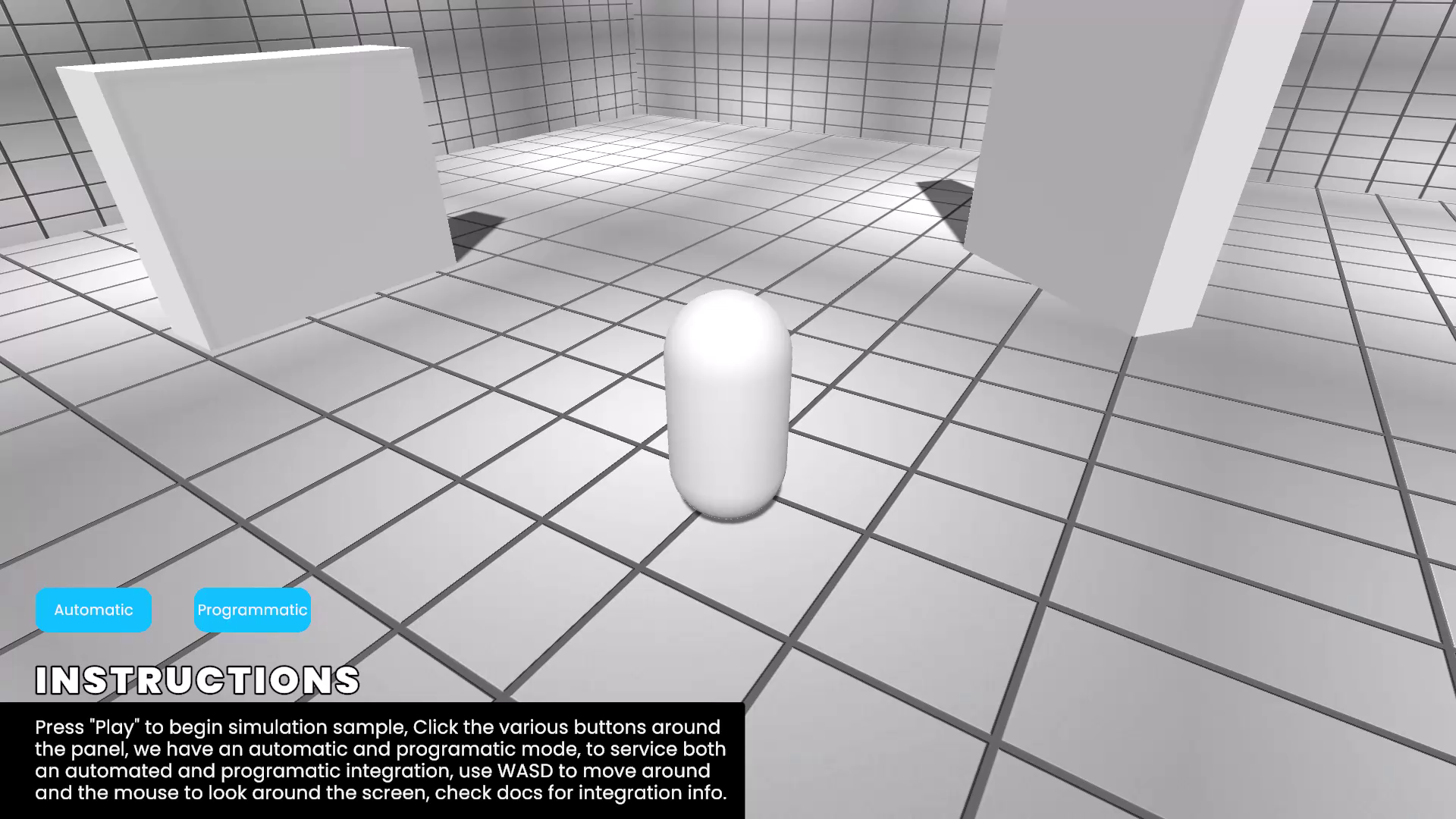
A lightweight and versatile solution designed to prevent your camera from clipping through walls and obstacles. Whether you're building a third-person action game, an adventure platformer, or a custom camera setup, CameraCollision seamlessly integrates into your project with powerful features and an intuitive workflow.
With support for Automatic and Programmatic integration modes, CameraCollision offers flexibility for any camera system. Use it to handle collision detection automatically or programmatically adjust positions via your custom scripts.
Key Features:
- Obstacle Detection:Prevent your camera from clipping into objects using SphereCast-based collision detection.
- Smooth Position Adjustment:Transition naturally to collision-free positions with customizable smoothing.
- Two Integration Modes:Automatic Mode: Handles collision avoidance directly, perfect for quick and easy integration.
Programmatic Mode: Allows dynamic collision adjustment from custom scripts for advanced setups. - Flexible Configuration:Customize collision radius, layers, and offsets to suit your game environment.
- Focus Point Support:Automatically use the camera’s parent or assign a specific focus point for precision control.
- Seamless Integration:Works with third-party camera controllers or your own custom scripts.
- Debug Tools:Visualize collision detection and offsets in the Unity Editor with Gizmos.
How It Works:
- Attach the Script:Add the CameraCollision script to your camera GameObject.
- Choose Your Integration Mode:Use Automatic mode for built-in collision handling or Programmatic mode to control collision adjustments via scripts.
- Configure the Settings:Adjust collision radius, smoothing, layers, and offsets in the Inspector for full control over behavior.
- Integrate with Custom Scripts (Optional):In Programmatic mode, call GetAdjustedPosition() to dynamically adjust your camera position.
Use Cases:
- Third-person cameras for action, platformer, or RPG games.
- Fixed cameras needing collision adjustments for tight spaces.
- Custom camera systems with dynamic position adjustments.
Who Is This For?
This asset is ideal for developers looking for a modular, lightweight solution to camera clipping issues. Whether you're a beginner or an advanced Unity user, CameraCollision offers a hassle-free setup and easy integration into any project.
Requirements:
- Unity 2020.3 or newer.
- Basic understanding of camera systems in Unity.
From the publisher's Asset Store listing.
Technical details
Key Features:
- Obstacle Detection:Prevent your camera from clipping into objects using SphereCast-based collision detection.
- Smooth Position Adjustment:Transition naturally to collision-free positions with customizable smoothing.
- Two Integration Modes:Automatic Mode: Handles collision avoidance directly, perfect for quick and easy integration. Programmatic Mode: Allows dynamic collision adjustment from custom scripts for advanced setups.
- Flexible Configuration:Customize collision radius, layers, and offsets to suit your game environment.
- Focus Point Support:Automatically use the camera’s parent or assign a specific focus point for precision control.
- Seamless Integration:Works with third-party camera controllers or your own custom scripts.
- Debug Tools:Visualize collision detection and offsets in the Unity Editor with Gizmos.
Compatibility
| Unity version | Built-in | URP | HDRP |
|---|---|---|---|
| 6000.0.24f1 | Compatible | Not listed | Not listed |
As listed on the Asset Store.