
 View on Asset Store (opens in new tab)
Package details
- Latest version
- 1.0
- Last updated
- First released
- Unity version
- 2023.3.0 or later
- Package size
- 5.4 MB
- Files
- 1,784
- Favorites
- 2
- Views in the past week
- 2
Price tracking
- Last checked
- Tracked since
- Lowest recorded
- $11.90 on
Keywords

MenuManger
- Price drop
This asset provides a comprehensive solution for managing the main menu of your Unity project. It includes functionality for handling UI Visualelements, input actions, loading screens, and more.
Affiliate link · Purchases support this site
Price history
Last 6 months
USDAsset preview
1 / 9

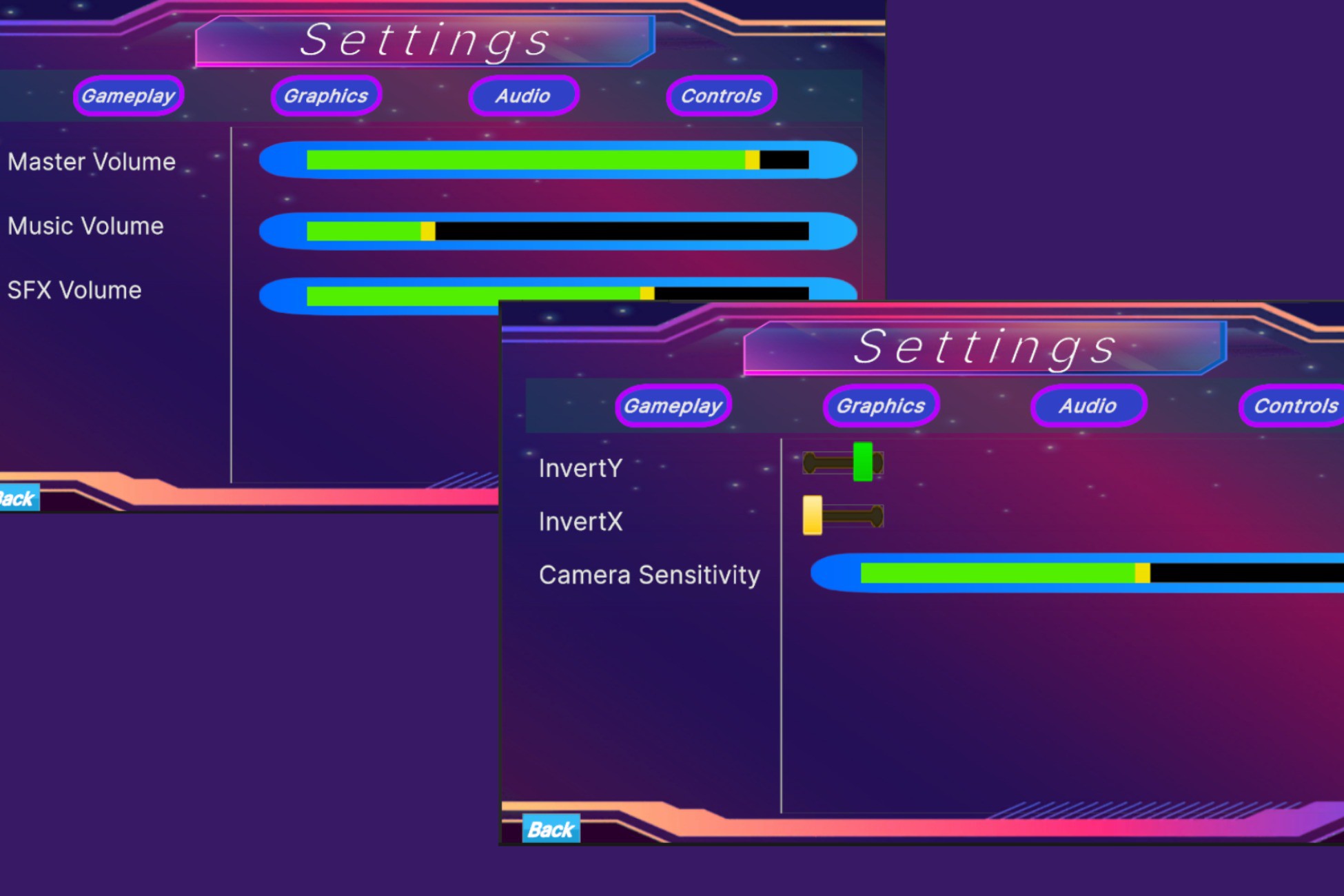
MenuManger screenshot 1


About this asset
# MenuManager Package
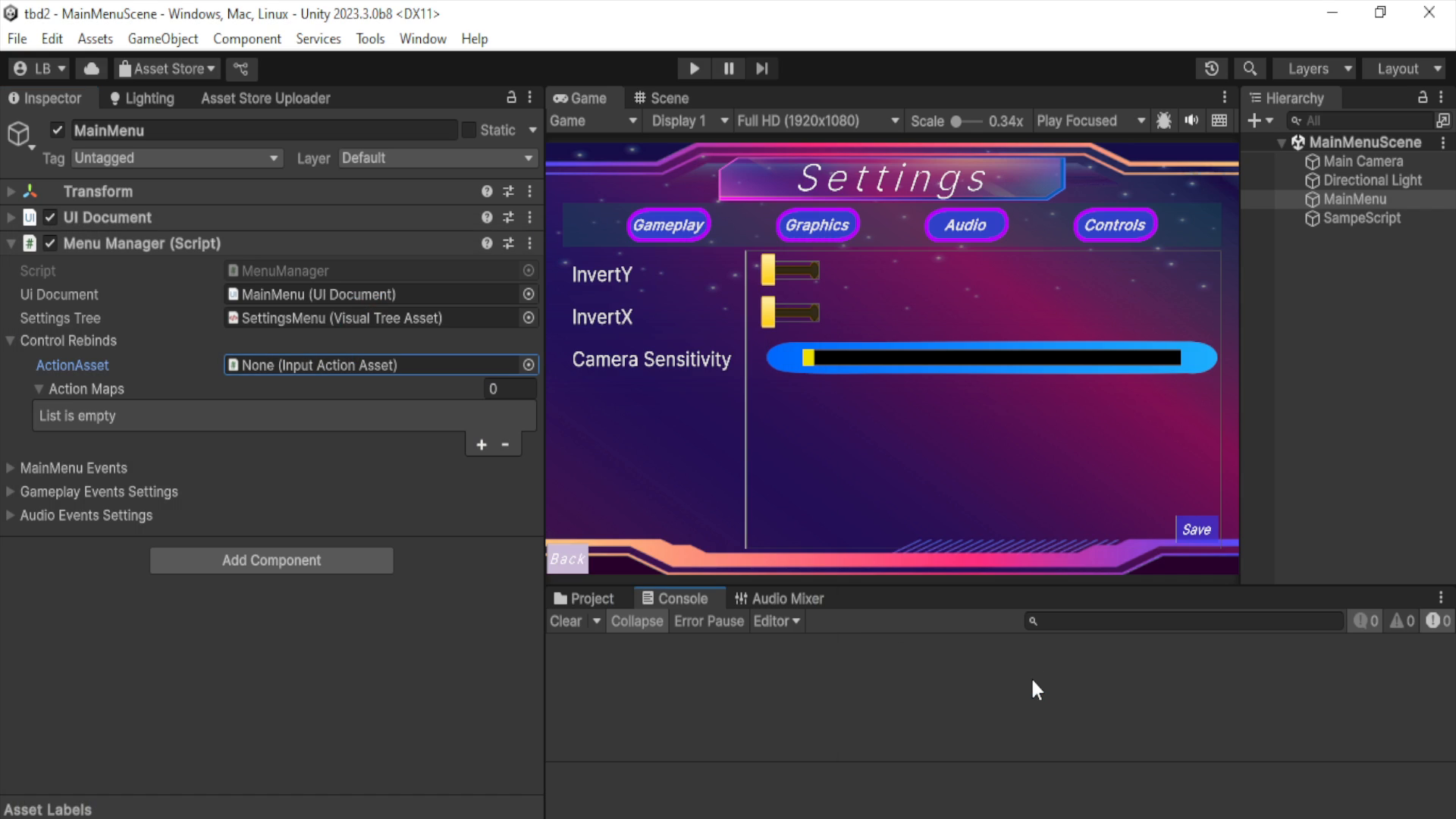
The MenuManager package provides a comprehensive solution for managing the main menu and related functionalities in your Unity project. This package includes scripts and assets to handle UI elements, input actions, loading screens, dynamic variables, and custom property drawers, making it easier to create and manage a polished and functional main menu.
## Features
- Dynamic creation of Player Control Rebinds: creates InputActionReferences from refernced InputActionAsset.
- UI animations:this UI is from UI Toolkit and includes animations when interacting with the visualelements
- Screen Resolution Setting: Allow players to change the screen resolution to match their display preferences.
- Screen Quality Settings: Provide options for adjusting the quality settings of the game to balance performance and visual fidelity.
- Audio Settings: Enable players to adjust audio levels for master volume, music, and sound effects.
- Camera Settings: Allow players to customize camera settings such as sensitivity and axis inversion.
- Input Action Rebinding UI: Allow players to rebind input actions through a user-friendly interface.
- Dynamic Variable Handling: Use generic dynamic variables that can trigger events when their values change.
- Loading Screen Management: Implement loading screens with progress indicators for scene transitions.
- Custom Property Drawers: Customize the Unity Inspector with property drawers for better visualization and editing of action info.
Components
From the publisher's Asset Store listing.
Technical details
Technical Specifications
-Supported Unity Versions
- Unity 2023.3 (LTS) or later.
- Full support for both URP (Universal Render Pipeline) and HDRP (High Definition Render Pipeline).
-Supported Platforms
- PC: Windows, macOS, Linux
- Mobile: Android, iOS
- Consoles: PlayStation, Xbox, Nintendo Switch
- WebGL: Fully functional on WebGL builds
- VR/AR: Supports Unity XR (Virtual Reality/Augmented Reality) development
-Graphics API Compatibility
- DirectX 11/12: Supports DirectX for Windows builds.
- OpenGL / OpenGL ES: Compatible with macOS, Linux, and mobile platforms.
- Metal: Fully supported on macOS and iOS devices.
- Vulkan: Supported on compatible devices for high-performance rendering
Compatibility
| Unity version | Built-in | URP | HDRP | Custom |
|---|---|---|---|---|
| 2023.3.0b8 | Compatible | Compatible | Compatible | Compatible |
As listed on the Asset Store.