
 View on Asset Store (opens in new tab)
Package details
- Latest version
- 2.0
- Last updated
- First released
- Unity version
- 2022.3.60 or later
- Package size
- 2.0 MB
- Files
- 58
- Favorites
- 9
- Views in the past week
- 9
Price tracking
- Last checked
- Tracked since
- Lowest recorded
- $14.99 on
Keywords
EZ Icons | Generate Icons from Prefabs
- Price drop
Most powerful Icon Generator on the market! Turn any prefab into a polished UI icon in seconds. Drag, drop, customize with presets, gradients, and toon shading — all rendered GPU-fast in the editor.
Lowest recorded price
Get 17% off on Asset Store (opens in new tab)Affiliate link · Purchases support this site
Price history
Last 6 months
USDAsset preview
1 / 9

EZ Icons | Generate Icons from Prefabs screenshot 1



About this asset
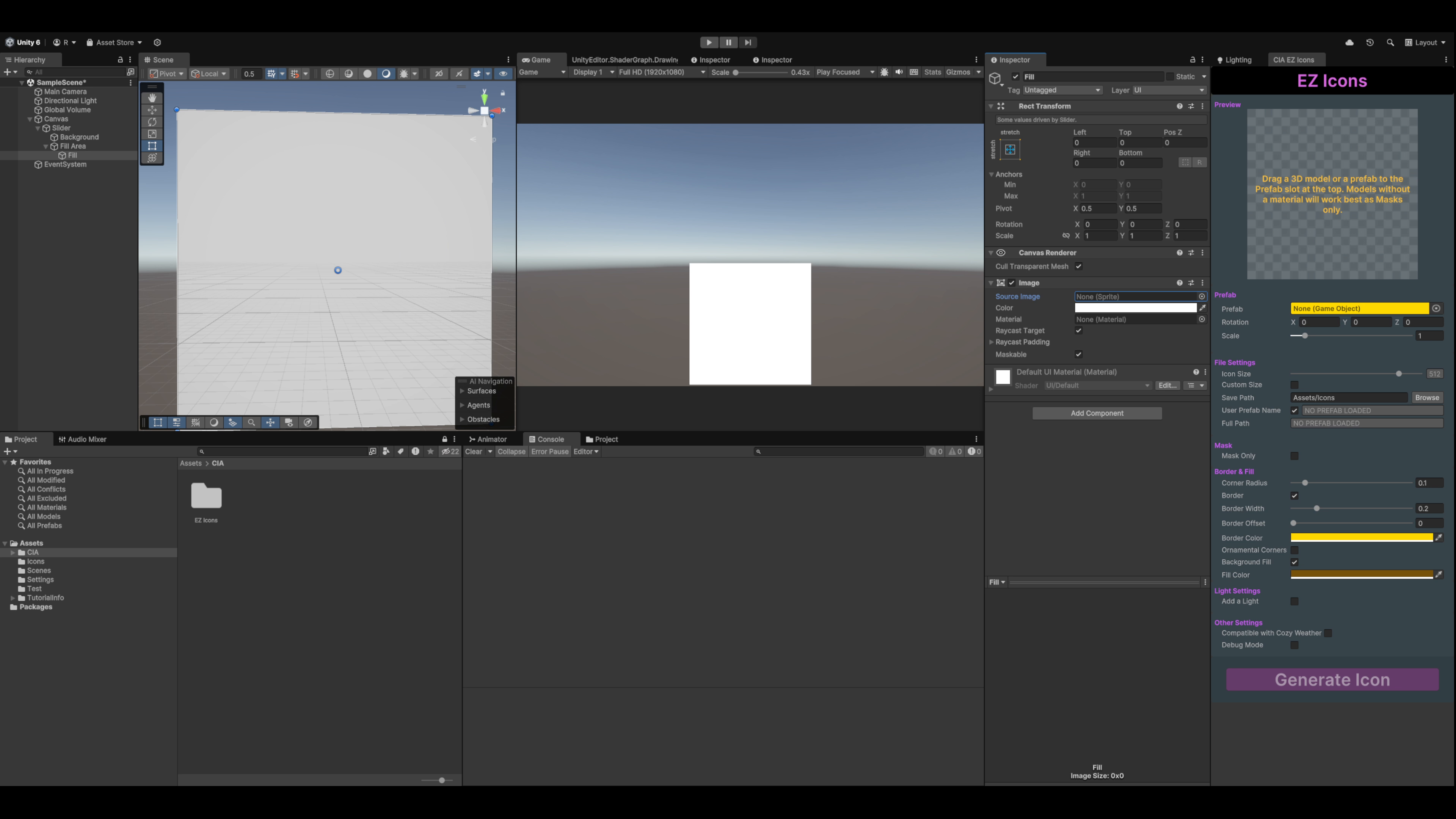
Creating consistent UI icons for inventory systems, crafting menus, or item databases shouldn't mean juggling external software or hunting through asset packs. EZ Icons brings icon generation directly into your Unity workflow.
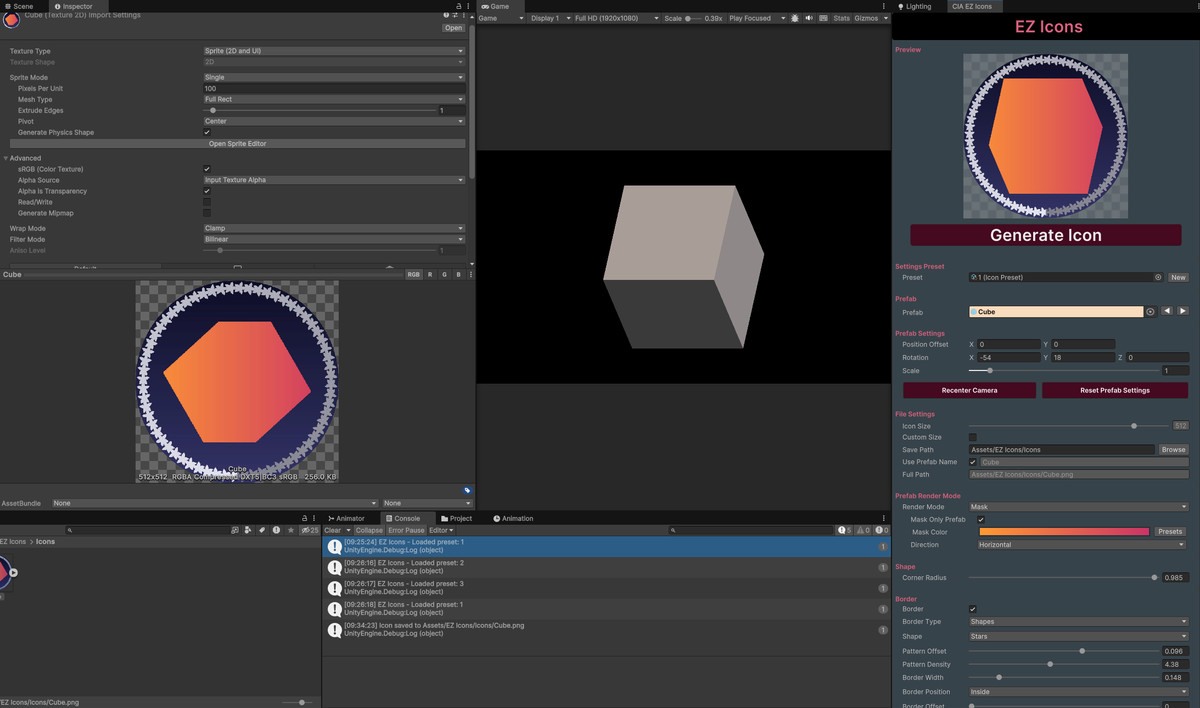
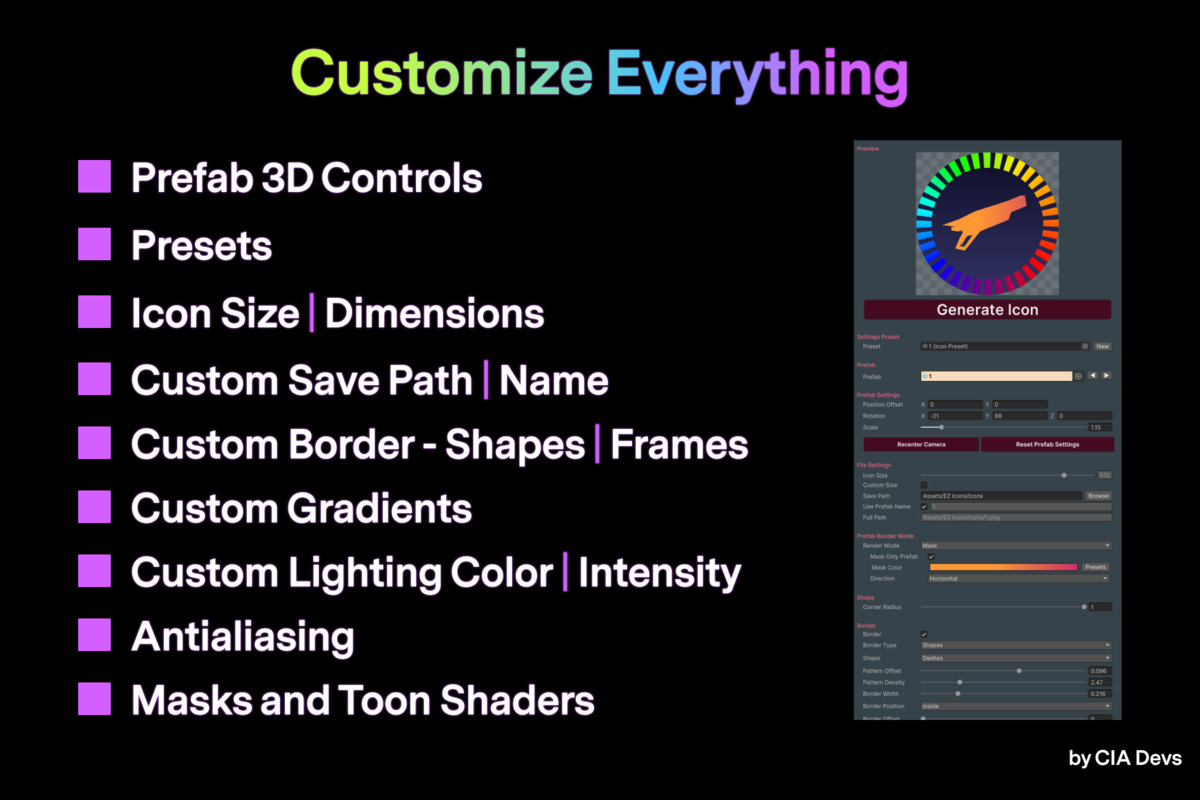
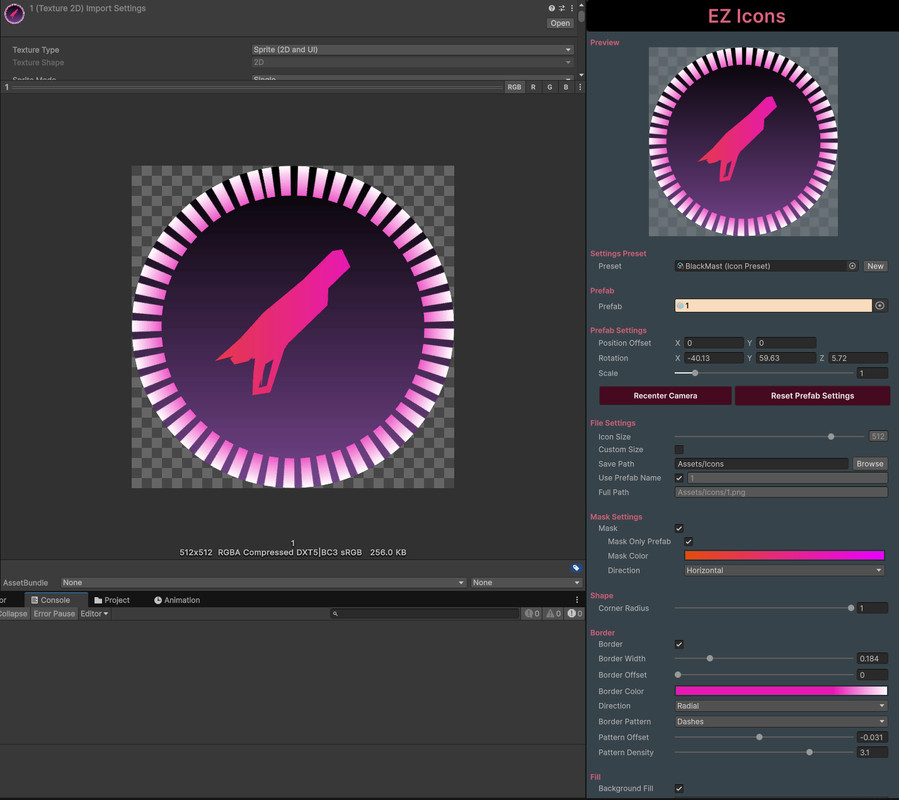
Drag any prefab into the editor window and watch it render in real-time. Rotate, zoom, and frame your shot with mouse controls — or pose animated characters at the exact frame you want. Apply toon shading for that hand-painted look, add gradient backgrounds for depth, or use patterned borders to match your game's aesthetic. Layer text labels, panels, and image badges on top with the overlay system, then polish with post-processing effects like bloom, vignette, film grain, and chromatic aberration. When you nail the perfect style, save it as a preset and batch-apply it across hundreds of items in one click.
Fast GPU rendering, a full overlay compositor, built-in post-processing, and an intuitive UI Toolkit interface make EZ Icons the last icon tool you'll need.
From the publisher's Asset Store listing.
Technical details
Features:
Load Object
- Prefab
- 3D Objects (FBX, OBJ, and other Unity-supported formats)
- Quick Navigation (◀ ▶) - Browse prefabs in the same folder
Prefab Render Mode
- Normal - Original prefab materials
- Mask - Silhouette with gradient colors
- Mask Only Prefab - Mask the prefab while keeping background, border, and overlays in full color
- Toon - Cel-shaded with customizable lit/shadow colors and silhouette outlines
- Toon 2 - Cel-shaded with advanced edge detection (inner edges + silhouette)
- Supports both URP and Built-in Render Pipeline
Animation Pose
- Automatic animation clip detection on prefabs with Animator or Animation components
- Animation clip selection dropdown
- Frame scrubbing slider to pose at any point in the animation
Customizable Options:
Prefab Settings
- Position Offset (X, Y)
- Rotation (X, Y, Z)
- Uniform Scale
- Recenter Camera
- Reset Prefab Settings
File Settings
- Icon Dimensions/Size (16x16 to 4096x4096)
- Custom Size option for any dimension
- Save Path with validation
- Save Name (auto or custom)
Shape Settings
- Corner Radius (square to fully rounded)
Border Settings
- Border Toggle
- Border Type:Solid
Dots
Dashes
Diamonds
ZigZag
Icons (with Shape Library presets)
Slice 9 Texture (with texture presets) - Border Width
- Border Position (Inside, Center, Outside)
- Border Offset
- Border Color (full gradient support)
- Gradient Direction (Vertical, Horizontal, Diagonal, Radial, Angular)
- Pattern Density & Offset (for patterns)
- Icon Rotation & Align to Tangent (for Icons type)
Background Settings
- Background Toggle
- Color Fill - Solid or gradient background (full gradient support)
- Image Fill - Use any texture as backgroundHDR Tint color
Content Fit (Fill, Fit, Stretch, Tile)
Tile Count for tiled backgrounds - Gradient Direction
Overlay System
- Text Overlays - TextMeshPro labels with font, size, style, color, outline, and spacing controls
- Panel Overlays - Colored rectangles with solid or gradient fill and rounded corners
- Image Overlays - Sprite-based overlays with tint and aspect ratio control
- Groups - Organize overlays with shared offset and visibilityRender Behind Prefab option per group
- Per-overlay enable/disable toggle
- Overlay master toggle
- Reorder, clone, delete, and move-to-group controls
- 9-point position anchoring (Center, Top, Bottom, Left, Right, and corners)
Post-Processing Effects
- Bloom - Glow with intensity, threshold, and spread
- Vignette - Darkened edges with intensity and smoothness
- Color Adjustments - Saturation, contrast, and brightness
- Pixelate - Retro pixel art effect with adjustable block size
- Color Tint - Global tint with blend mode (Multiply, Overlay, Screen, Add)
- Chromatic Aberration - RGB channel separation with direction control
- Film Grain - Noise with intensity, size, and colored/monochrome option
- Inner Shadow - Inset shadow with intensity, size, softness, and color
- Post-processing master toggle
- Per-effect reset buttons
Mask Settings (when Mask mode selected)
- Mask Only Prefab option
- Mask Color (full gradient support)
- Gradient Direction
Toon Settings (when Toon/Toon 2 mode selected)
- Lit Color
- Shadow Color
- Shadow Threshold
- Outline Color
- Outline Width
Light Settings
- Add Light Toggle
- Intensity (0-30)
- Light Color
- Shadow options
Other Settings
- Antialiasing (2x supersampling for smooth edges)
- Debug Mode
Mouse Controls
- Left Mouse Button + Drag - Rotate the prefab
- Right Mouse Button + Drag - Move/pan the prefab
- Mouse Wheel - Scale the prefab
Presets
- Settings Presets - Save and load complete icon configurations
- Gradient Presets Library
- Shape Library (circles, stars, diamonds, arrows, triangles, etc.)
- Slice 9 Texture Library
- Preset survives script recompilation (domain reload)
- Missing asset reference warnings on load
- Deleted preset detection with graceful UI handling
Batch Generation
- Generate icons for all prefabs in a folder
- Batch preview navigation
- Naming options with prefix/suffix
- Overwrite control
- Progress bar with ETA
Undo/Redo
- Full undo support for all overlay and setting changes
- Descriptive labels in undo history
Export Format
- PNG with transparency support
- Default sizes: 16, 32, 64, 128, 256, 512, 1024
- Custom Size: Any dimension from 16x16 to 4096x4096
Performance
- GPU shader-based rendering for fast icon generation
- GPU overlay composition pipeline with single ReadPixels call
- Deferred preset saving during slider interactions
- Texture pooling and gradient caching
- Image overlay caching with LRU eviction
- Coalesced preview updates for rapid changes
- Delayed antialiasing for responsive preview
Other
- Play Mode Warning - Shows warning in preview during Play Mode
- Prefab contained within border and fill region
- Border drawn on top of prefab
- Documentation included in package
Compatibility
| Unity version | Built-in | URP | HDRP | Custom |
|---|---|---|---|---|
| 6000.0.36f1 | Compatible | Compatible | Not listed | Compatible |
| 2022.3.60f1 | Compatible | Compatible | Not listed | Compatible |
Tool uses the UI Toolkit library, which comes preinstalled with all recent Unity version.
The tool has been tested with different versions from 2022.x, 2023 and up to version 6 (6000.0.24f1).
As listed on the Asset Store.