
 View on Asset Store (opens in new tab)
Package details
- Latest version
- 1.0.1
- Last updated
- First released
- Unity version
- 6000.0.0 or later
- Package size
- 84 KB
- Files
- 4
- Favorites
- 4
- Views in the past week
- 3
Price tracking
- Last checked
- Tracked since
- Lowest recorded
- Free on
Keywords
Editor Notepad
You’re working on a multi-scene project and want to keep track of: Fixes are needed in specific scenes. The priority of these tasks. Notes about what to do upon returning to your project in general.
Affiliate link · Purchases support this site
Price history
Last 6 months
USDAsset preview
1 / 1

Editor Notepad screenshot 1
About this asset
The Unity Editor Notepad Tool is a custom editor extension designed to help developers manage reminders and track tasks directly within the Unity Editor. It allows you to associate notes with scene names, assign priorities, and track creation dates. You can also mark tasks as completed or remove them when no longer needed.
License
This tool is free to use and modify for personal or commercial projects.
From the publisher's Asset Store listing.
Technical details
Installation
Copy the script EditorNotepad.cs into the Editor folder of your Unity project.
If the Editor folder does not exist, create it at the root of your project.
How to Use
Open the Notepad Tool:
Navigate to Tools > Editor Notepad in the Unity menu.
Add a New Entry:
Click the "Add New Entry" button.
Fill in the scene name, notes, and priority using the provided fields.
Edit an Entry:
Modify the scene name, notes, or priority directly in the tool.
Mark as Complete:
Click the "Complete" button to mark a task as completed.
Confirm the completion in the pop-up dialog to remove the entry.
Remove an Entry:
Click the "Remove" button to delete an entry.
Confirm the removal in the pop-up dialog.
Save Notes:
Click the "Save Notepad" button to persist your entries.
Notes are saved in a EditorNotepad.json file in the Assets folder.
Load Notes:
Click the "Load Notepad" button to retrieve previously saved entries.
File Structure
EditorNotepad.json:
Stores all entries in JSON format.
Automatically created in the Assets folder upon saving.
Priority Levels
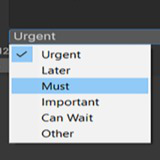
Urgent: Tasks requiring immediate attention.
Later: Tasks that can be deferred.
Must: Essential tasks that must be completed.
Important: High-priority tasks but not urgent.
Can Wait: Tasks of lower importance.
Other: Miscellaneous tasks.
Example Use Case
You’re working on a multi-scene project and want to keep track of:
Fixes needed in specific scenes.
The priority of these tasks.
Notes about what to do upon returning to your project.
Open the tool and add entries for each scene with detailed notes and priorities.
Save your notes before closing Unity. Reload them when you return.
Troubleshooting
Layout Errors:
If you encounter a layout-related error, ensure you're using the latest version of the script. Any mismatched GUILayout calls have been resolved in the current version.
Missing Save File:
If you try to load notes without saving, the tool will display an error message.
Compatibility
| Unity version | Built-in | URP | HDRP | Custom |
|---|---|---|---|---|
| 6000.0.0b16 | Compatible | Compatible | Compatible | Compatible |
Editor NotePad resides inside the Editor Folder, so it's not included during builds.
just scripts and you can delete the Demo Scene if needed.
it's a tool that will be under Tools/Editor Notepad.
first Load the notes then Save and save often.
As listed on the Asset Store.