
 View on Asset Store (opens in new tab)
Package details
- Latest version
- 1.0
- Last updated
- First released
- Unity version
- 2022.3.8 or later
- Package size
- 39 KB
- Files
- 3
- Favorites
- 3
- Views in the past week
- 8
Price tracking
- Last checked
- Tracked since
- Lowest recorded
- Free on
Keywords
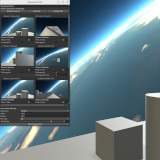
S7 Screenshot Tool Lite
Screenshot Tool Lite is a utility package that allows users to capture screenshots from one or more cameras in the scene, with advanced customization for resolution, format, and image quality.
Affiliate link · Purchases support this site
Price history
Last 6 months
USDAsset preview
1 / 4

S7 Screenshot Tool Lite screenshot 1


About this asset
The Screenshot Tool Lite is a Unity utility package designed to simplify the process of capturing high-quality screenshots from one or more cameras in your scene. With its user-friendly interface, this tool provides easy-to-use options for customizing camera settings, adjusting resolution, and saving screenshots in various formats, including JPG, PNG, TGA, and EXR.
Open the Screenshot Tool Window: Navigate to Tools -> S7Tools -> Screenshot Tool Lite in Unity's menu bar.
Customizability:
- The tool allows full customization of the cameras, including Field of View (FOV) adjustments, orthographic mode toggling, and specific camera settings to fit different scene needs.
- You can select one or more cameras for screenshot capture, making it ideal for both 2D and 3D game developers.
- Users can adjust the screenshot resolution, with options ranging from predefined settings (e.g., 720p, 1080p, 4K) to custom resolutions.
Suitable for:
- Game Developers: Perfect for creating high-quality promotional images, debugging, or capturing in-game screenshots.
- 2D and 3D Games: Works with both 2D and 3D games, offering versatile camera control.
- Artists: Useful for capturing artistic shots from various angles and views in the scene.
The Screenshot Tool Lite is compatible with Unity 2020.3 or higher and provides an easy, automated way to capture, save, and manage screenshots directly within Unity.
Need support?
Contact me on my discord server: https://discord.gg/yV5jUPcZXT
From the publisher's Asset Store listing.
Technical details
Key Features:
- Multiple Camera Support:Capture screenshots from one or more cameras in your scene.
Easily toggle between cameras and select specific ones for screenshot capture. - Customizable Camera Settings:Adjust Field of View (FOV) for perspective cameras.
Toggle Orthographic Mode for 2D game development.
Customize Orthographic Size for orthographic cameras. - Flexible Screenshot Resolution:Predefined resolutions for 720p, 1080p, and 4K.
Ability to define custom resolutions according to your needs. - Wide Range of Image Formats:Save screenshots in popular formats: JPG, PNG, TGA, and EXR.
Control image quality with JPG compression and PNG compression level. - Batch Screenshot Capture:Select and capture screenshots from multiple cameras simultaneously.
Automatically save to specified paths. - Preview Images:Real-time camera previews to help visualize what the captured screenshot will look like before saving.
- User-Friendly Interface:Easy-to-use editor window with intuitive controls for camera selection, resolution settings, and format options.
- Scene Integration:Integrates seamlessly with your existing Unity scene, no extra setup required.
Compatibility
| Unity version | Built-in | URP | HDRP |
|---|---|---|---|
| 2022.3.8f1 | Compatible | Compatible | Compatible |
As listed on the Asset Store.