
 View on Asset Store (opens in new tab)
Package details
- Latest version
- 1.0
- Last updated
- First released
- Unity version
- 2021.3.19 or later
- Package size
- 45.5 MB
- Files
- 28
- Favorites
- 3
- Views in the past week
- 5
Price tracking
- Last checked
- Tracked since
- Lowest recorded
- $4.99 on
Keywords
- Search for Measurement
- Search for architecture
- Search for 3D Measurement
- Search for Precision Tool
- Search for Real-Time Measurement
- Search for level design tool
- Search for Real Time Tool
- Search for unity tools
- Search for visualization
- Search for distance calculation
- Search for Game Development
- Search for Impact Points
MeasureSystem Real-Time
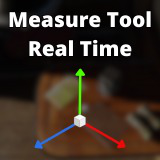
Measure Tool - Real Time: Measure distances and dimensions in Unity accurately, using Impact Point and Object modes. Ideal for design, architecture and video games. Intuitive and adaptable.
Affiliate link · Purchases support this site
Price history
Last 6 months
USDAsset preview
1 / 4

MeasureSystem Real-Time screenshot 1


About this asset
The Measure Tool - Real Time package is a versatile and fully customizable solution designed to meet the demands of a wide range of projects, including architectural design, game development, and 3D visualization. The tool offers two distinct modes: Object Mode, which calculates an object's dimensions along the XYZ axis, and Impact Point Mode, which allows users to place points manually to measure distances between them. This dual functionality makes it suitable for precise measurements in diverse scenarios.
The package is built with adaptability in mind, allowing developers to modify its core components easily. You can customize the prefabs for points, lines, and text, as well as adjust text sizes and materials, ensuring the tool aligns with the visual style and functional requirements of your project. Additionally, it supports older and newer Unity versions (starting from Unity 2021.3.19f1), making it a reliable addition to any workflow.
Whether you're working on immersive environments for gaming, creating detailed architectural plans, or designing complex 3D models, the Measure Tool provides intuitive controls, accurate measurements, and seamless integration into your project pipeline. Its robust feature set ensures it's not just a tool but an essential asset for any developer seeking precision and efficiency.
From the publisher's Asset Store listing.
Technical details
The Measure Tool - Real Time is a Unity package designed for accurate and efficient object measurement within 3D environments. Below are the key features that make this tool a valuable addition to any project:
Key Features
Dual Measurement Modes
Object Mode: Automatically measures an object's height, width, and length along the XYZ axis. Ideal for analyzing object dimensions with ease.
Impact Point Mode: Allows manual placement of points to measure distances between them, connecting points with lines for visualization.
Customizability
Fully editable prefabs for points, lines, and text.
Adjustable text size and materials for both modes to align with your project's visual style.
Flexible collider and Mesh Renderer setup for compatibility with various object configurations.
Seamless Integration
Compatible with Unity versions starting from 2021.3.19f1.
Works across different environments, including gaming, architectural visualization, and product design.
User-Friendly Controls
LShift+C: Clear all measurements.
LShift+LCtrl: Switch between modes.
LCtrl+LClick: Place measurement points or select objects to measure.
Performance Optimization
Minimal impact on project performance by allowing users to clear unnecessary data and avoid overlaps.
Designed to handle large-scale 3D environments efficiently.
Visual Feedback
Displays precise distances and object dimensions in real time.
Legacy 3D text is used for clear and customizable measurement labels.
Adaptability
Can be used for diverse genres, including architecture, game development, and simulation projects. Modular design allows for easy modification to fit specific project requirements.
Documentation and Support
Comprehensive documentation with first-step guides for quick onboarding.
Includes examples and use cases to demonstrate real-world applications.
Responsive support for troubleshooting and customization.
The Measure Tool - Real Time simplifies complex measurement tasks, making it an essential asset for developers focused on precision and efficiency in 3D workflows.
Compatibility
| Unity version | Built-in | URP | HDRP | Custom |
|---|---|---|---|---|
| 2021.3.19f1 | Compatible | Compatible | Compatible | Compatible |
As listed on the Asset Store.