
 View on Asset Store (opens in new tab)
Package details
- Latest version
- 1.0.2
- Last updated
- First released
- Unity version
- 2022.3.22 or later
- Package size
- 46 KB
- Files
- 76
- Favorites
- 29
- Views in the past week
- 6
Price tracking
- Last checked
- Tracked since
- Lowest recorded
- Free on
Keywords

Inspector Enhancements
Inspector Enhancements is a free collection of tools that make working in Unity's Inspector easier and more efficient; they help test, organize data, simplify complex setups, and reduce errors.
Affiliate link · Purchases support this site
Price history
Last 6 months
USDAsset preview
1 / 3

Inspector Enhancements screenshot 1


About this asset
Free Tools to Empower Your Creation
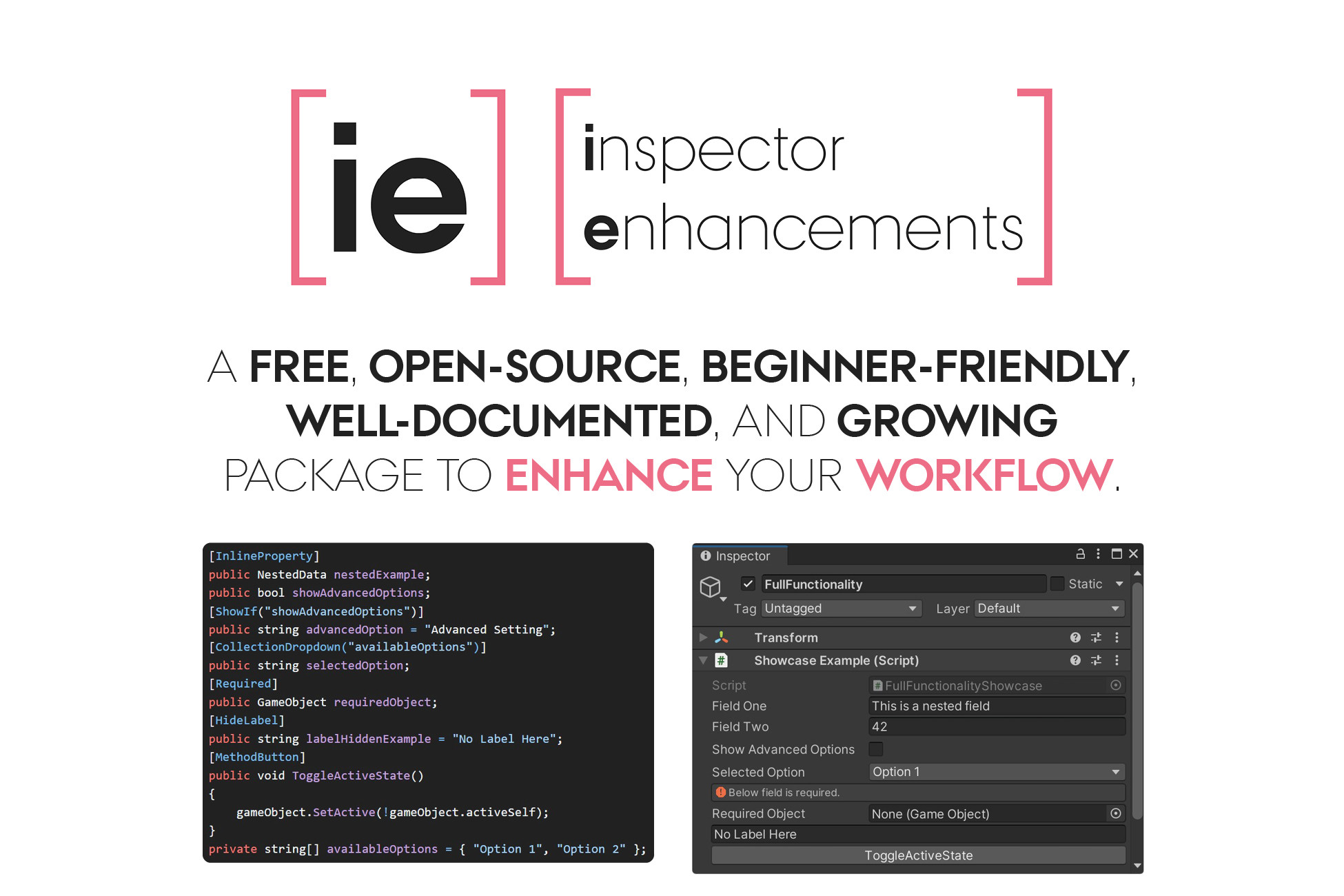
Inspector Enhancements provides six easy-to-use and well-documented tools (custom property attributes and drawers) that make working in Unity's Inspector faster, simpler, and more intuitive. Whether you’re organizing data, testing functionality, or reducing clutter in your project setup, these tools help tackle common pain points in the Unity Editor.
- Remove Clutter
Keep your Inspector clean and focused by hiding irrelevant options or organizing fields into dropdown menus. Whether you’re managing complex data or reducing distractions, tools like [HideIf], [ShowIf], and [CollectionDropdown] streamline your workspace.
- Test Functions Easily
Need to test a function without entering Play Mode? [MethodButton] lets you run methods directly from the Inspector. This is perfect for debugging, prototyping, or testing individual components of your game.
- Prevent Errors
Missing references and unassigned fields can lead to runtime errors. [Required] ensures all essential fields are assigned by showing warnings right in the Inspector, saving you from debugging headaches.
- Visualize Nested Data
Tired of drilling down into complex objects? [InlineProperty] displays nested data structures directly in the Inspector, so you can see everything at a glance.
- Decide the Selection
Simplify field assignments by providing predefined options directly in the Inspector. With [CollectionDropdown], you can replace manual input or long lists with an organized dropdown menu. Perfect for selecting prefabs, materials, or other assets without navigating through folders, ensuring consistency and reducing errors.
Documentation and Examples
Inspector Enhancements comes with documentation and a list of examples which may be found in the project's wiki.
Tools Included
- [MethodButton]: Run methods directly from the Unity Inspector. Perfect for testing, debugging, and triggering actions without entering Play Mode.
- [CollectionDropdown]: Select items from arrays and lists using a dropdown menu, reducing the clutter of large collections in the Inspector and allowing picking between multiple options easily.
- [HideIf] and [ShowIf]: Dynamically hide or show Inspector elements based on conditions, keeping your workspace clean and relevant.
- [HideLabel]: Simplify your interface by removing unnecessary labels for a cleaner look.
- [InlineProperty]: Display nested data structures directly in the Inspector for better visualization.
- [Required]: Warn when essential fields are left unassigned, helping to prevent runtime errors.
More Features in the Works
Inspector Enhancements continues to evolve with new tools to improve your Unity workflow. Here’s a preview of two features currently in the works:
- [ShowInInspector]: Display and edit non-serialized properties directly in the Inspector. Perfect for exposing calculated or dynamic properties while maintaining editability and encapsulation.
- [InterfaceImplementation]: Allow interface assignments directly in the inspector with a dropdown menu listing eligible implementations. Quickly select from non-abstract classes with default constructors for streamlined development.
From the publisher's Asset Store listing.
Technical details
Compatible with Unity 2020.3 LTS and later.
Supports all Unity Editor platforms.
Includes six custom property attributes and drawers:
- [MethodButton]
- [CollectionDropdown]
- [HideIf] / [ShowIf]
- [HideLabel]
- [InlineProperty]
- [Required]
Compatibility
| Unity version | Built-in | URP | HDRP | Custom |
|---|---|---|---|---|
| 2022.3.22f1 | Compatible | Compatible | Compatible | Compatible |
As listed on the Asset Store.