
 View on Asset Store (opens in new tab)
Package details
- Latest version
- 1.0.1
- Last updated
- First released
- Unity version
- 2021.3.20 or later
- Package size
- 207 KB
- Files
- 8
- Favorites
- 8
- Views in the past week
- 8
Price tracking
- Last checked
- Tracked since
- Lowest recorded
- Free on
Keywords

Editor Scene Manager: Scene Organizer
- Price drop
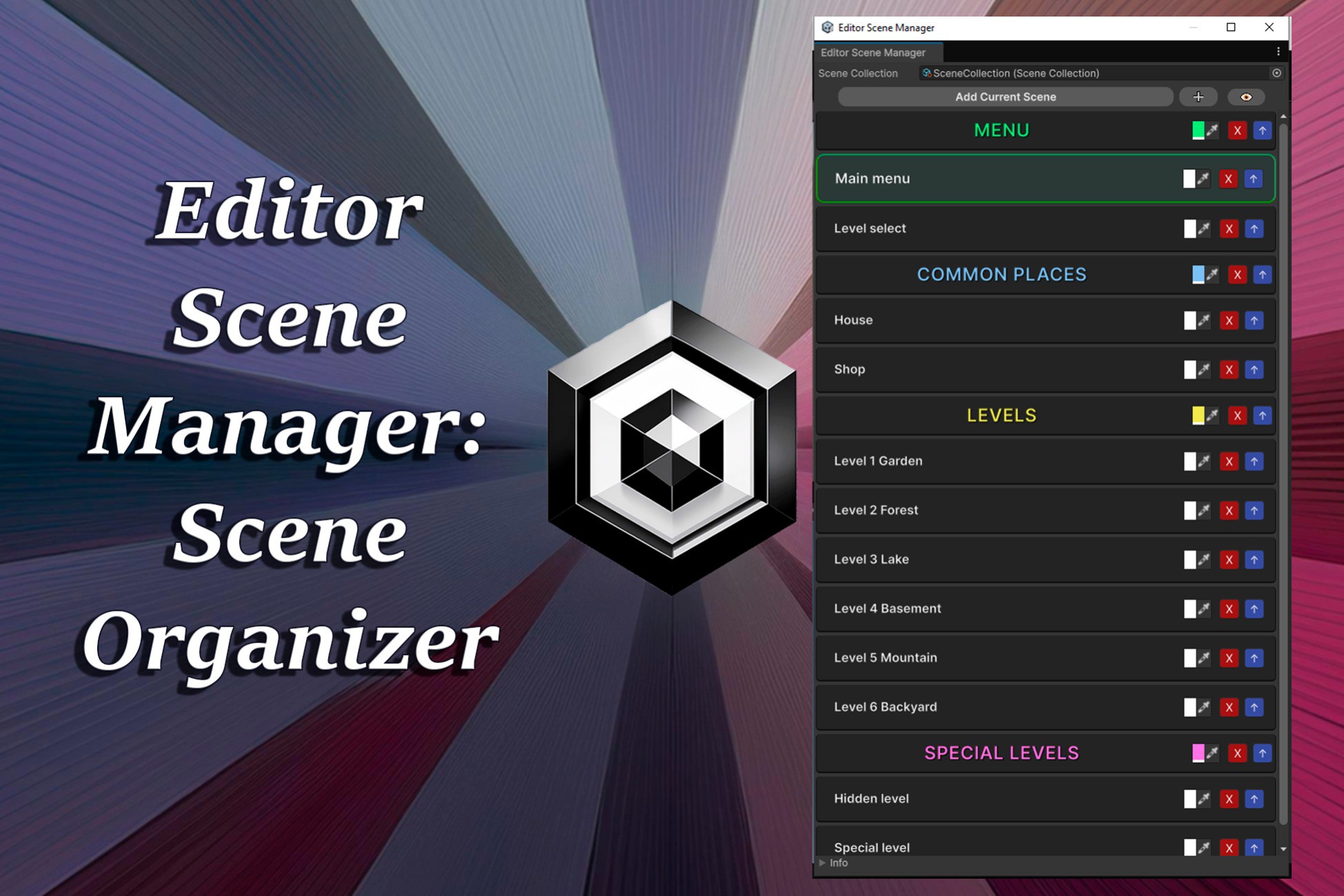
Editor Scene Manager is the ultimate scene organizer for your Unity projects. Streamline scene management, enhance your workflow, and keep your scenes organized and accessible with a single click.
Affiliate link · Purchases support this site
Price history
Last 6 months
USDAsset preview
1 / 3

Editor Scene Manager: Scene Organizer screenshot 1


About this asset
Editor Scene Manager is an essential tool for any Unity developer, designed to simplify scene organization and streamline access for projects of any size. This customizable scene editor allows you to create organized scene collections and provides an interactive panel where you can manage, load, and personalize scenes quickly and effectively. Say goodbye to endless project navigation and wasted time in menus—Scene Manager puts all your scenes at your fingertips in an organized and accessible way.
With the ability to create multiple collections, and customize each scene with colors, names, and headers, Scene Manager revolutionizes how you navigate and work in Unity. Ideal for large teams as well as solo developers, this tool optimizes workflow and lets you focus on what really matters: development!
From the publisher's Asset Store listing.
Technical details
- Customizable Scene Collections: Create, save, and organize scene collections by project stage, game context, or scene type as needed.
- One-Click Scene Loading: Instantly access scenes from any collection and load them directly from the panel.
- Headers and Sections: Visually organize scenes into sections with customizable headers, ideal for complex projects.
- Color Options: Assign a unique color to each scene for quick identification in the list.
- Drag-and-Drop Functionality: Easily add new scenes with drag-and-drop support.
- Advanced Options Visibility: Toggle advanced edit buttons like color picker, move button, or delete button for cleaner navigation.
- Shortcut: press Ctrl + E to open the Editor Scene Manager.
Compatibility
| Unity version | Built-in | URP | HDRP | Custom |
|---|---|---|---|---|
| 2021.3.20f1 | Compatible | Compatible | Compatible | Compatible |
As listed on the Asset Store.