
 View on Asset Store (opens in new tab)
Package details
- Latest version
- 1.0.0
- Last updated
- First released
- Unity version
- 2021.3.45 or later
- Package size
- 155 KB
- Files
- 40
- Views in the past week
- 1
Price tracking
- Last checked
- Tracked since
- Lowest recorded
- $4.99 on
Keywords

LootBox | Json Inspect
Json Editor to edit any serializable field
Affiliate link · Purchases support this site
Price history
Last 6 months
USDAsset preview
1 / 1
 Play LootBox | Json Inspect video 1 (plays on the Asset Store) on the Asset Store (opens in new tab)
LootBox | Json Inspect video 1 (plays on the Asset Store)
About this asset
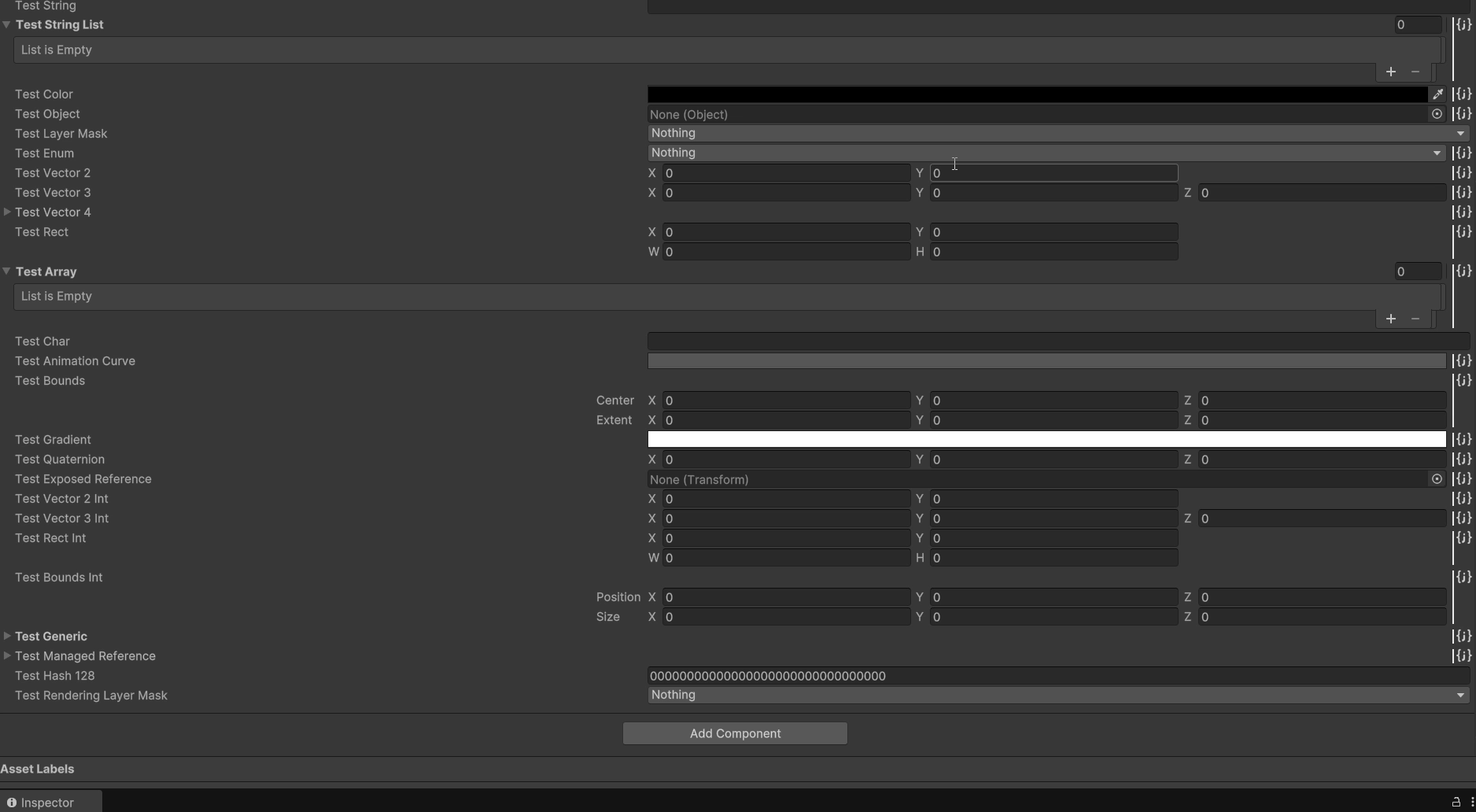
A handy Json Editor directly in the inspector to edit any serialized field with customizable serialization strategy. Source code available on purchase and can be further customized/improved to your liking.
How to Use:
- Add the [JsonEdit] attribute to a serialized field
- Hold Shift while hovering over the inspector field to reveal the {j} button (Can be changed in settings)
- Click on the {j} button to enable the json editor view
- Click on the {j} button again to disable the json editor view and save the new contents.
In Project Settings, you can change the color theme and serialization strategy under the category Json Edit Settings.
The standard unity json utility (UnityEngine.JsonUtility) is available through the JsonSerializeStrategy. However it doesn't work very well for most fields, it is highly recommended that you use NewtonsoftSerializeStrategy. To be able to see this strategy you must either:
- Import com.unity.nuget.newtonsoft-json
- Ensure Newtonsoft.Json is available in your project and add NEWTONSOFT_JSON to your Scripting Define Symbols under Project Settings/Player
From the publisher's Asset Store listing.
Technical details
- Custom attribute to make any field editable in Json
- Support for custom serialization strategies (Doesn't have to be Json !)
Compatibility
| Unity version | Built-in | URP | HDRP | Custom |
|---|---|---|---|---|
| 2021.3.45f1 | Compatible | Compatible | Compatible | Compatible |
As listed on the Asset Store.