
 View on Asset Store (opens in new tab)
Package details
- Latest version
- 1.0
- Last updated
- First released
- Unity version
- 2021.3.0 or later
- Package size
- 76 KB
- Files
- 14
- Favorites
- 21
- Views in the past week
- 4
Price tracking
- Last checked
- Tracked since
- Lowest recorded
- Free on
Keywords
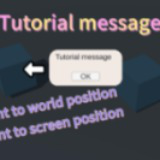
Basic Tutorial Message
This small free tool allows you to create a tutorial message pointing to an object in the world or a UI object.
Affiliate link · Purchases support this site
Price history
Last 6 months
USDAsset preview
1 / 4

Basic Tutorial Message screenshot 1


About this asset
This tool allows you to create a tutorial message pointing to any world position or screen position with an arrow sprite and a dynamic-sized text dialog. The size and position are calculated automatically, and all you need to do is provide the position, the pointing direction, and an offset. You can also dynamically replace the arrow sprite if you need. With this, you can start to create step-by-step tutorials for your players.
Third-party content usage:
This asset uses "Cursor Pack" images under Creative Commons CC0; see Third-Party Notices.txt file in the package for details. This asset also use TextMeshPro.
From the publisher's Asset Store listing.
Technical details
Requires: TextMeshPro. Please import the Unity TextMeshPro first before using this asset.
If you need to change the font or the font size or something like that, you could change them in the prefab, and it should still work.
Compatibility
| Unity version | Built-in | URP | HDRP |
|---|---|---|---|
| 2021.3.0f1 | Compatible | Compatible | Compatible |
This is a UI tool, so it should work in any rendering pipeline, though the example scene works in the built-in pipeline.
As listed on the Asset Store.