
 View on Asset Store (opens in new tab)
Package details
- Latest version
- 1.0.0
- Last updated
- First released
- Unity version
- 2022.3.39 or later
- Package size
- 311 KB
- Files
- 47
- Favorites
- 6
- Views in the past week
- 4
Price tracking
- Last checked
- Tracked since
- Lowest recorded
- Free on
Keywords
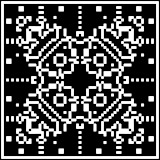
OmniCA - Cellular Automata Tool
Experimental Unity3D tool for simulating all possible 2D, two-state cellular automata on a square grid.
Affiliate link · Purchases support this site
Price history
Last 6 months
USDAsset preview
1 / 6

OmniCA - Cellular Automata Tool screenshot 1


About this asset
This tool implements a 2D version of Wolfram's Elementary Cellular Automaton (CA), where the neighborhood frame consists of 9 cells, resulting in a 512-bit rule size. This creates an immense rule space of 2^512, which equals approximately 1.34 × 10^154 possible rules. The tool features a user-friendly interface for creating and saving rules and controlling initial conditions and simulation parameters. The simulation is highly efficient, running on the GPU and utilizing a compact representation of the rules. Users can create custom initial configurations, or utilize built-in options such as "Center", "Grid", "Noise", or "Paint". OmniCA also allows for chaining rules to create more complex patterns and behavior.
Visit our website for more details:
From the publisher's Asset Store listing.
Technical details
Features:
- Simulate all 512-bit rules of 2D, two-state cellular automata on a square grid.
- GPU-accelerated simulation for fast performance and smooth visuals.
- User-friendly interface for creating, saving, and chaining cellular automata rules.
- Customizable initial configurations with built-in presets: Center, Grid, Noise, and Paint. Plus, a simple API that lets you easily create your own custom initial configurations.
- Rule Editor for detailed rule management, with a binary view, search, and script-driven rule generation.
- Customizable field initializers and support for importing external .png files for initial setups.
- Rule chaining options with queue types: Order, Repeat, or Random.
- For advanced users, the tool includes an intuitive API for creating automated rule-building scripts, allowing you to generate and modify rules programmatically via the RuleBuilder class.
Supported Operating Systems:
- Windows (tested)
- macOS and Linux (expected compatibility but not yet tested)
Documentation:
- Full documentation and instructions are available on GitHub: OmniCA Documentation
Compatibility
| Unity version | Built-in | URP | HDRP |
|---|---|---|---|
| 2022.3.39f1 | Compatible | Not listed | Not listed |
As listed on the Asset Store.