
 View on Asset Store (opens in new tab)
Package details
- Latest version
- 1.2.0
- Last updated
- First released
- Unity version
- 6000.0.58 or later
- Package size
- 140.0 MB
- Files
- 114
- Favorites
- 382
- Views in the past week
- 326
Price tracking
- Last checked
- Tracked since
- Lowest recorded
- Free on
Keywords
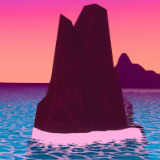
AQUIS - Water Toon Shader (Orto & Perspective)
Stylized Water Shader for Ortho & Perspective Camera
Affiliate link · Purchases support this site
Price history
Last 6 months
USDAsset preview
1 / 7

AQUIS - Water Toon Shader (Orto & Perspective) screenshot 1


About this asset
This is the first version of a stylized water shader that I created using Unity's Shader Graph. The shader is designed to work in both orthographic and perspective camera modes, making it versatile for various types of games, from top-down to fully 3D environments. While I'm still new to shader development, I hope that this shader can be a useful starting point for others looking to create water effects in their projects because it's made for being very modular.
Check the pro version there!
https://assetstore.unity.com/packages/vfx/aquis-pro-water-tool-shader-orto-perspective-370678
Check my manga style illumination shader there!
https://assetstore.unity.com/packages/vfx/shaders/manga-pencil-modular-shader-303276
From the publisher's Asset Store listing.
Technical details
Materials:
- Realistic Ocean
- Stylized Ocean
- River
- Lava
- Poison
- Cold water
Size of some textures: 2048px
Different depending on user settings
6 different materials
2 custom shaders: Water Lit and Water Unlit
(one is affected by illumination unlike the other one)
The terrains of the scene template are included too.
Compatibility
| Unity version | Built-in | URP | HDRP |
|---|---|---|---|
| 6000.0.58f2 | Not listed | Compatible | Not listed |
--IMPORTANT--
In order to avoid problems when the shader is getting included in a Web GL build, change the Renderer settings from Forward+ to Forward instead and uncheck the additional lights to cast shadows. These Shader Graph features are not supported by Web GL and might cause your project crash.
As listed on the Asset Store.