
 View on Asset Store (opens in new tab)
Package details
- Latest version
- 2.1
- Last updated
- First released
- Unity version
- 6000.3.12 or later
- Package size
- 24 KB
- Files
- 13
- Favorites
- 2
- Views in the past week
- 9
Price tracking
- Last checked
- Tracked since
- Lowest recorded
- $9.99 on
Keywords

Record at Play v2.1
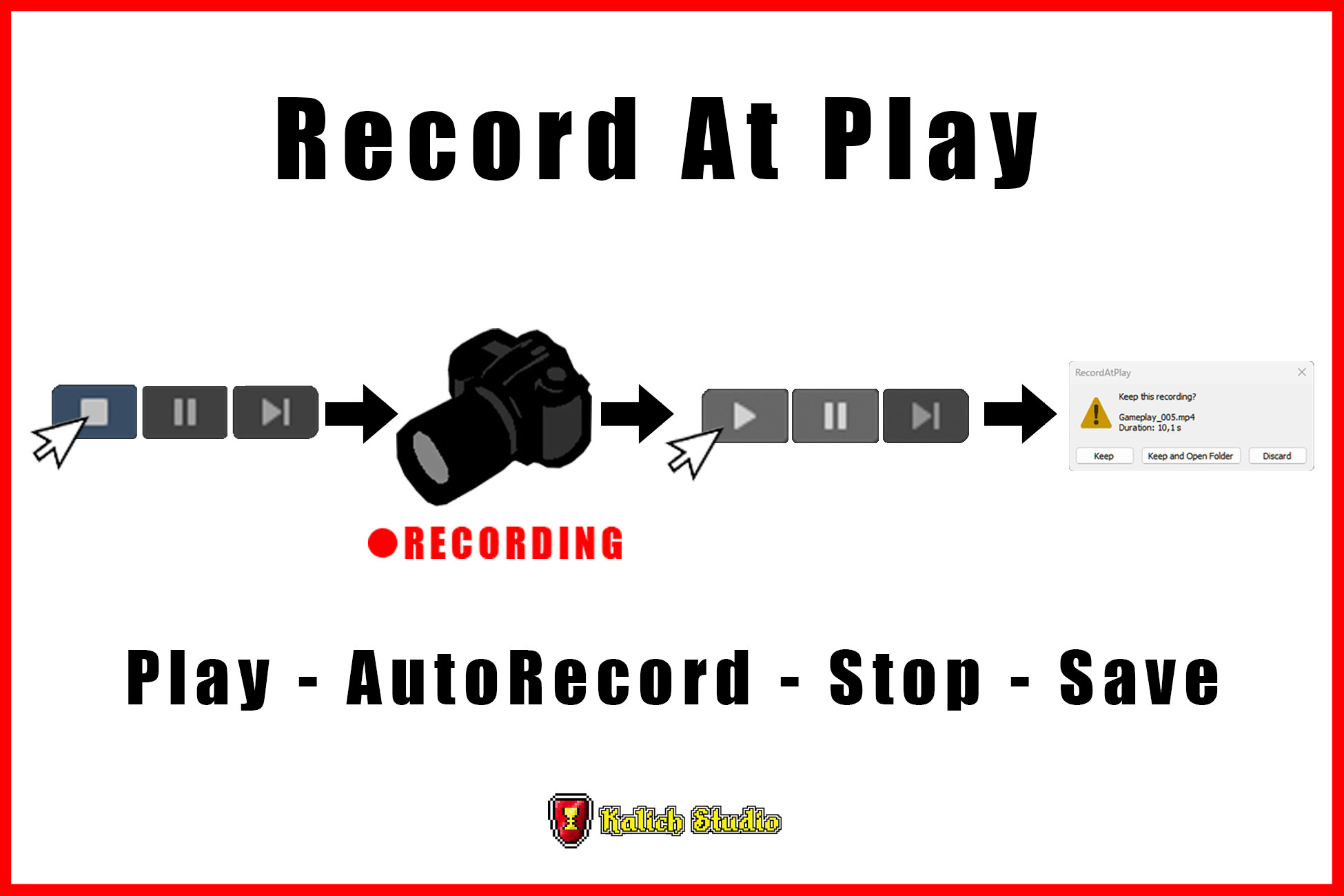
Records your Game View automatically when you press Play and stops when you exit. No setup, no prefab. Auto-named files, keep or discard prompts, hotkeys. Works with any render pipeline.
Affiliate link · Purchases support this site
Price history
Last 6 months
USDAsset preview
1 / 2
Record at Play v2.1 screenshot 1
About this asset
RecordAtPlay turns every Play session into ready-to-share gameplay footage.
Press Play and it records.
Press Stop and your clip is saved, named, and numbered. No prefabs, no components, no code, nothing added to your scenes.
Perfect for devlogs, trailers, bug reports, playtest reviews and social media clips. Because it captures everything automatically, you will never again nail a perfect run and realize you forgot to hit record.
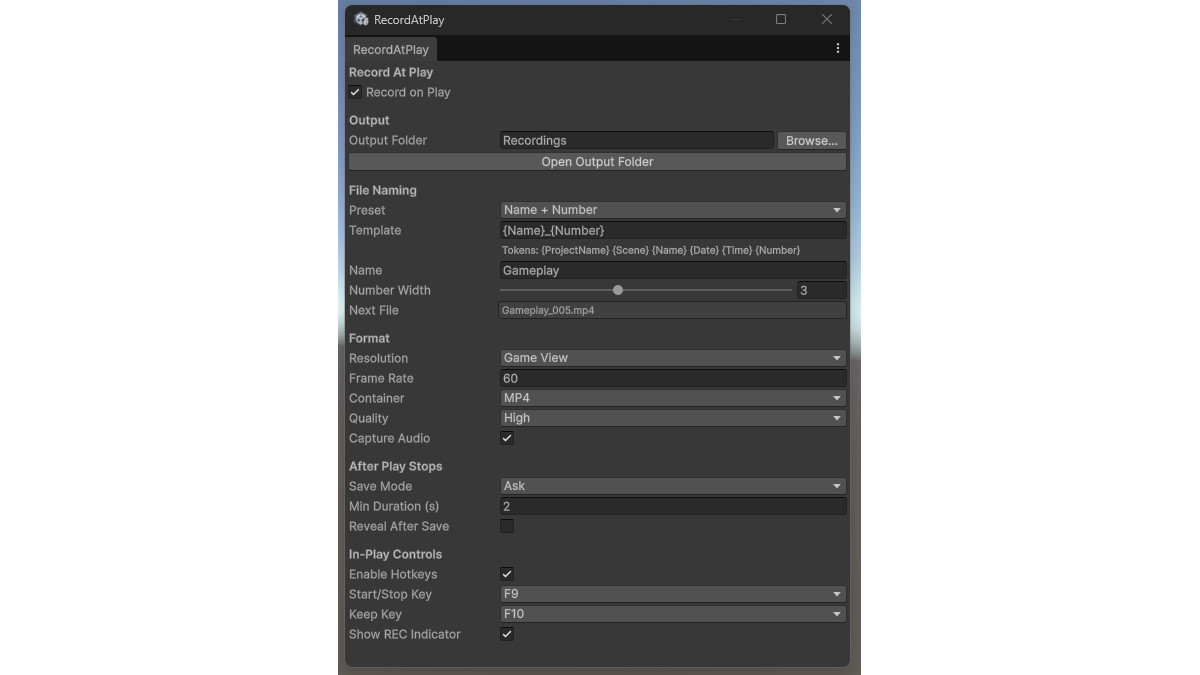
Everything is customizable from a clean settings window. Build your own filename pattern from tokens like scene, date, project name and an auto-incrementing counter that never overwrites a file. Choose MP4 or WebM, resolution, frame rate, quality and audio capture. Decide what happens when Play stops: keep everything, get asked, or auto-discard unless you flag a take worth keeping with a hotkey.
Short accidental runs are cleaned up automatically, so your folder stays tidy.
Start and stop recording mid-session with hotkeys, and a subtle REC indicator shows you are rolling without ever appearing in the video itself.
Works with any genre and any project type, 2D or 3D, URP, HDRP or Built-in. Editor-only by design, so it adds zero overhead to your builds. Supports Unity 2022.3 LTS and newer, works with both the new Input System and the legacy Input Manager, and needs only the free Unity Recorder package.
From the publisher's Asset Store listing.
Technical details
- Editor-only tool. It records inside the Unity Editor when you press Play. It cannot capture footage from built players, and it contributes nothing to build size.
- Supports Unity 2022.3 LTS and newer, all render pipelines (Built-in, URP, HDRP), 2D and 3D.
- Output formats: MP4 (H.264) and WebM, with Low/Medium/High quality presets, custom or Game view resolution, configurable frame rate, optional audio capture.
- Records the Game view output, so anything the game renders (including your game's UI) is captured. The REC indicator is editor UI and is never captured.
-Filename templates: {ProjectName}, {Scene}, {Name}, {Date}, {Time}, {Number} with collision-free auto-numbering.
Compatibility
| Unity version | Built-in | URP | HDRP | Custom |
|---|---|---|---|---|
| 6000.3.12f1 | Compatible | Compatible | Compatible | Compatible |
Render pipeline compatibility
AutoRecorder is render-pipeline independent. It captures the final Game View output rather than hooking into scene rendering, so it works identically with any render pipeline.
Dependencies:
-Unity Recorder
-Input System (com.unity.inputsystem) -> optional
As listed on the Asset Store.